Keep sponsorships moving, from conversation to renewal.
Bring sponsor contacts, sponsorship packages, and available placements together in campai. Follow each conversation through offers and invoices. Use the sales dashboard to review open opportunities, follow-ups, and sales.
Keep sponsors as contacts with their own sponsor numbers. Create an opportunity for a potential partnership and link the contact and proposed products. Record the person responsible, expected value, and planned closing date so the next conversation has a clear starting point.
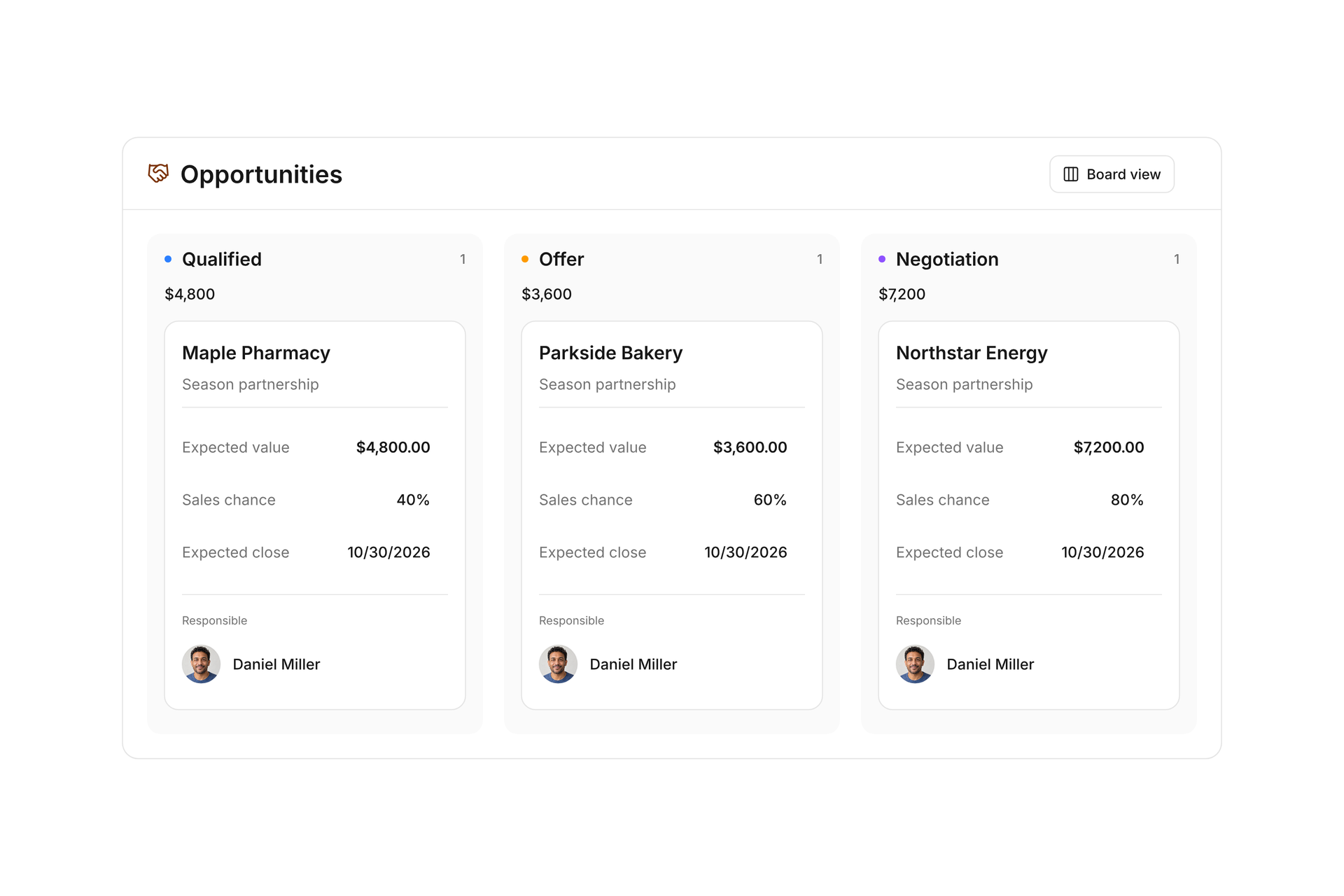
Use the list or board view to follow New, Qualified, Offer, and Negotiation through to the outcome. Add probability and notes as the conversation develops. For the next season, link a new opportunity to a won deal for the same sponsor using Renewal of.
Build packages around what your club can offer
Create products for a field banner, a program ad, or an event partnership. Give each a description, unit, price, and category. Reuse these details in offers and invoices as you work with sponsors.
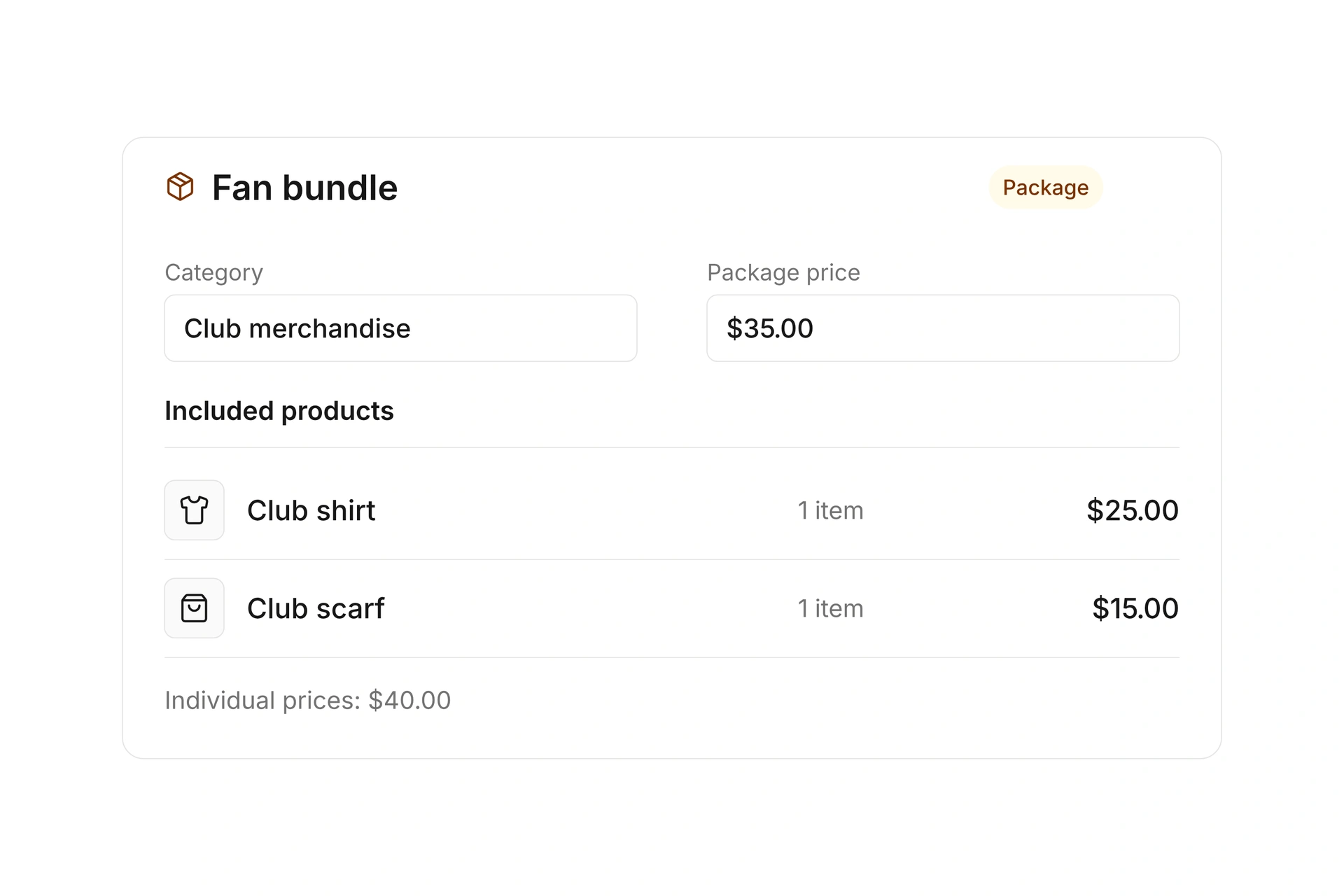
Combine several products in a package with its own price. Component quantities remain part of inventory calculations. A season partnership can include a banner placement and program ads while you continue offering those items separately.
Know which sponsorship placements are still available
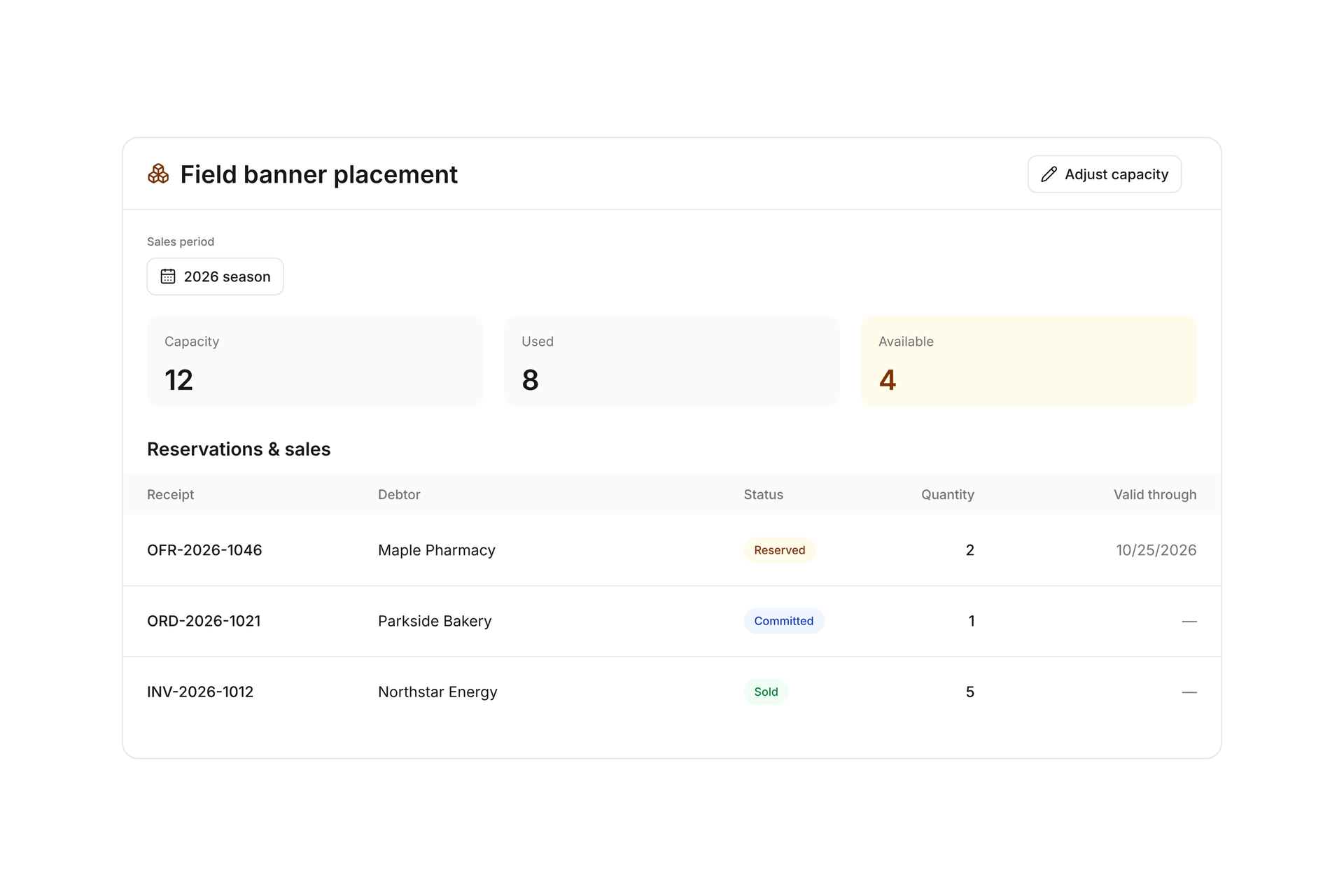
Set a total capacity for limited items, such as twelve field banner placements for a season. Use one inventory pool across sales periods or separate capacity for each period. Products without a quantity limit can use no inventory tracking.
Review availability alongside reservations, commitments, and sales. A draft offer does not use inventory. Finalizing it reserves the required quantity; rejection or expiration releases the reservation. When capacity changes, add a note and review the adjustment in the inventory history.
Carry the sponsorship offer through to an invoice
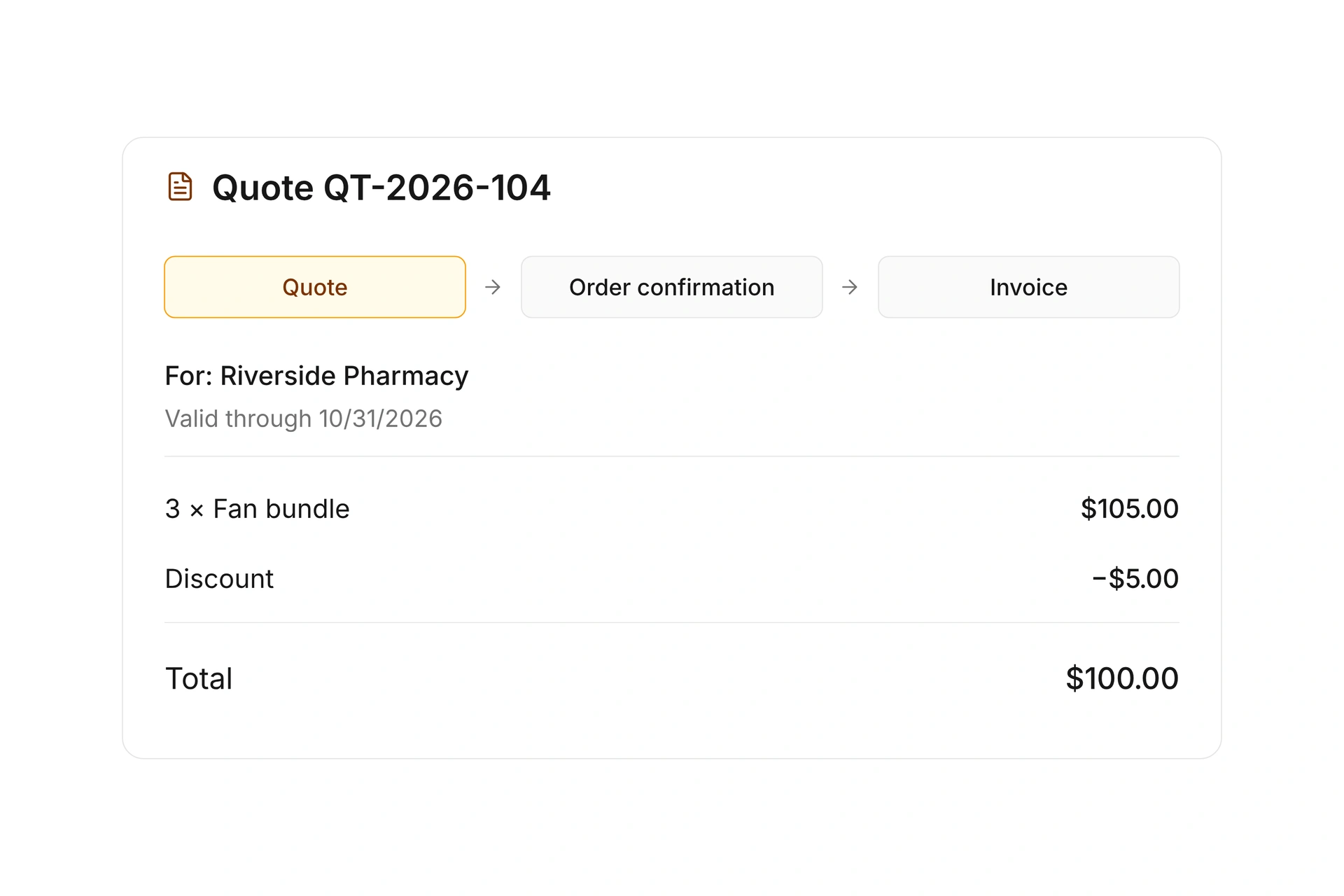
Create an offer using the selected products and link it to the opportunity. The Offer phase corresponds to a draft; after finalizing, the opportunity moves to Negotiation. You can see whether you are still preparing the proposal or waiting for a decision.
Acceptance marks the linked opportunity as Won. Convert the accepted offer into an order confirmation or directly into an invoice without entering the line items again. A won opportunity does not establish that payment has arrived; check the associated document’s payment status.
Use the sales dashboard to plan your follow-ups
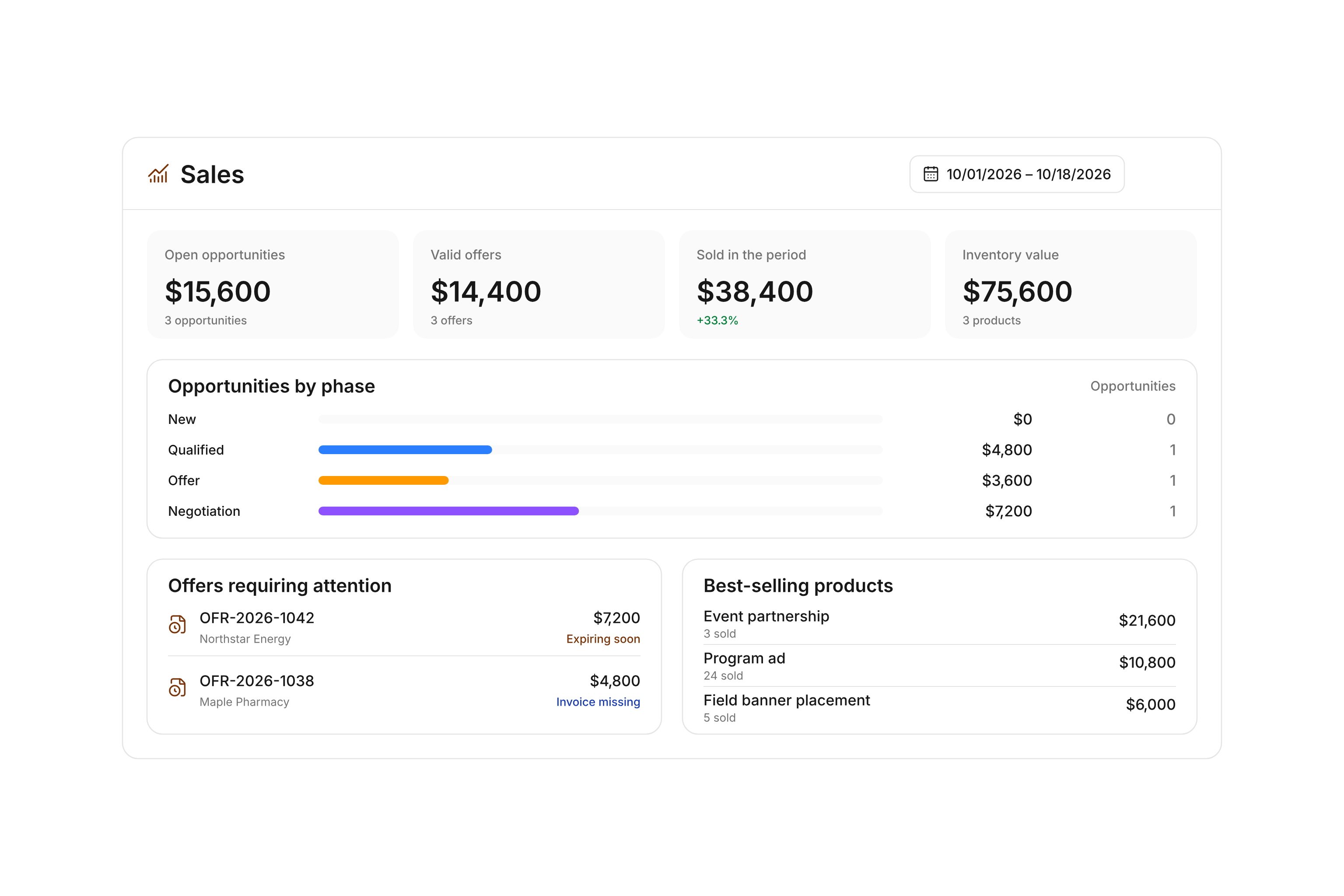
Compare opportunity counts and expected values by phase. Review valid offers, sales in the selected period, and inventory value alongside them. Offers requiring attention highlight approaching deadlines and accepted offers that still need an invoice.
Best-selling products show which items are selling. Keep the measures distinct: opportunity value is an expectation. Sales and inventory values use product quantities and current catalog prices. Use invoices and finance views for the amounts actually billed and payments received.
Prepare for your next sponsorship season
Start with the benefits your organization can deliver, then track the conversations and commitments in campai.
1
Define the benefits
Create products and packages. For limited placements, set the sales period and available capacity.
2
Assign each conversation
Create the sponsor contact and opportunity. Add products, an owner, expected value, and planned closing date.
3
Work through the offer
Prepare the linked offer and check availability before finalizing. Follow the decision in the pipeline.
4
Follow the agreement through
Turn the accepted offer into billing documents. Check payment status and create a linked opportunity for a future renewal.
Twelve field banner placements for one season
With twelve placements to sell, each inventory status helps you understand what you can still offer.
Status
Quantity
What it means
Total inventory
12 placements
Capacity for this product in the selected sales period.
Reserved
2 placements
Held for valid, finalized offers.
Committed
1 placement
Held by an order confirmation.
Sold
5 placements
Recorded as sold through invoices.
Available
4 placements
12 minus 2 reserved, 1 committed, and 5 sold placements.
An invoice records the sale. Check payment status separately to see whether the sponsor has paid.
Frequently asked questions
Can I manage sponsors separately from members?
Yes. Sponsors have their own contact type and sponsor numbers. Link each opportunity to the relevant contact, products, and responsible person.
Can sponsorship packages contain limited items?
Yes. Combine products into a package with its own price. campai accounts for the required quantities of tracked components when calculating availability. Set capacities for items such as banner placements or program ads.
Can each season have its own inventory?
Yes. Choose global inventory, inventory by sales period, or no inventory tracking for a product. Use a sales period and its capacity when each season needs a separate allocation.
Does an opportunity reserve a placement?
No. An opportunity tracks a potential sale, and a draft offer does not reserve inventory. Finalizing the offer creates the reservation. An order confirmation commits the quantity; an invoice records it as sold.
How do I track renewals?
Create a new opportunity for the same sponsor and select the previously won deal under Renewal of. This preserves the connection between partnerships. It does not automatically renew the agreement.
Does the sales dashboard show paid sponsorship revenue?
Expected opportunity value is not revenue. Sales statistics value sold quantities at current catalog prices and do not report payment receipts. Check invoices and finance views for actual billed amounts and payments. The dashboard also includes all sales you can access, rather than only sponsorships.
Bring your sponsors and offers together
Show us your sponsorship packages and how you manage partnerships today. We’ll walk through contacts, inventory, and the path to an invoice.