Skip to content

Member communication with newsletters and forms.

Design newsletters, choose the right recipient groups, and review delivery status. Use custom forms to collect responses, validate entries, and review results in campai.

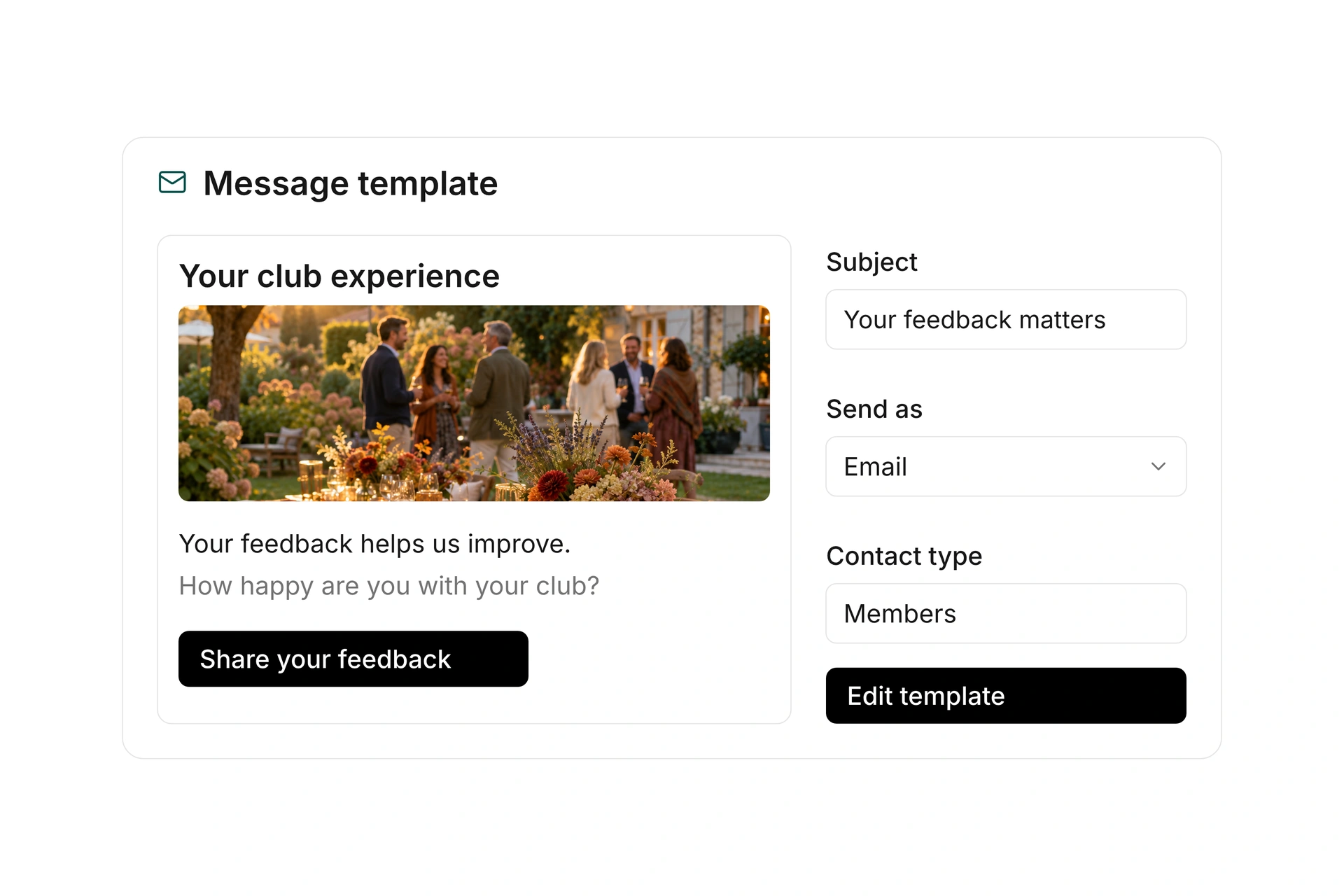
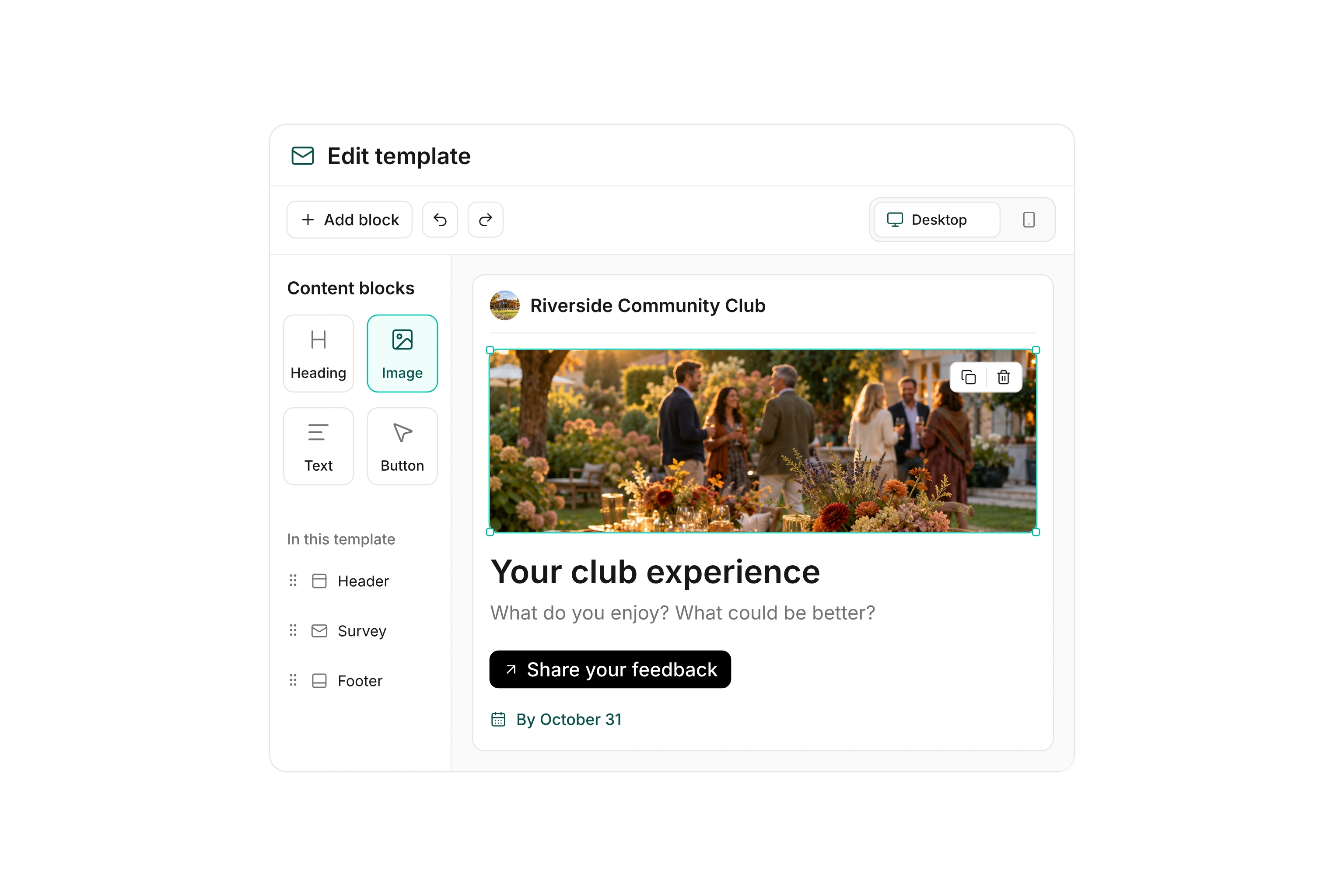
Email template editor with a content outline, editing toolbar, selected festival photo, feedback invitation, and a linked member survey.
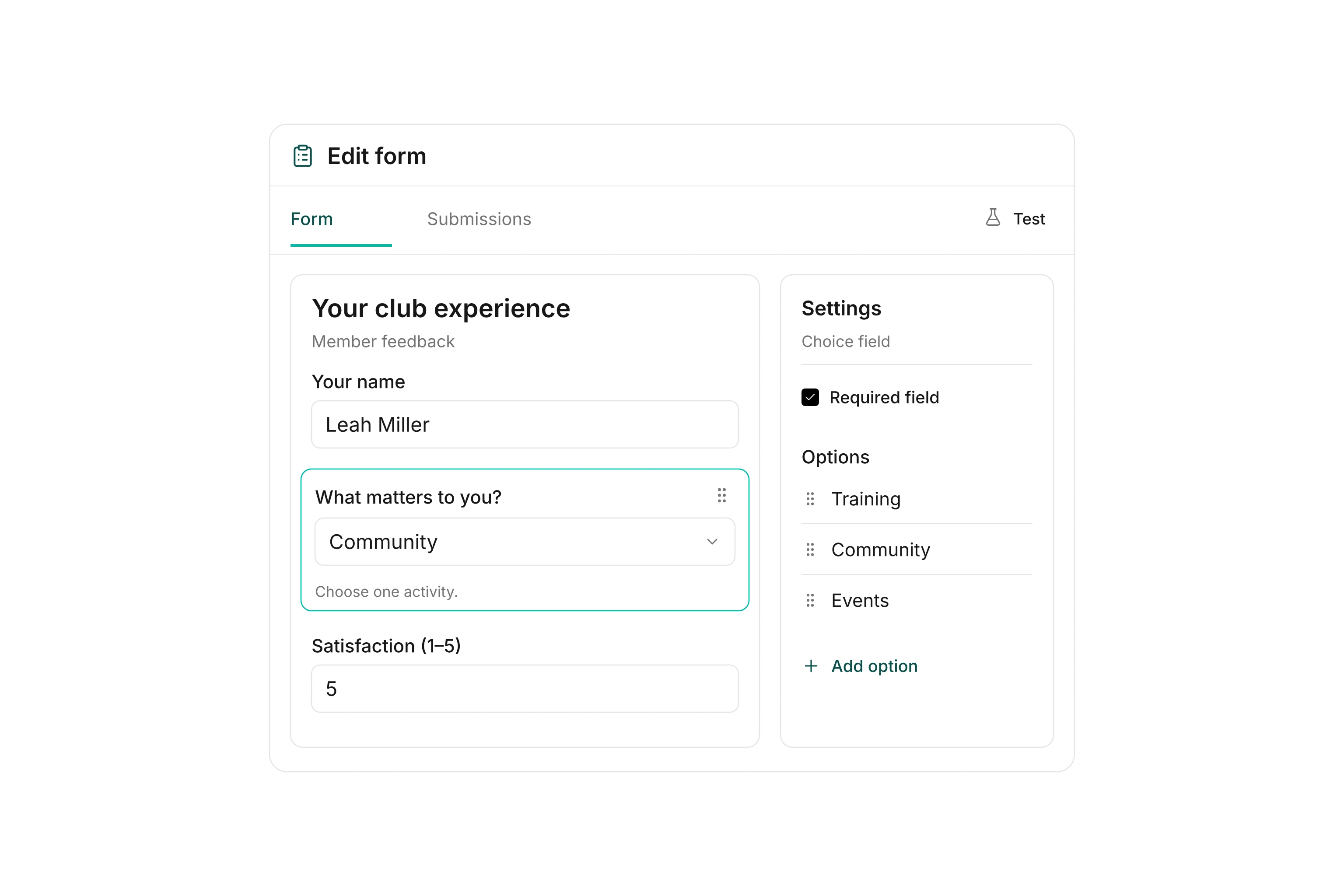
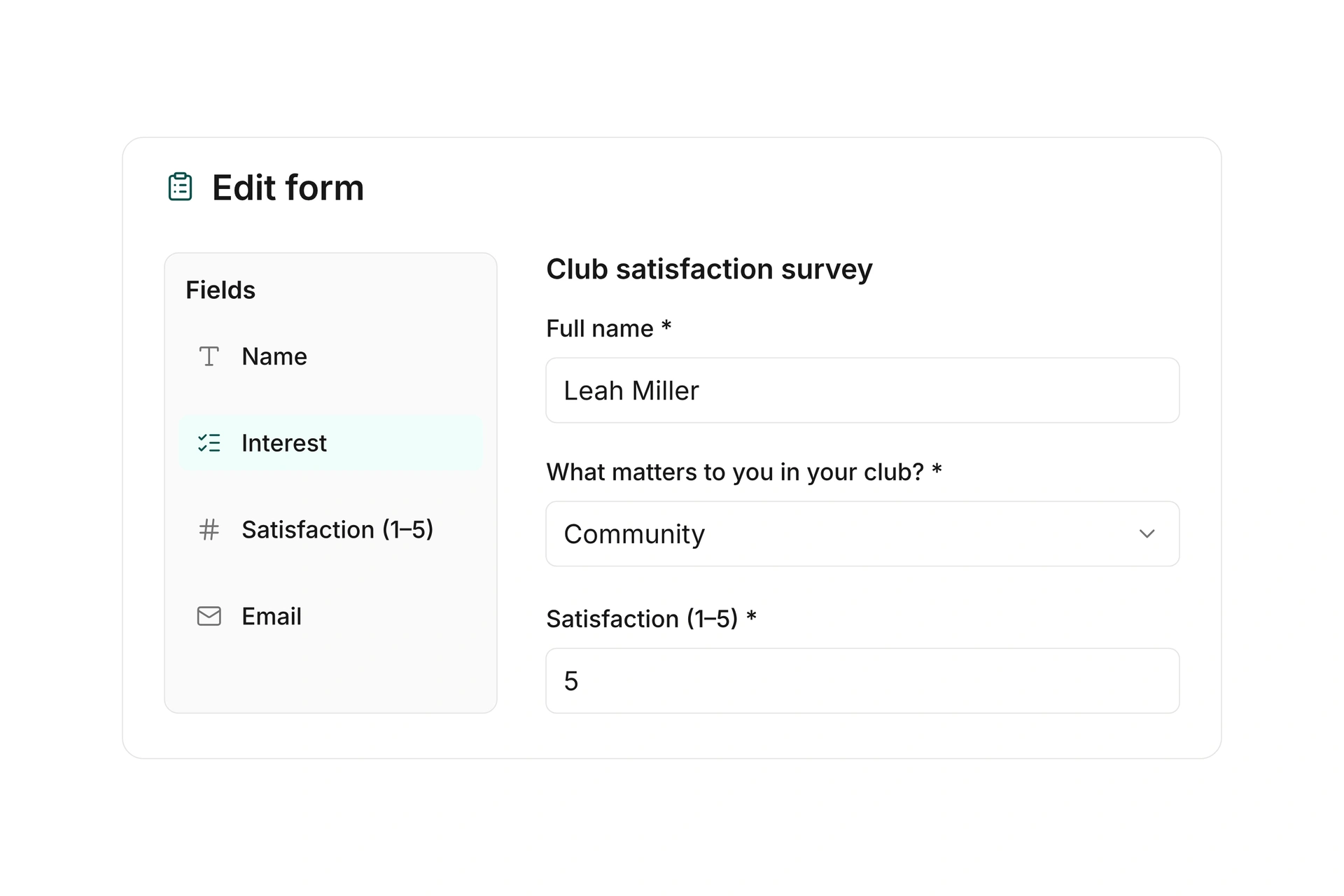
Form builder with a member feedback survey, club activity choices, and a satisfaction rating.

Design newsletters and reusable templates

Create emails with your own content and images and save reusable templates. Set the subject, preview text, and attachments, then review the design before using the message.

Use an organization-wide template to keep recurring emails consistent with your club’s design. Choose the contact type and uses for each template, with shared or separate templates for multiple organizations.

Design newsletters and reusable templates

Choose the right recipients

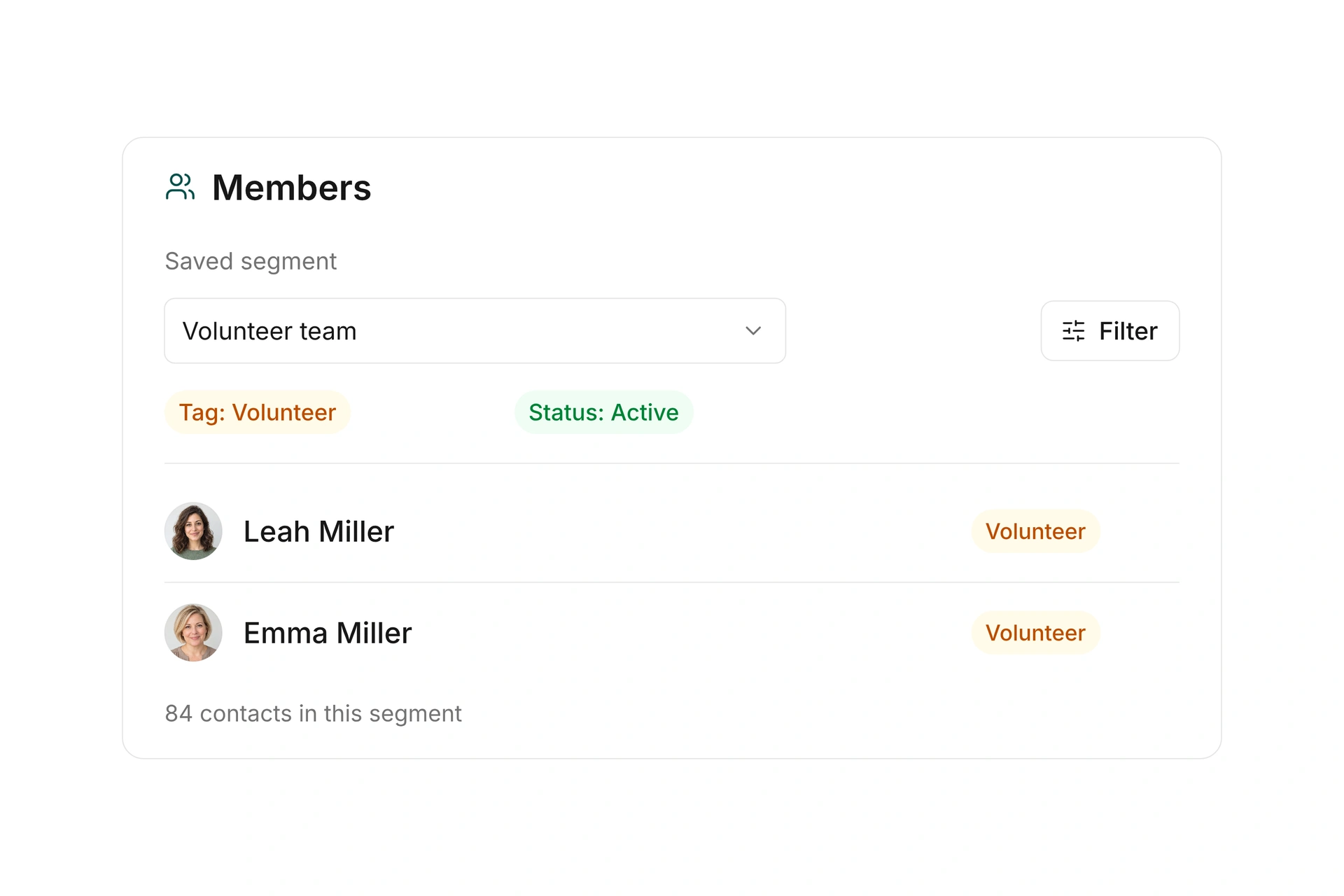
Choose contact types and saved segments for your mailing. Use tags, departments, and custom fields to identify the group you need, such as volunteers for your next club event.

Review the recipient selection and any estimated delivery charges before sending. Reuse saved selection rules as segments rather than maintaining a new list for each message.

Choose the right recipients

Use your own sender identity

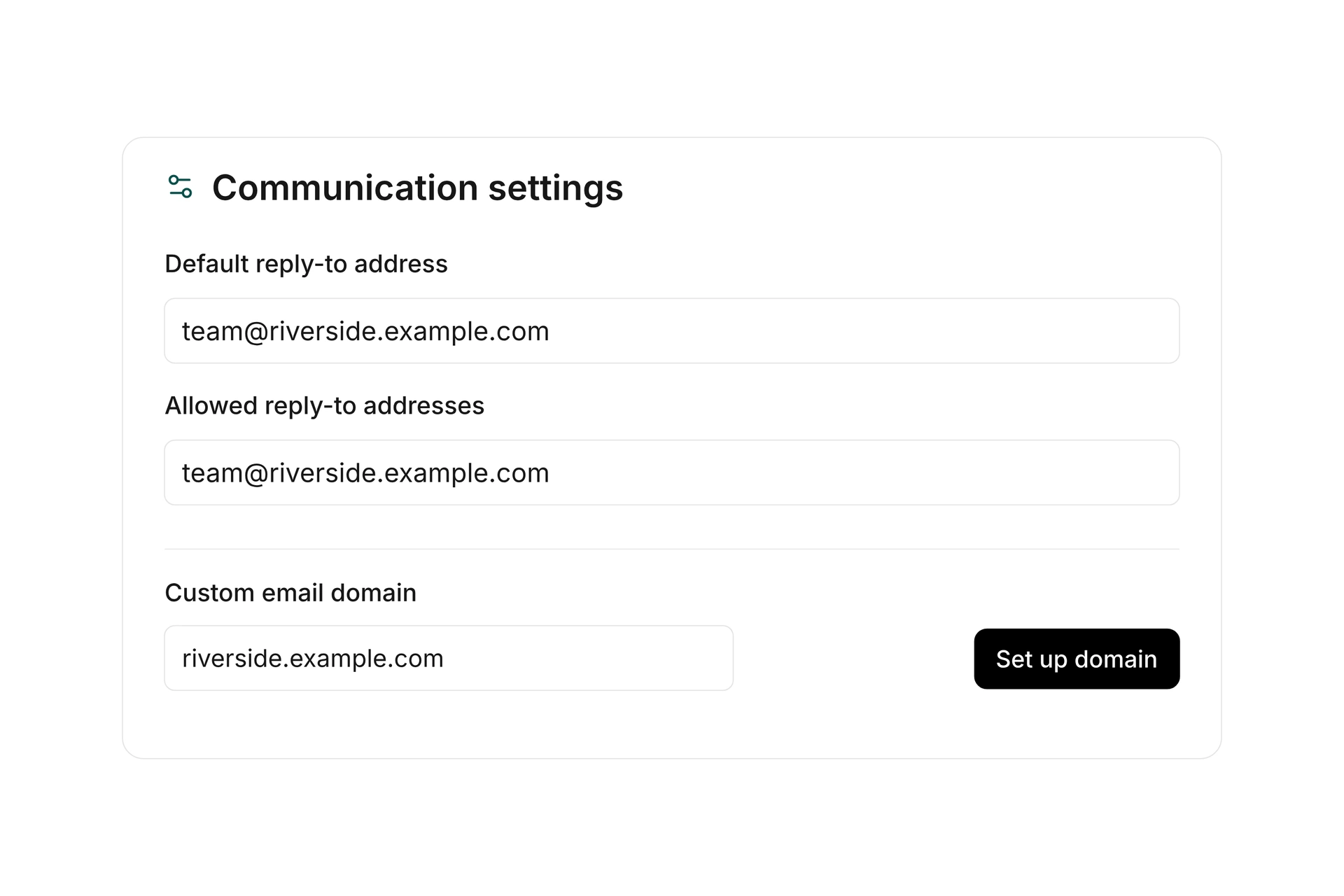
Set up a sending domain and allowed reply-to addresses. Decide whether replies are handled in campai’s inbox or sent to an external reply-to address. Set different reply-to addresses for individual document types when needed.

Use your own sender identity

Schedule messages and review delivery status

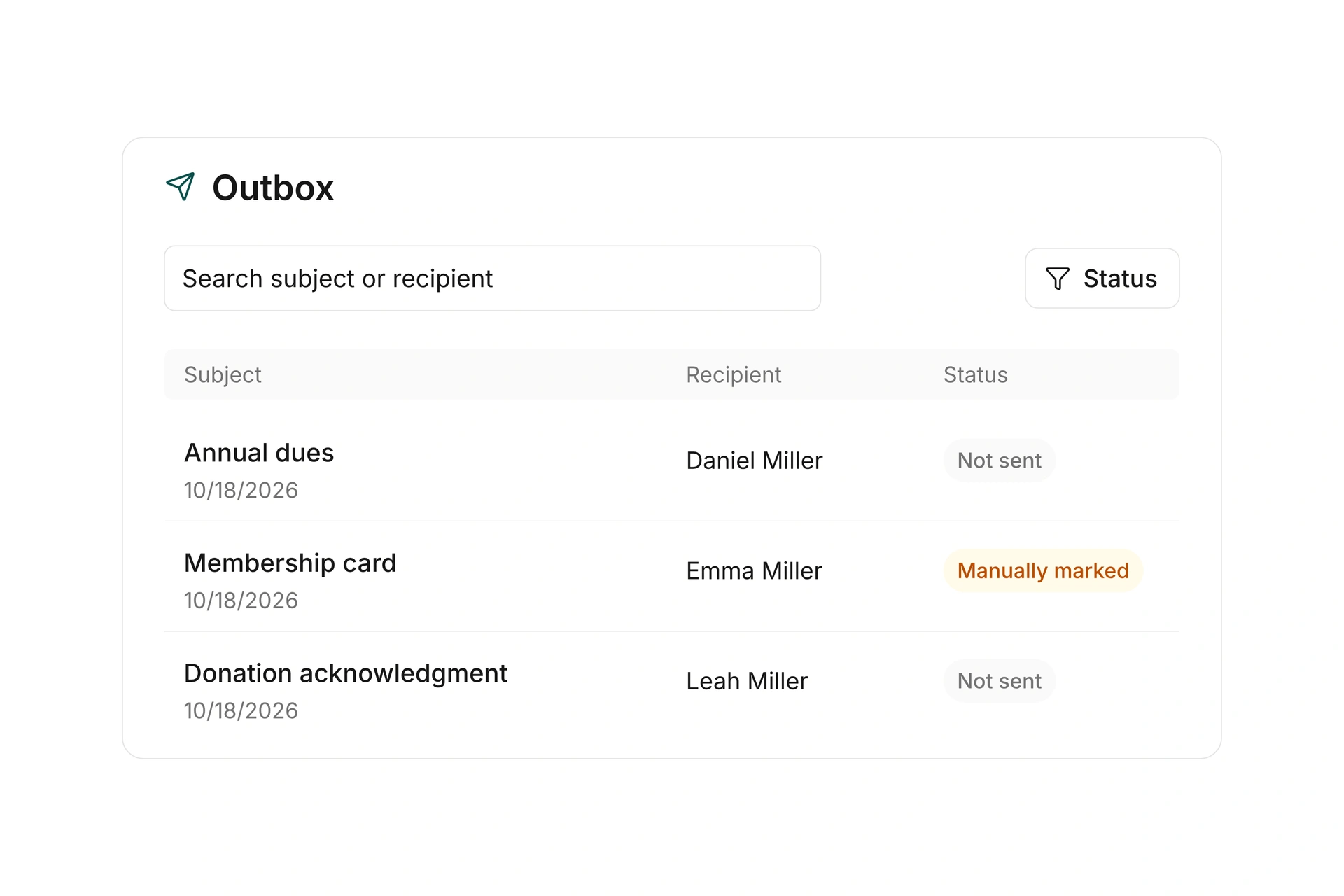
Send a prepared mailing immediately or schedule it for later. Filter outgoing documents by type, status, and delivery method, then open the related record.

Review delivery information and errors where the selected method provides them. Keep a manual sent marker distinct from confirmed delivery. Set up the organization verification needed to enable inbox and bulk mailing features.

Schedule messages and review delivery status

Ask questions. See the responses together.

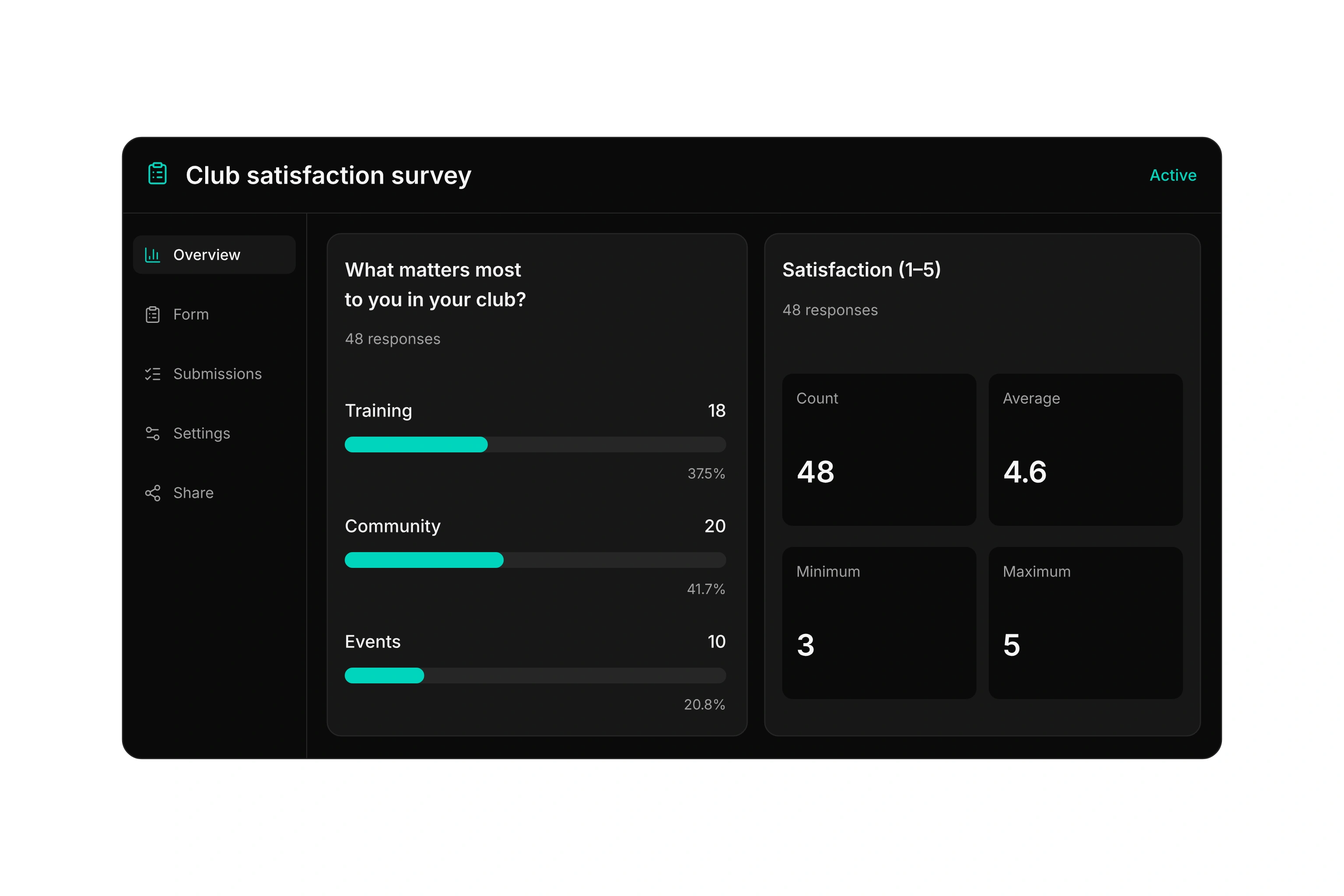
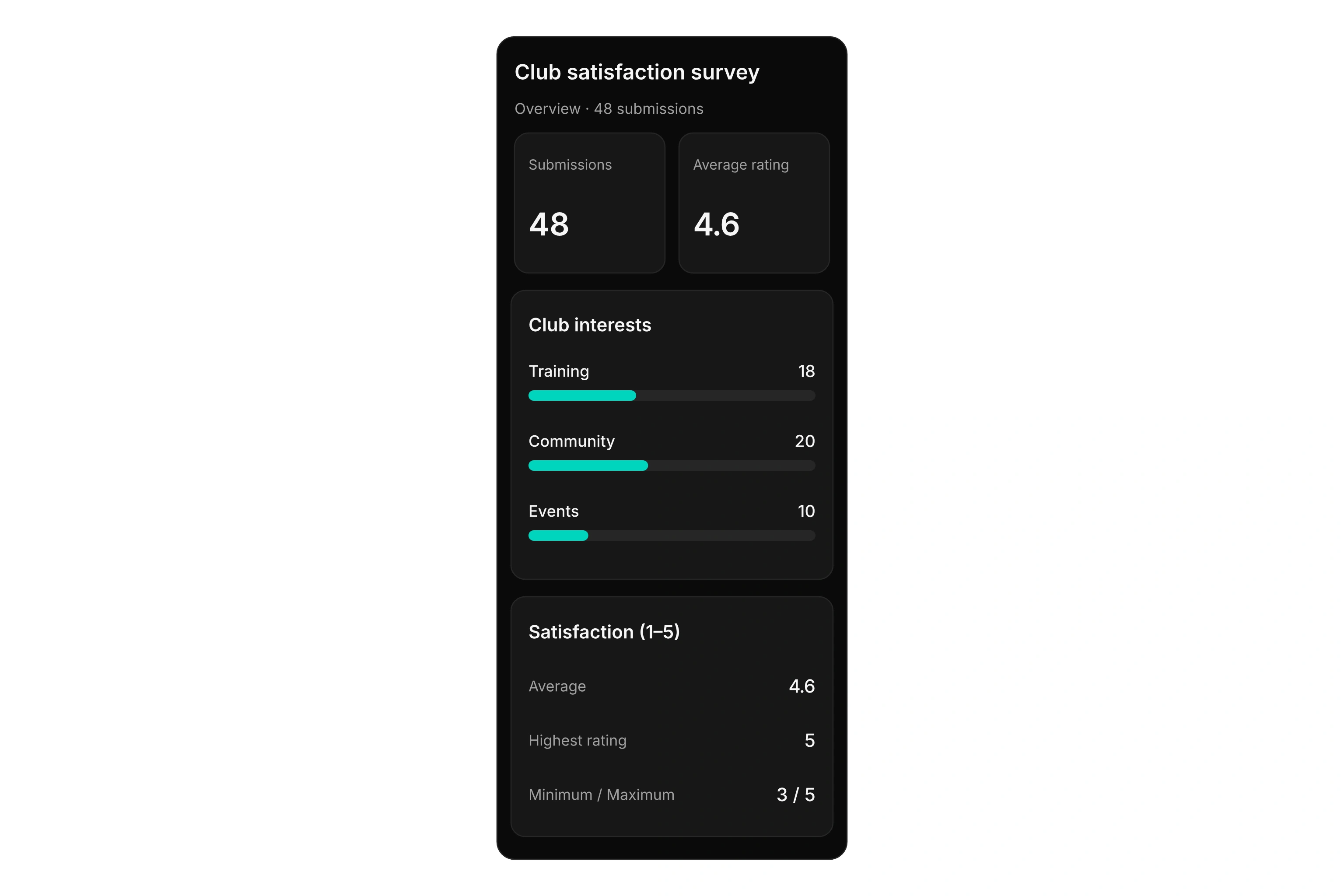
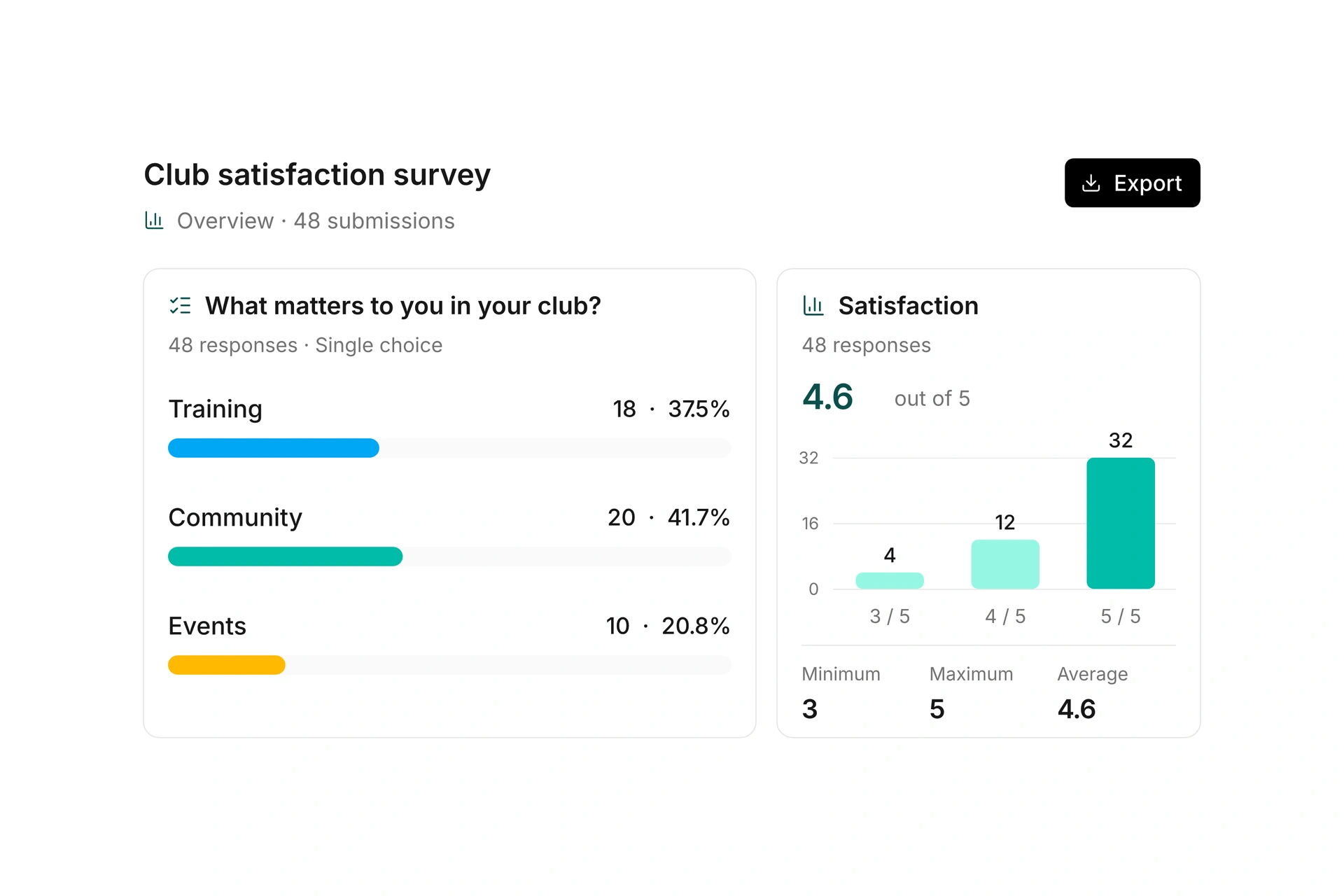
See how satisfied your members are and which activities matter to them. Open individual responses, adjust the form, and manage its settings.

Member survey with 48 submissions, club activity preferences, and an average satisfaction rating of 4.6 out of 5.

One inbox for your whole team.

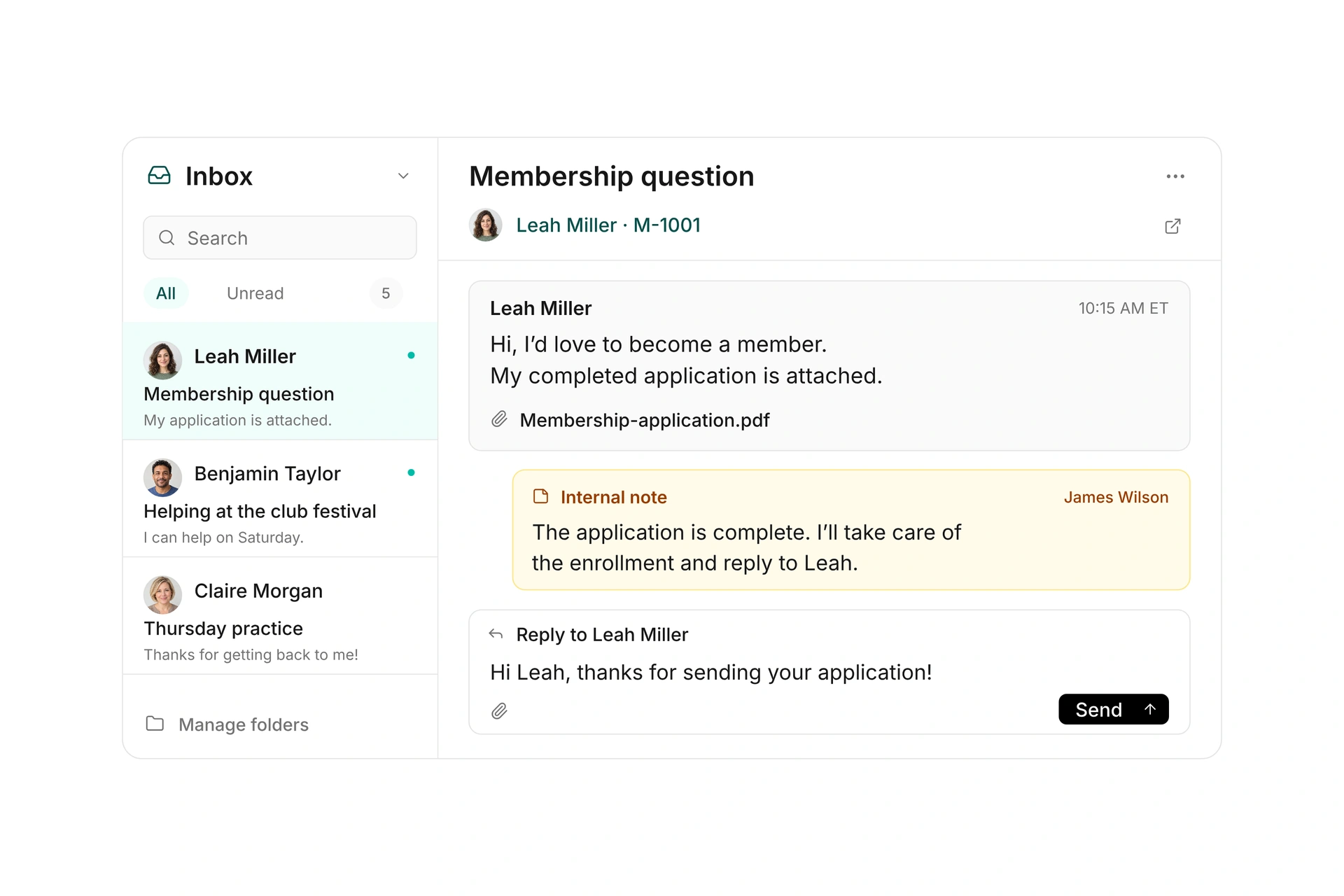
Bring incoming messages into a shared inbox and link conversations to your contacts. Once your organization’s inbox is activated, your team can reply directly in campai and find previous messages with the contact.

Keep internal notes, open attachments, and organize conversations in your own folders. The conversation stays together when another team member takes over.

One inbox for your whole team.

Build forms for your club’s needs

Combine groups, text, and input fields in a questionnaire. Ask members how satisfied they are and which activities they would like. Use selection limits and required fields to guide responses.

Show all sections on one page or guide respondents through them step by step. Copy a questionnaire when preparing a new version while keeping existing submissions in the original.

Build forms for your club’s needs

Control questions, rules, and calculations

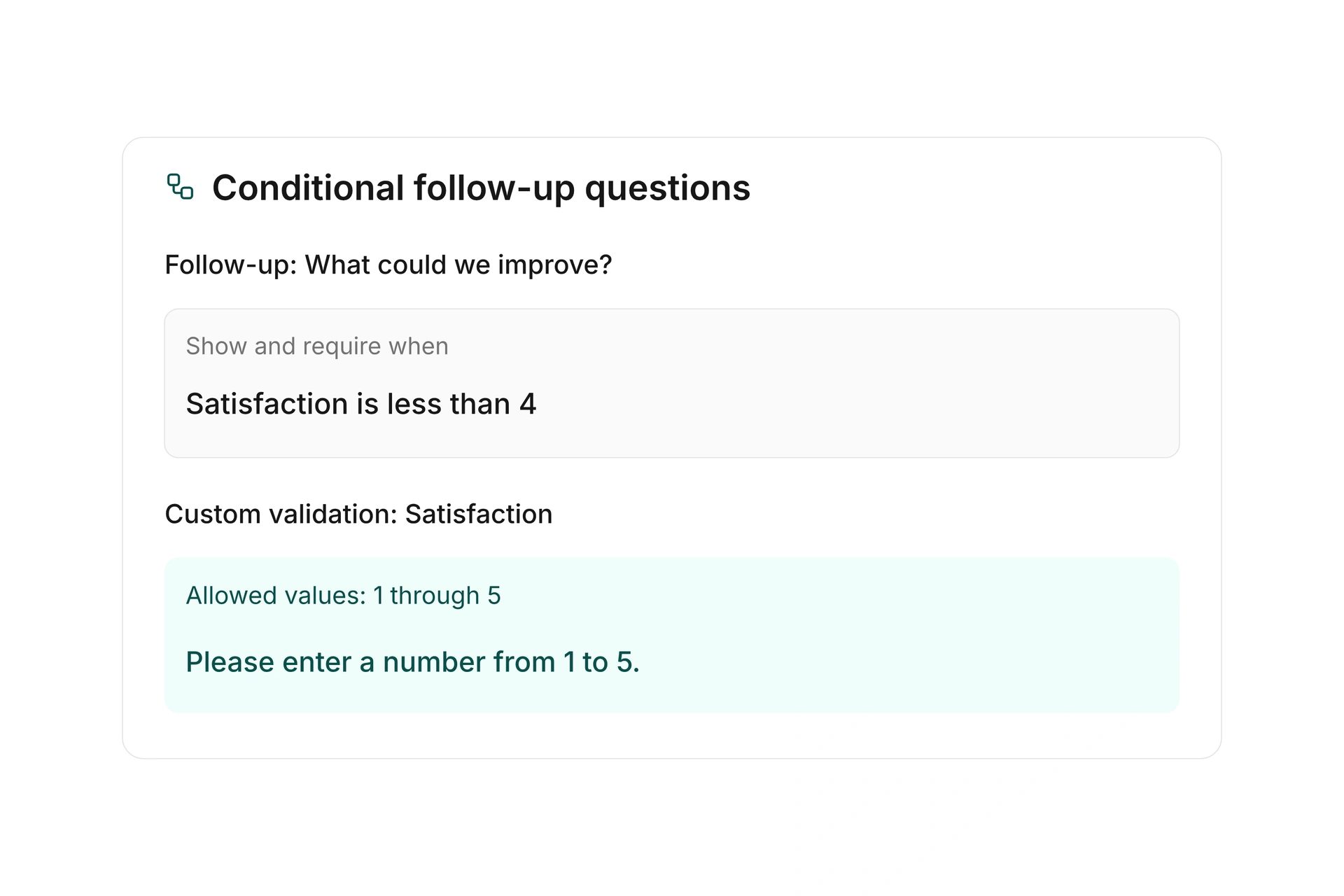
Show follow-up questions based on previous answers and make them required when needed. Define allowed values and helpful error messages with custom validation rules. Use matrix questions to collect several answers in one structure.

Calculate values from inputs and combine conditions with AND or OR. Ordered rules and a fallback determine the stored result. Test the different response paths before publishing the form.

Control questions, rules, and calculations

Share questionnaires and organize submissions

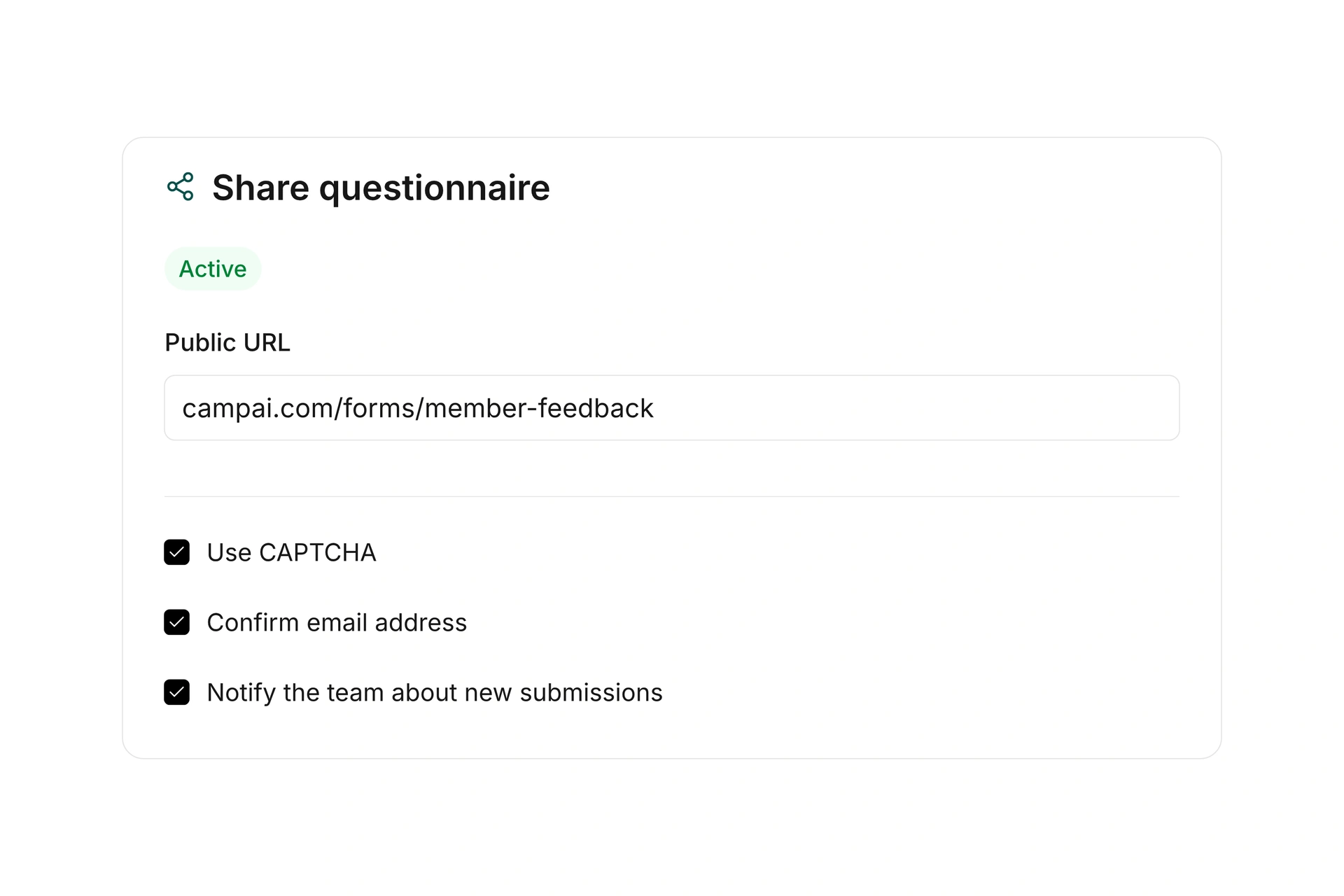
Activate a questionnaire and share its public URL. Add an introduction, success message, and optional redirect after submission. Use a CAPTCHA to help limit automated submissions.

Choose to count responses only after the email address is confirmed. Notify selected contacts about new submissions so your team can review incoming responses.

Share questionnaires and organize submissions

Review results and share responses

Review questionnaire answers in charts and open individual submissions. For number fields, see the count, sum, minimum, maximum, and average, such as ratings of your club’s activities.

Filter confirmed and pending submissions and export the records you need. Share individual responses as PDFs or export lists as CSV or Excel files. Results count submissions; repeated responses from one person remain separate records.

Review results and share responses

More time for your community.

See how campai connects member management, finances, and communication. Try the software or book a personal demo.

Explore on your own. Get personal help when you need it.

All communication features

Explore messages, templates, sender settings, questionnaires, and response analysis.

Communication

  • Inbox

    Bring incoming conversations together, connect recipients to contacts, and handle replies, internal notes, and attachments as a team.

  • Conversation folders

    Organize conversations in named inbox folders with color labels.

  • Outbox

    Review outgoing messages and the delivery status available for each record.

  • Mailings and newsletters

    Create targeted mailings and newsletters for selected contact groups.

  • Recipient selection

    Choose contact types and segments and review the people included in a mailing.

  • Templates

    Save reusable message content for recurring communication.

  • Email and document delivery

    Choose a suitable template and an available delivery method for your mailing.

  • Recipient and cost review

    Review the recipient count and any estimated delivery charges before sending.

  • Immediate and scheduled sending

    Send a prepared mailing immediately or schedule it for a later time.

  • Mailing statistics

    Review delivery, errors, opens, clicks, and unsubscribes where supported by the mailing’s delivery method.

  • Communication settings

    Configure email templates, document delivery settings, and custom sending domains.

  • Reply-to addresses

    Set allowed reply-to addresses that can be selected when sending messages.

  • Custom email domain

    Authenticate a sending domain to send emails on behalf of your organization.

  • Default email template

    Design an organization-wide email template for consistent outgoing messages.

  • Letter settings

    Manage letter templates and the delivery options available to your organization.

Forms and surveys

  • Questionnaires

    Create and manage public questionnaires for surveys, feedback, and structured information collection.

  • Form builder

    Build forms with your own groups, text, and input fields for each purpose.

  • Page flow and progress

    Show all sections together or guide respondents step by step with an optional progress indicator.

  • Conditional required fields

    Show additional fields based on earlier answers and make them required when needed.

  • Custom validation rules

    Define allowed answers and error messages, such as a minimum value based on a selected option.

  • Matrix questions

    Collect answers across several rows in a choice matrix and validate required rows.

  • Calculated form values

    Calculate values from form inputs and save number, text, yes/no, date, or date-and-time results with a submission.

  • Conditional calculations and fallbacks

    Combine conditions with AND and OR, order calculation rules, and set a fallback for unmatched answers.

  • Publishing and public links

    Activate a questionnaire and share its public URL.

  • CAPTCHA and completion redirects

    Help limit automated submissions and optionally redirect respondents after the success message.

  • Email confirmation

    Send a confirmation email and choose whether responses count only after the email address is confirmed.

  • Submission notifications

    Notify selected contacts when a new submission is saved.

  • Questionnaire submissions

    Review confirmed and pending responses, export an individual submission as a PDF, or export the full list.

  • Results and charts

    Review responses in charts and calculate the count, sum, minimum, maximum, and average for number fields.

  • Questionnaire versions

    Copy a questionnaire to prepare changes separately while preserving submissions in the original.