Link monetary donations to payments, record in-kind gifts, and create acknowledgments in batches. Keep delivery status, donor records, and giving trends together.
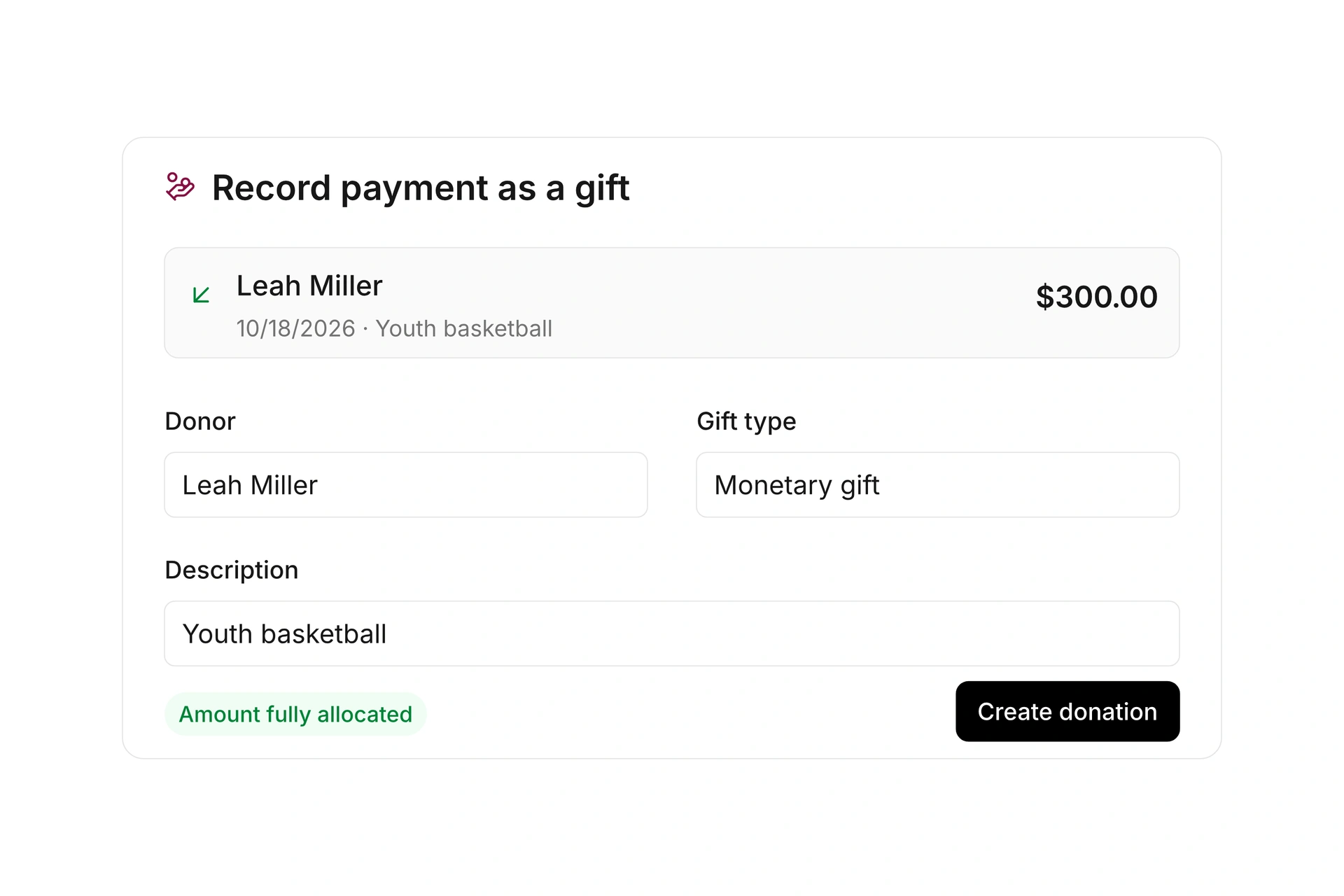
Assign an incoming payment as a donation to the right contact and record its donation line item. Keep the amount, donor, and payment source connected.
Paid donation documents are then available for acknowledgment creation. A manually created acknowledgment does not itself record a payment. Manage the payment through its related document.
Record monetary and in-kind gifts
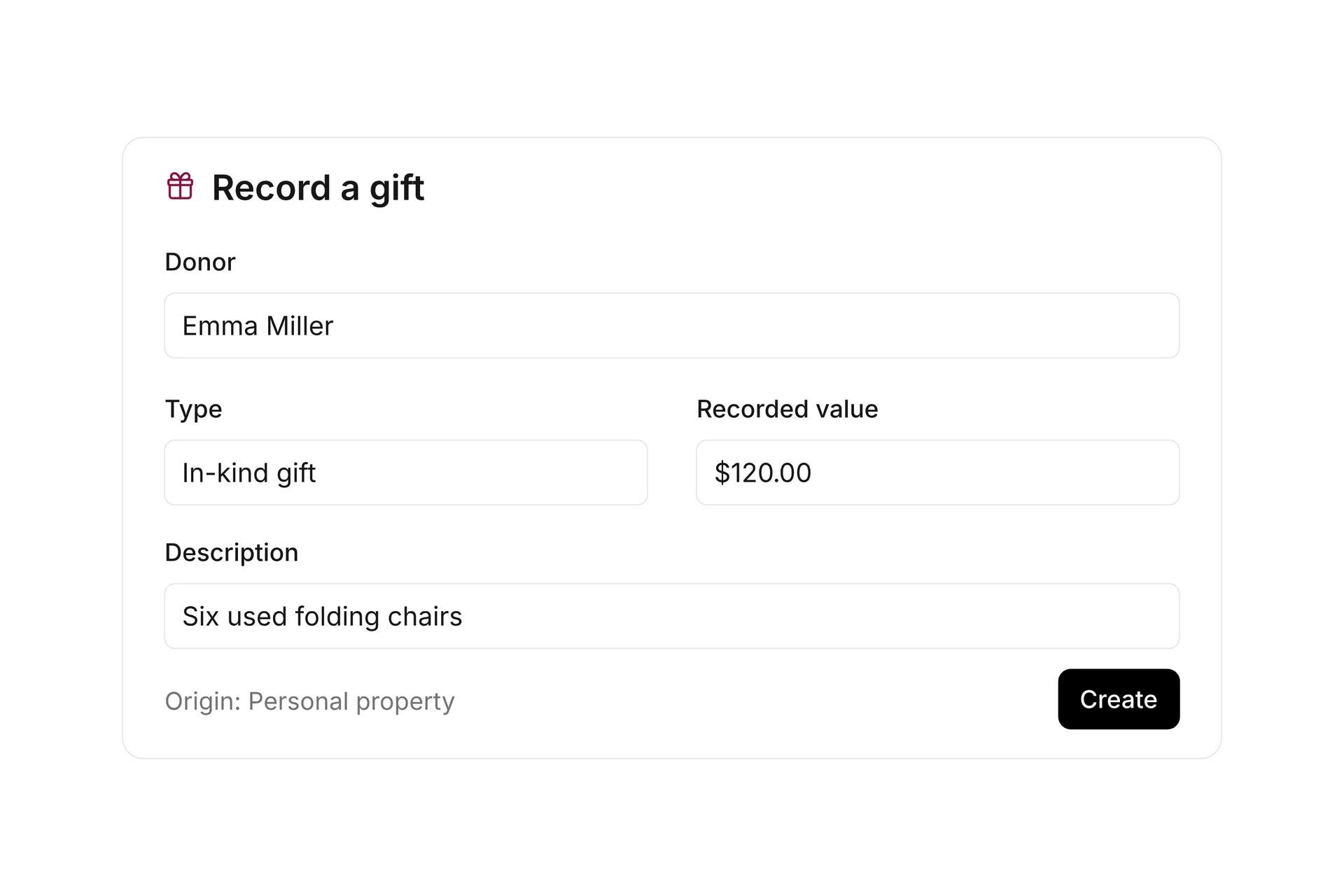
Record a gift independently of a payment document. Select an existing contact or enter donor details, date, and amount directly. You can combine several monetary line items in one manual acknowledgment.
For an in-kind gift, record the item, origin, and value, such as six used folding chairs for the clubhouse. The acknowledgment documents the gift. Manage assets, inventory, and accounting separately.
Create acknowledgments in batches
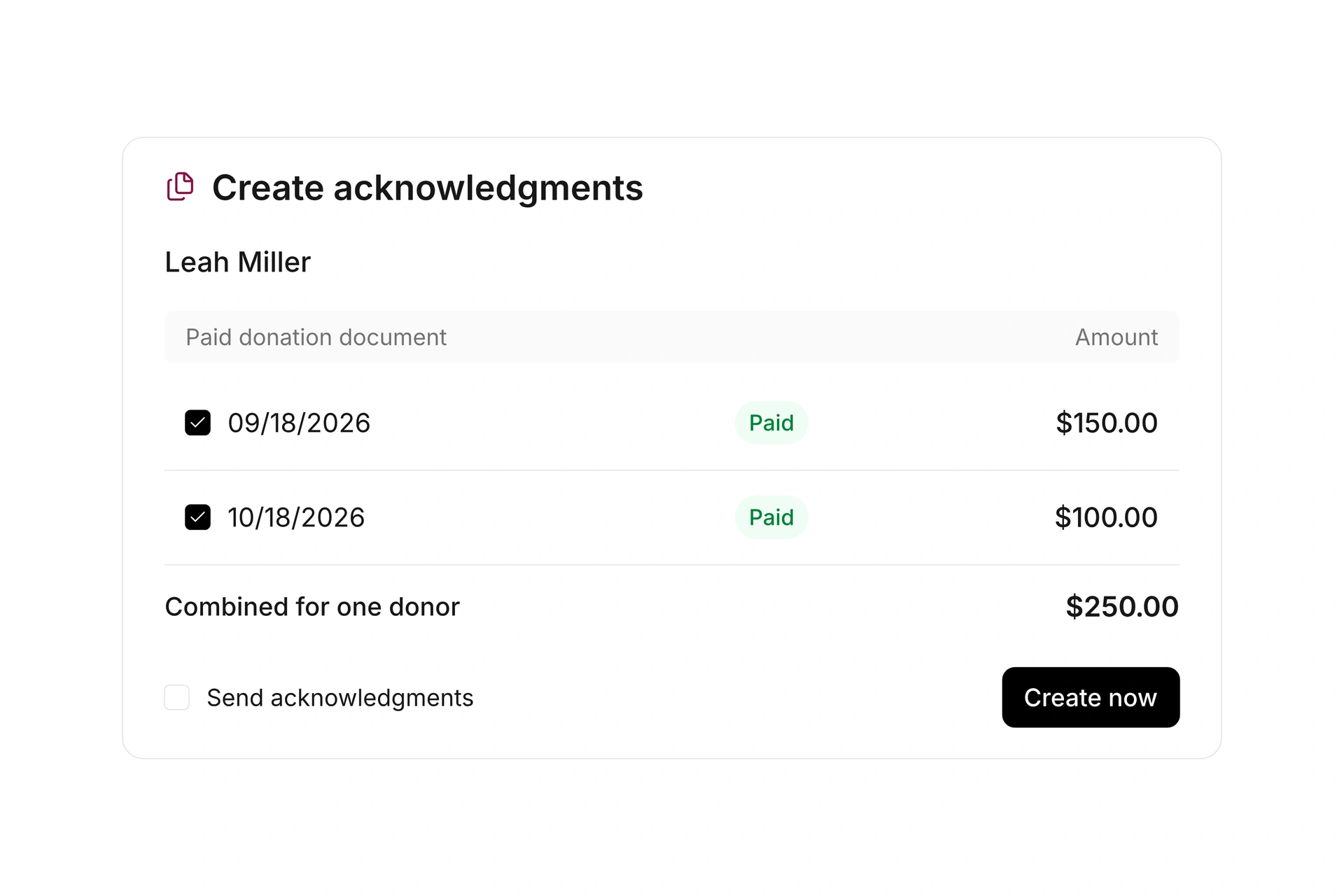
Select the paid donation documents you want to acknowledge. Combine monetary gifts from the same donor, such as two gifts of $150 and $100 within the same period.
Review the selection and donor details before creating the acknowledgments. Choose whether to send them immediately or create them without sending. Sources that have already been acknowledged are excluded from the open selection.
Set up templates and delivery
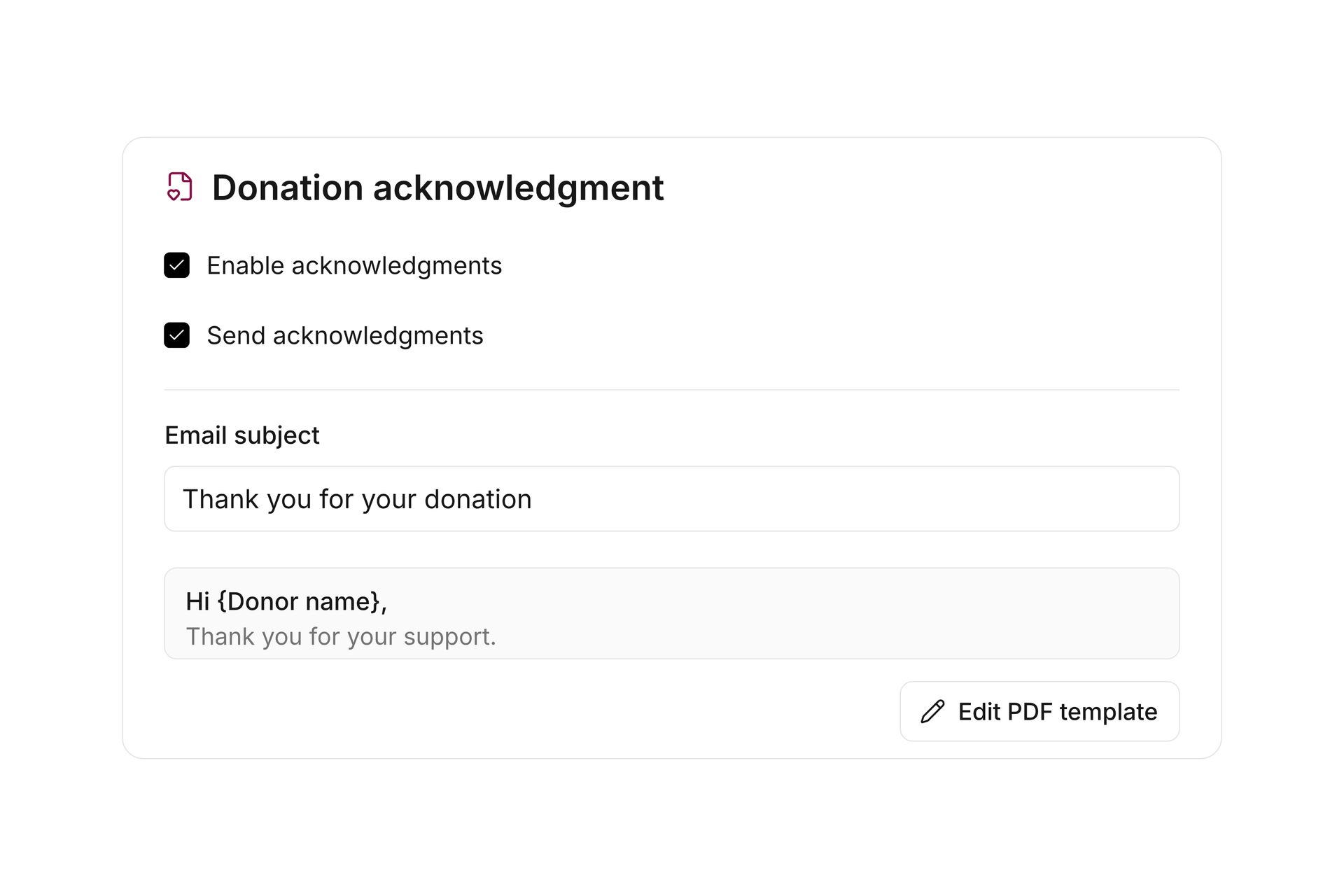
Customize the PDF acknowledgment template and its accompanying message. Use donor placeholders to prepare repeatable acknowledgments with a personal greeting.
Choose whether acknowledgments are created and sent. Manage the email subject and message centrally in donation settings. Delivery follows the method saved for the individual record.
See the support. Know what comes next.
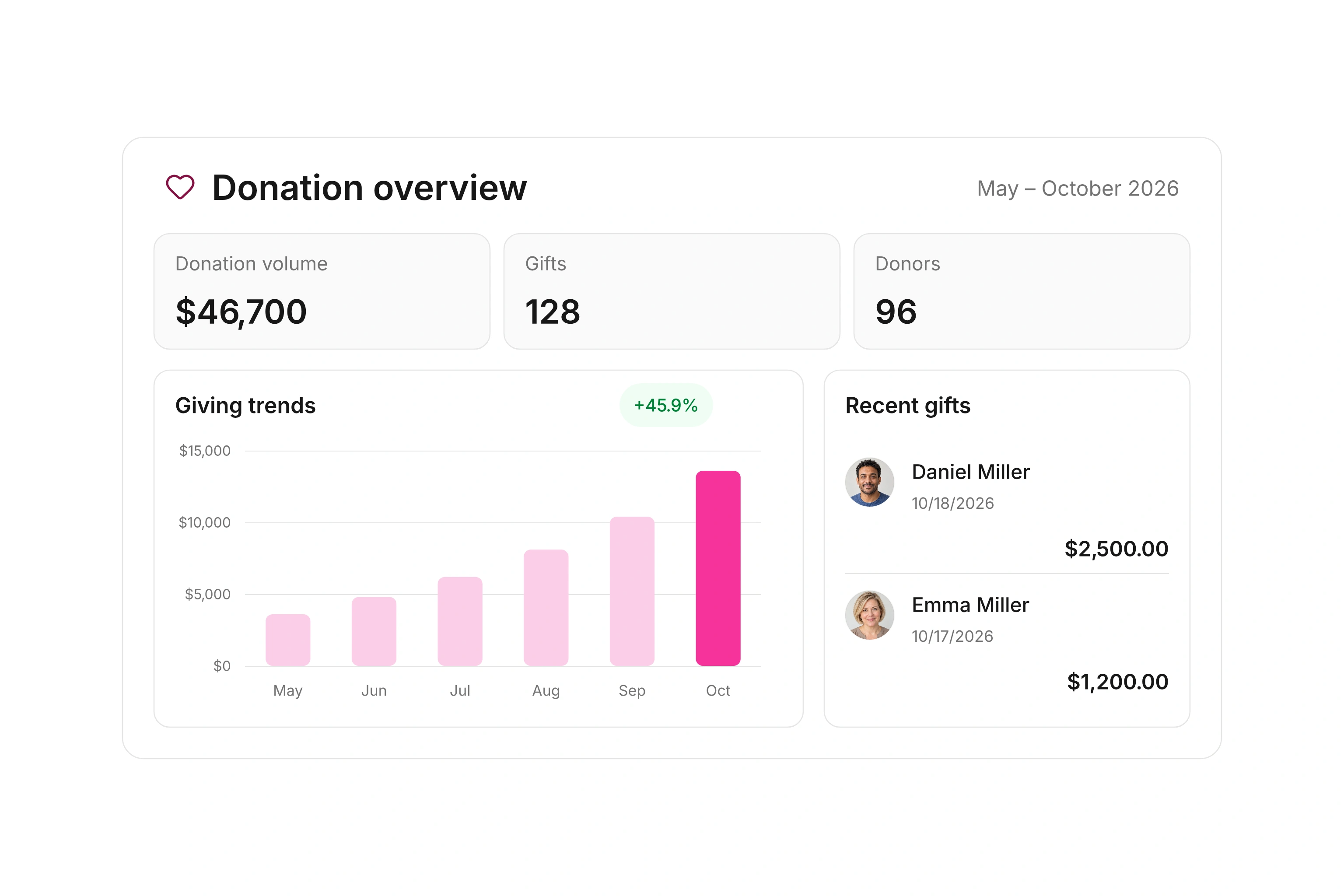
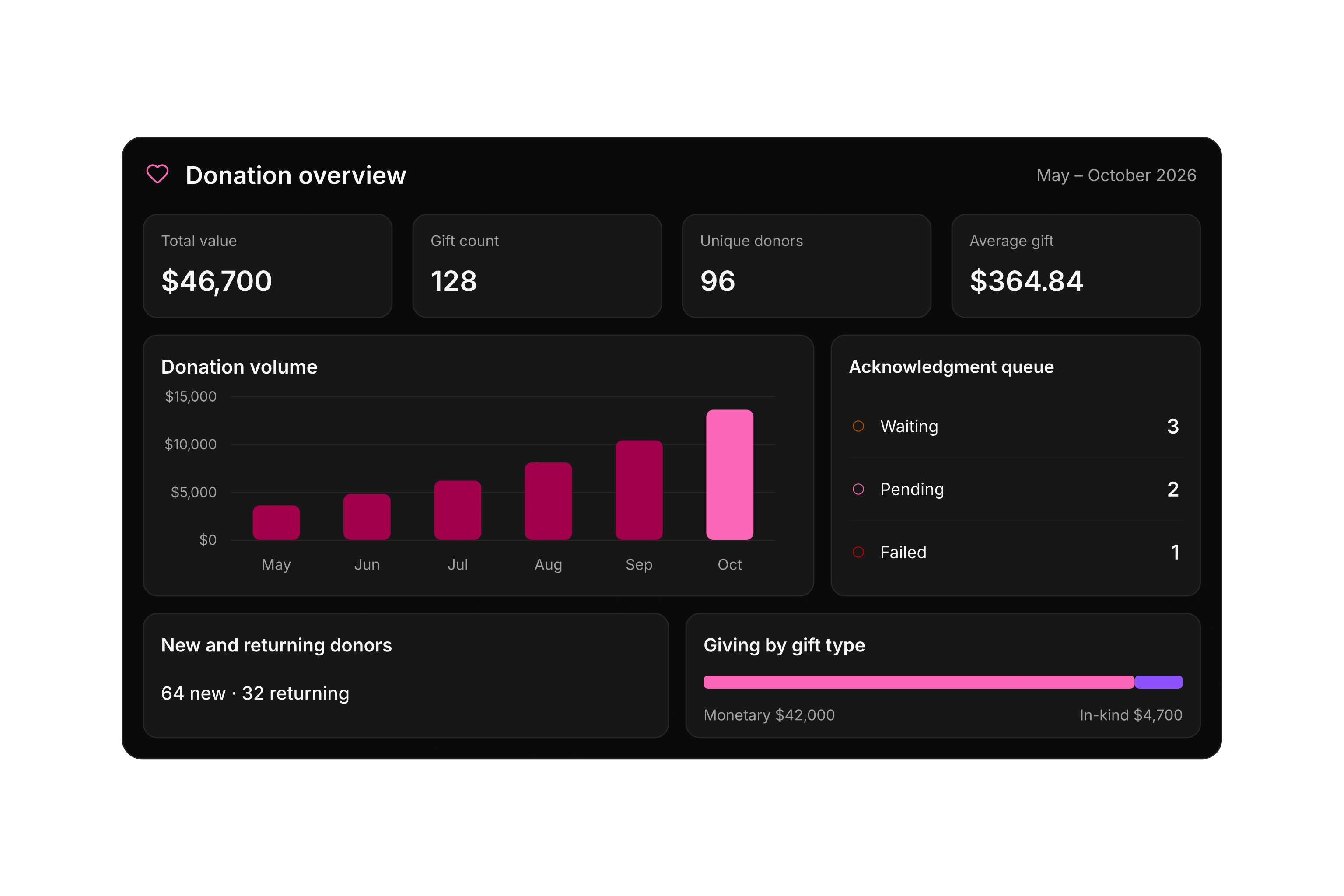
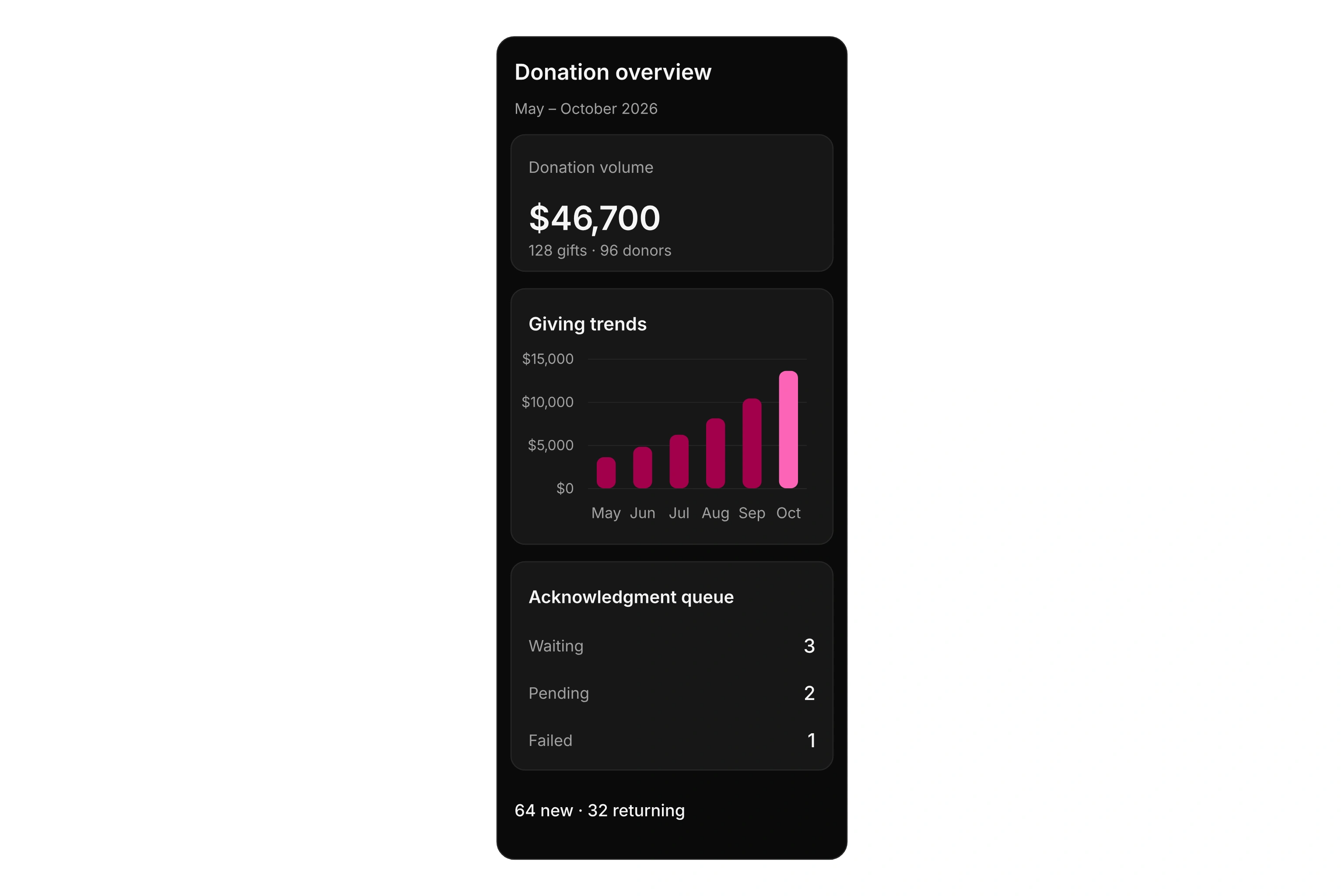
Review giving trends, new and returning donors, and pending acknowledgments in one dashboard. Choose a period to see the figures and records that need your attention.
Keep pending acknowledgments in view
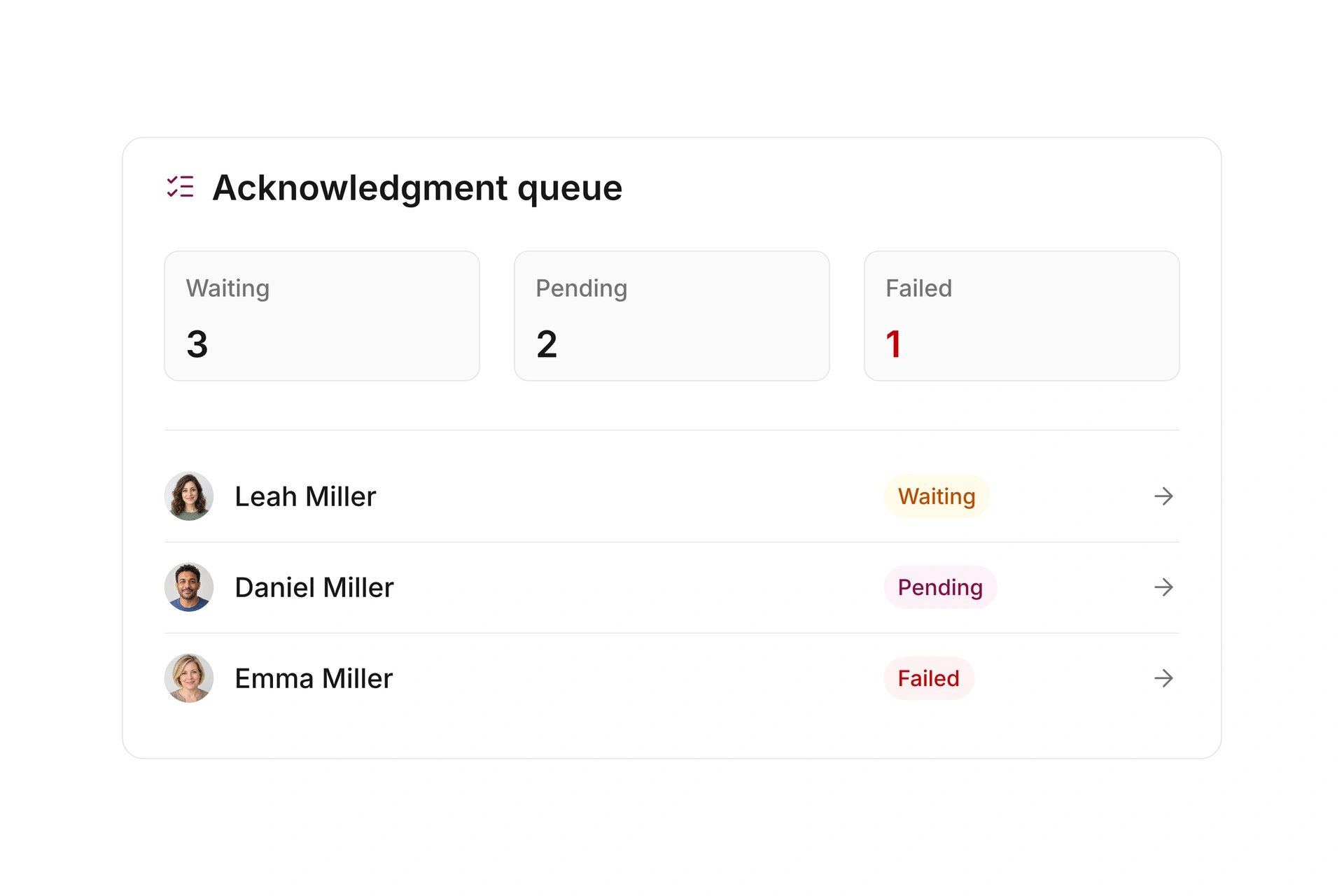
The acknowledgment queue separates waiting, pending, and failed records. See which items need review or another delivery step.
Open the related donations and update delivery methods or recipient details when needed. Review delivery status separately from the payment. Creating an acknowledgment does not by itself confirm delivery.
Understand your donors and their support
Compare donation volume, count, unique donors, and average gift with the previous period. The breakdown by gift type shows how your support is composed.
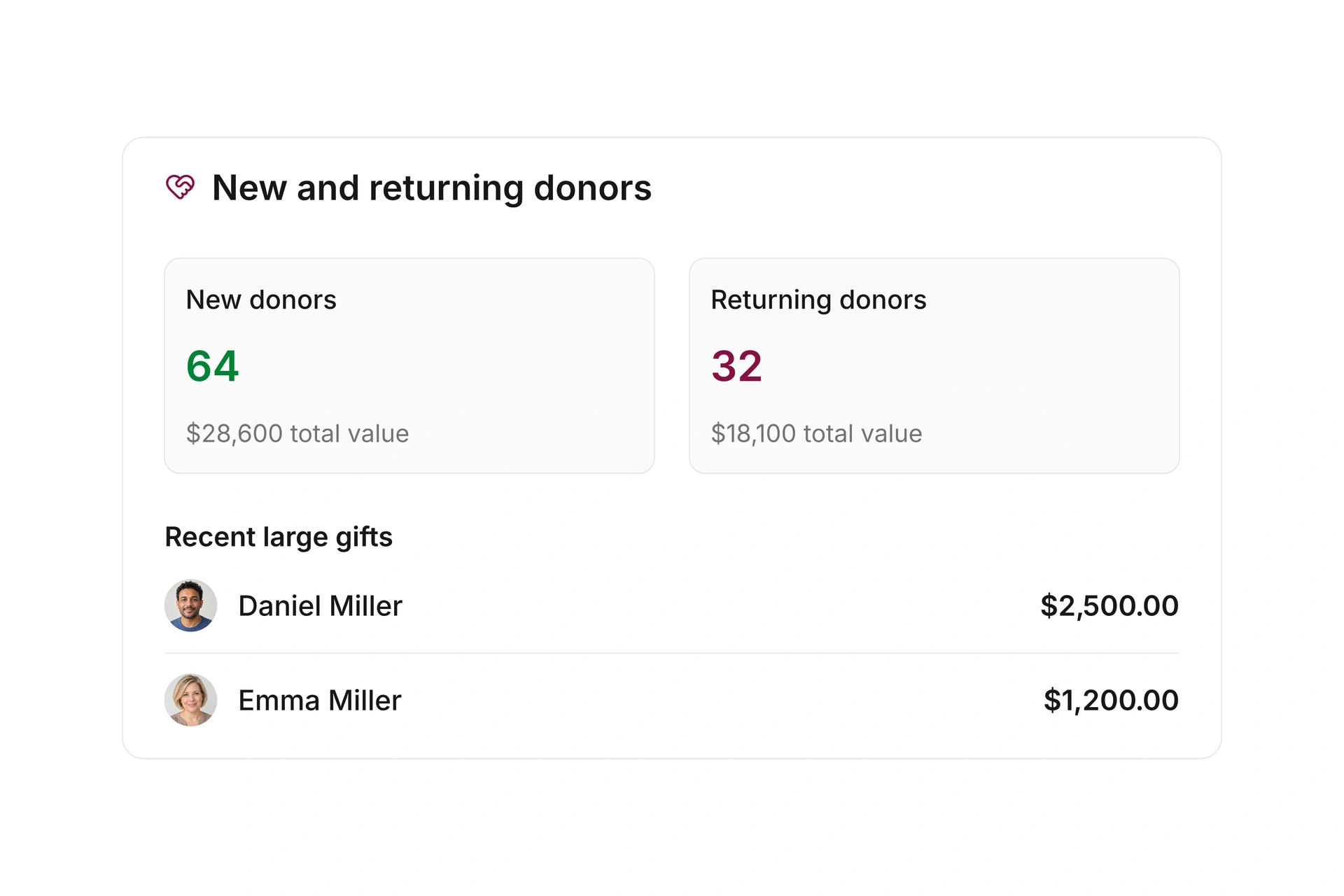
Review new and returning donors, top supporters, and recent large gifts. Use this overview to draw your team’s attention to important contributions and prepare personal follow-ups.
Cancel and reissue acknowledgments
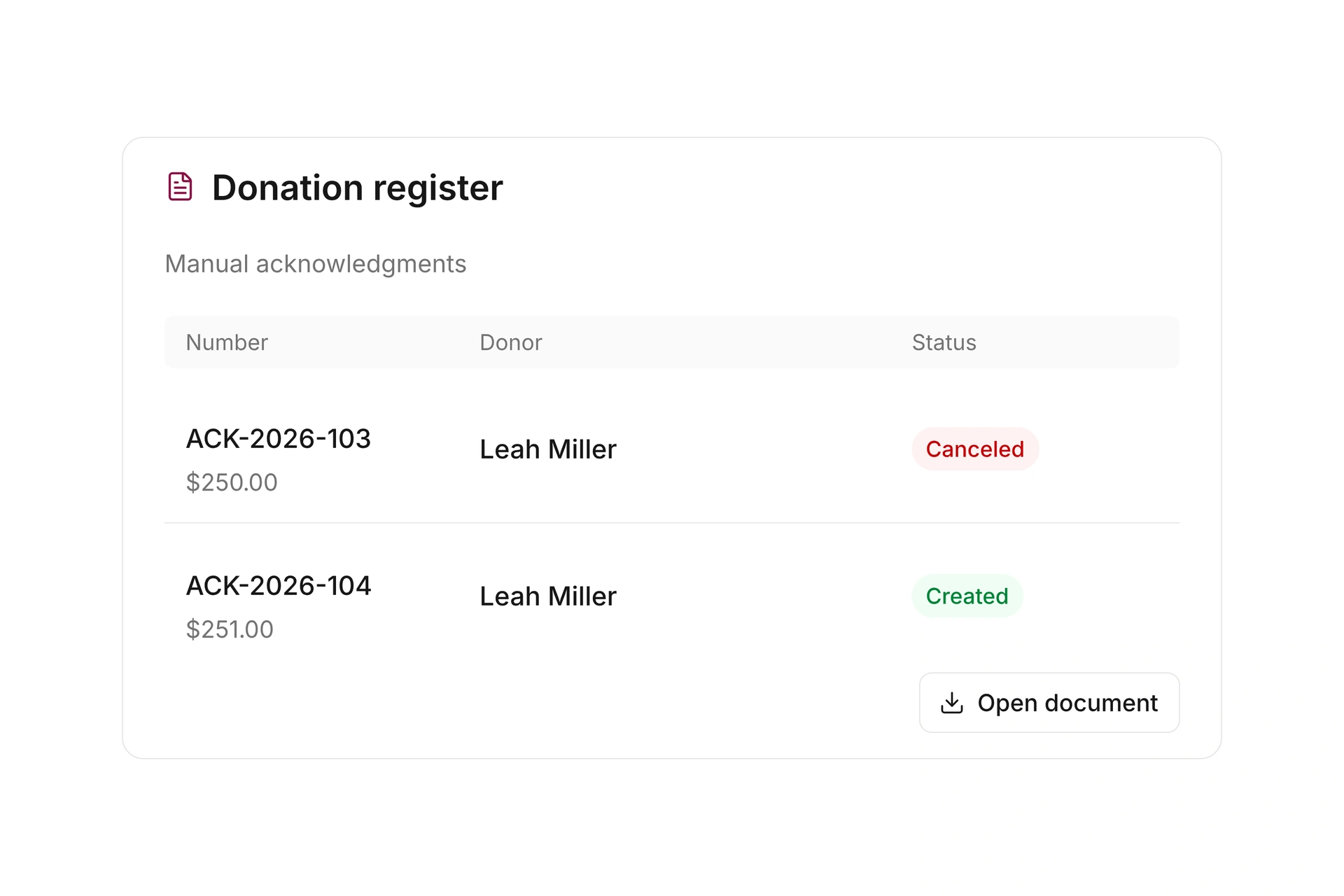
If a manual acknowledgment contains an incorrect amount, cancel it and create a new acknowledgment with the correct details. The new acknowledgment receives its own number.
The canceled record stays in the register, and its document remains available with a cancellation mark. Before making a correction, check whether the acknowledgment was created manually or from a paid donation document.
Preserve details as they were issued
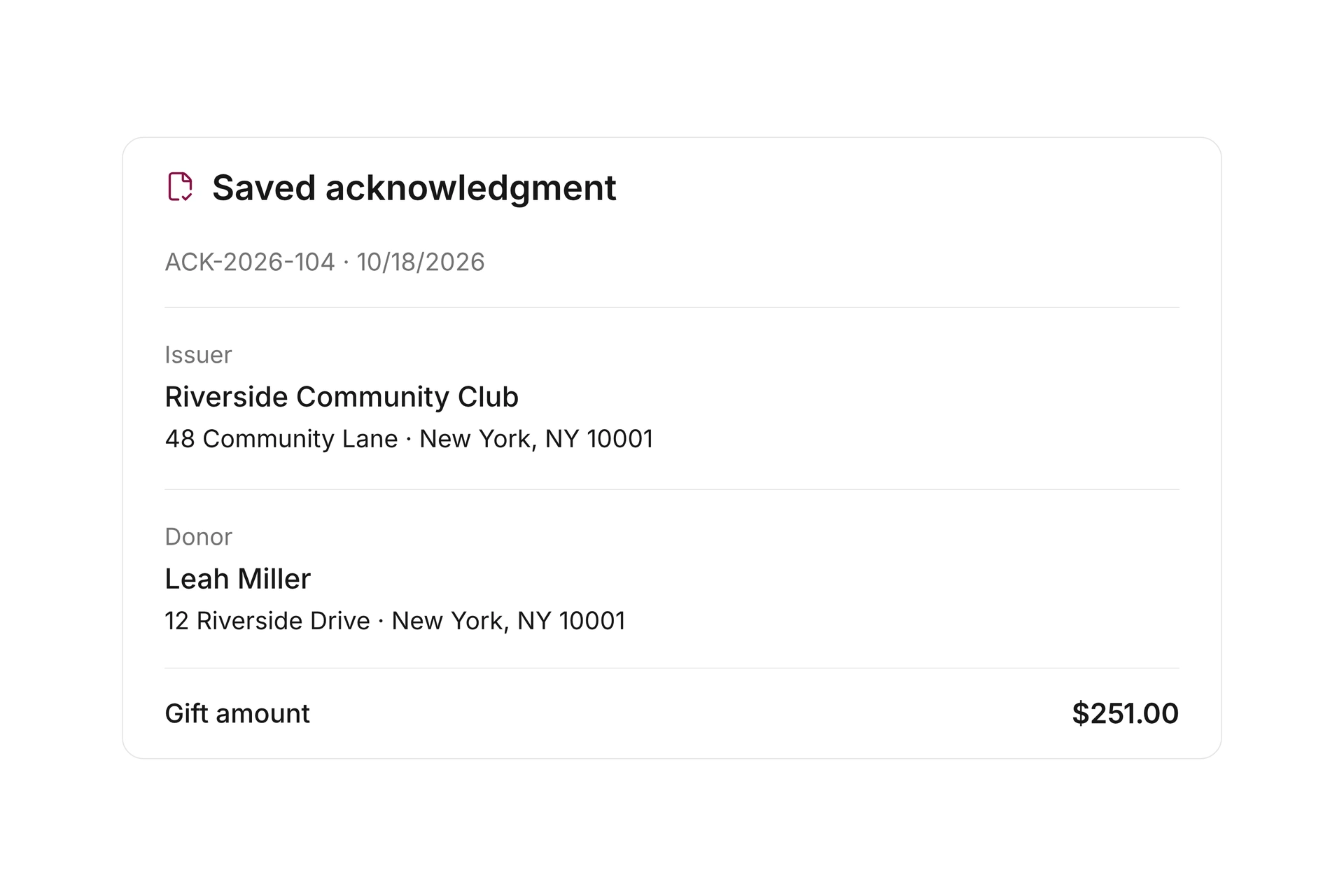
An issued acknowledgment keeps the donor and issuer addresses used at the time of issue. Later changes to contact details do not automatically replace those addresses in the existing document.
Retrieve the saved acknowledgment from the donation register when you need to review a past gift. Keep current contact information up to date while retaining the details originally issued.
More time for your community.
See how campai connects member management, finances, and communication. Try the software or book a personal demo.
Explore on your own. Get personal help when you need it.
All donation features
Explore donation records, acknowledgments, delivery, donor insights, and settings.
Donations
Donations
Manage received gifts, donors, payment status, and related acknowledgments in one overview.
Record donations
Record monetary or in-kind gifts with the donor, date, description, and origin. Combine monetary line items in a manual acknowledgment; creating one does not itself record a payment.
Create gifts from paid documents
Create donation records from paid donation documents, combine monetary gifts from the same donor, and choose whether to send their acknowledgments.
Donation payment reminders
Configure reminders for unpaid donation documents and review their payment status.
Acknowledgments to create
Find donation documents that still need an acknowledgment to be created or sent.
Acknowledgment settings
Choose when acknowledgments are created, customize the accompanying email, and select the PDF template.
Acknowledgment queue
Review waiting, pending, and failed acknowledgments and their delivery methods.
Acknowledgment delivery
Update the delivery method or recipient details, then recreate or resend the acknowledgment when needed.
Cancel acknowledgments
Cancel an issued acknowledgment and retrieve its marked document. Create a new acknowledgment to make a correction.
Historical acknowledgment details
Retain the donor and issuer addresses used on an issued acknowledgment when contact details change later.
Donation settings
Manage the central settings for recording donations and preparing donor acknowledgments.
Donation metrics
Compare total value, gift count, unique donors, and average gift with the previous period.
Donation volume
Review giving trends over time and the breakdown by gift type.
New and returning donors
See how much of your giving comes from new and returning supporters.
Top donors
Find the largest contributors in the selected period.
Recent large gifts
Highlight recent large gifts so personal follow-ups stay visible.