Build dues plans, bill families together, and sell products or sponsorship packages. Keep track of calculations, invoices, payments, and inventory in one workspace.
Set amounts and billing intervals for anything from monthly training to annual dues. Use formulas, custom fields, and price tiers when a flat fee is not enough.
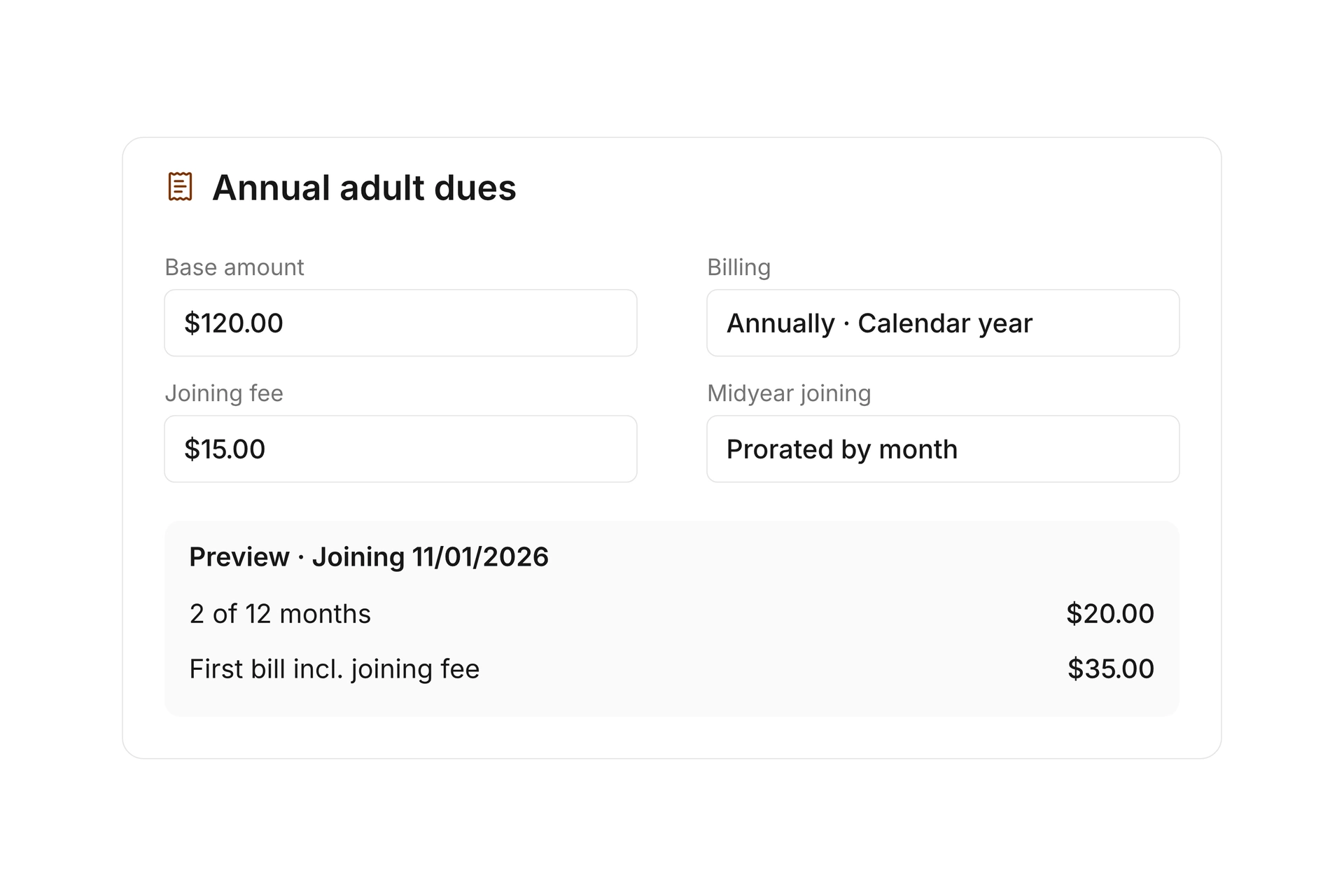
Choose how to prorate dues for members who join during the year. Keep joining fees and optional extras as separate line items, then review the calculation on an individual contract.
Discounts and vouchers
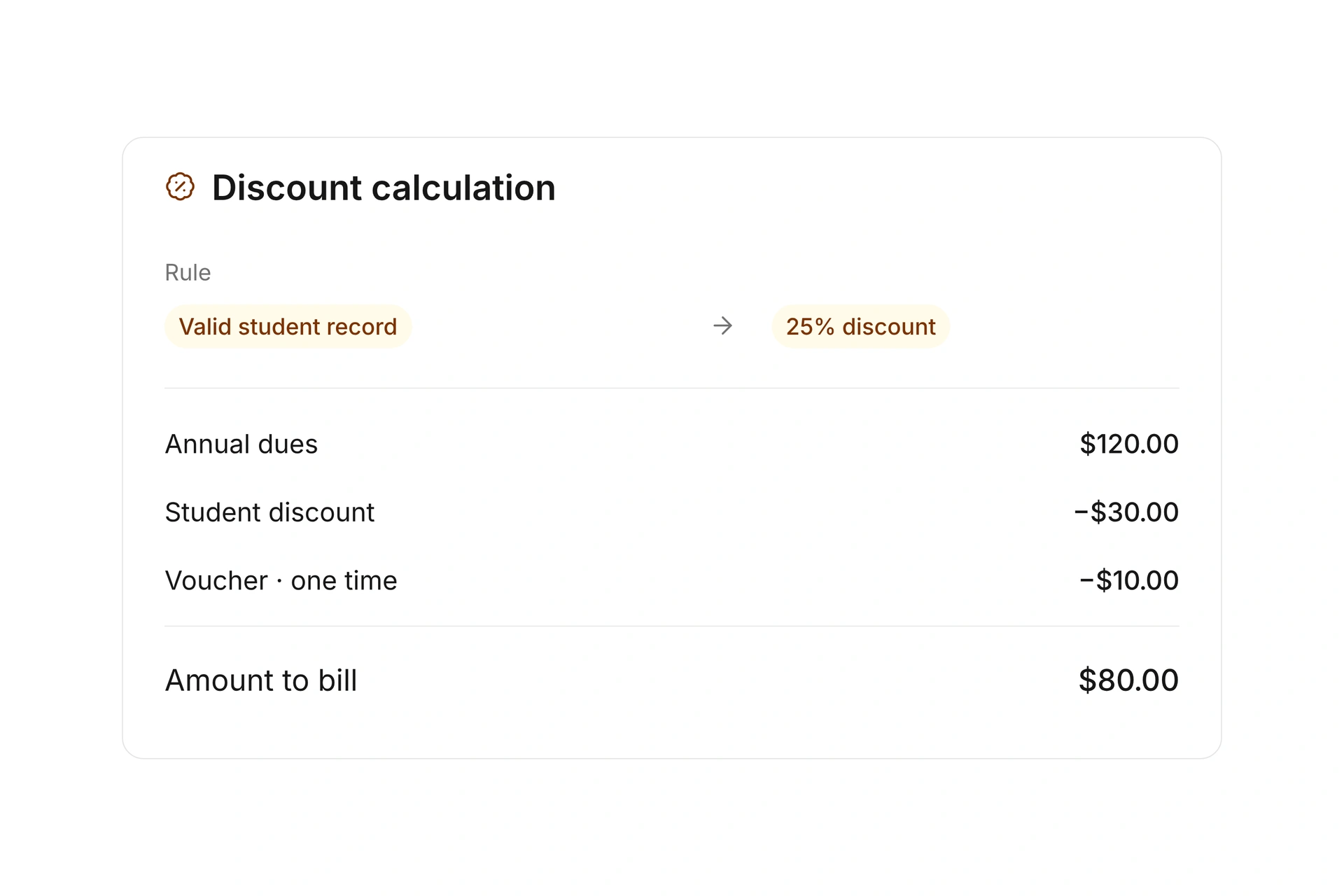
Use rules for discounts instead of creating a separate plan for every variation. Base adjustments on age, tags, groups, or custom fields. Student dues can also depend on a valid supporting record.
Apply fixed-amount or percentage vouchers to a contact or an individual dues contract. Choose one-time or recurring discounts and track how voucher credit is used across billing periods.
Bill families together
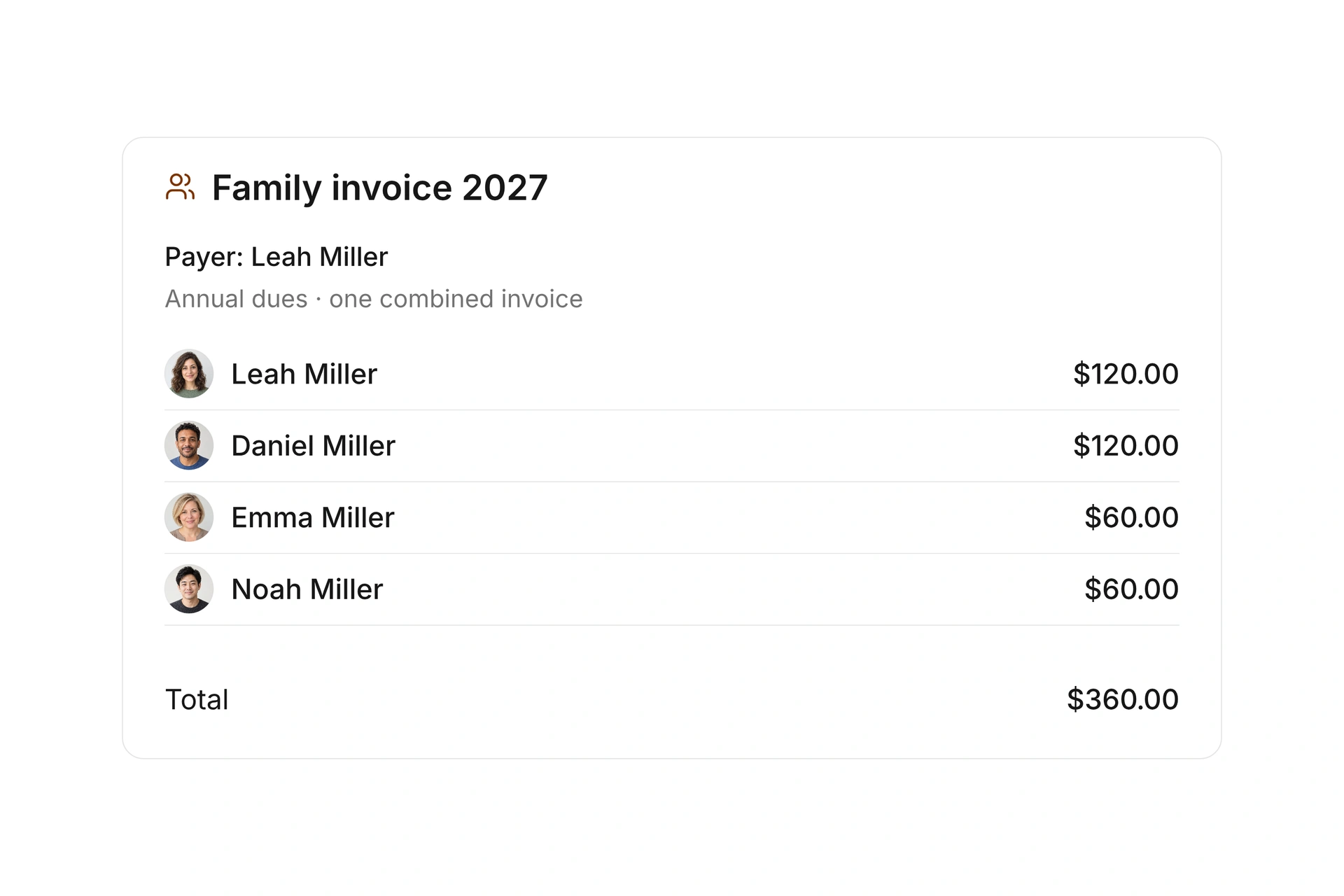
Assign a shared payer to multiple family members. Family groups and payment relationships stay separate, so you can choose who belongs together and who pays each person’s dues.
Combine eligible dues on one invoice addressed to the shared payer. Each line item identifies the member, keeping individual contracts clear while giving the family one invoice.
Keep track of dues contracts
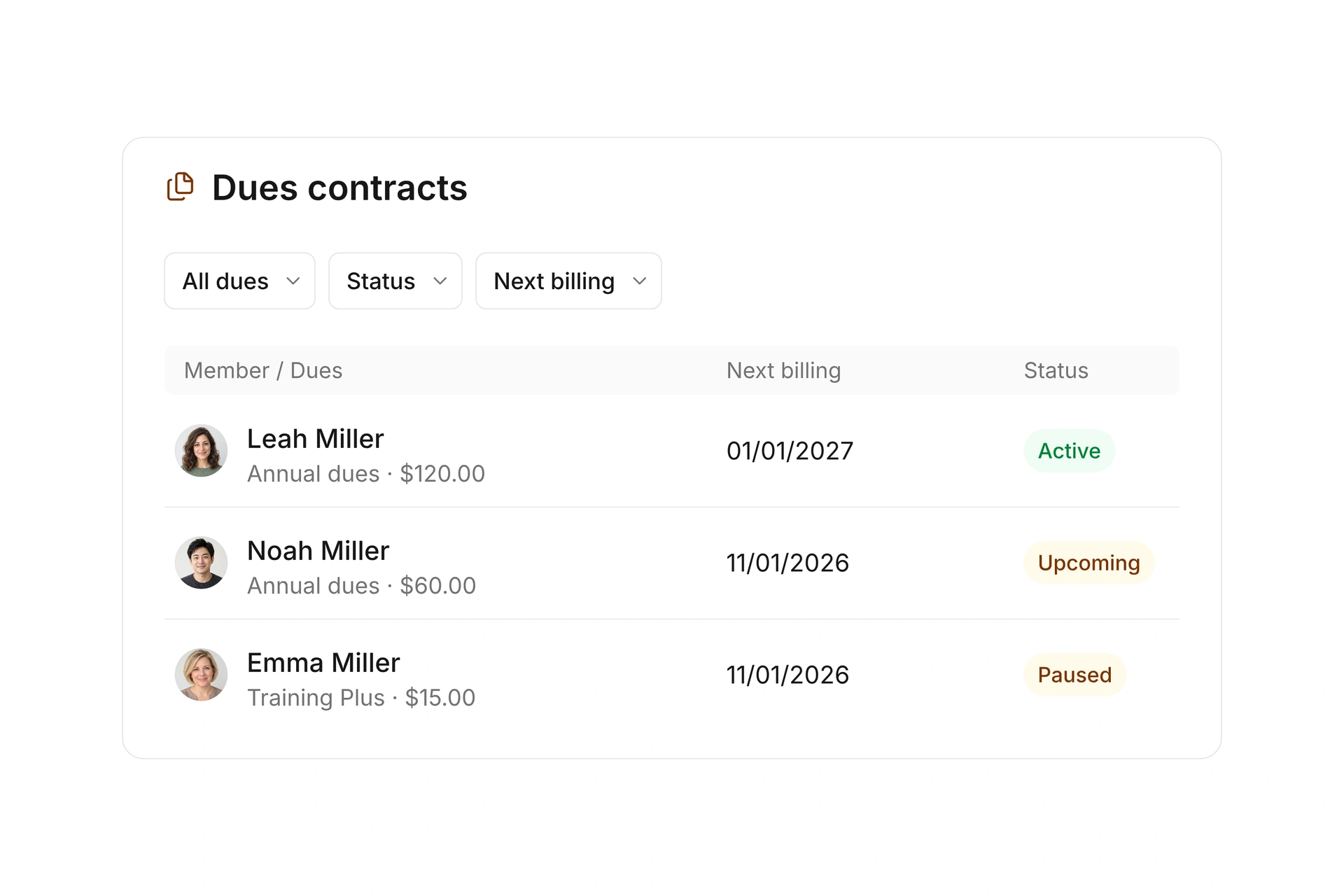
Review active, upcoming, paused, and ended dues contracts in one list. Contract periods and next billing dates show what is running now and what is due next.
Set a start and end date for a pause, and use pause rules to adjust the amount. Review proposed dues changes before accepting and billing them.
Every billing run. Every next step.
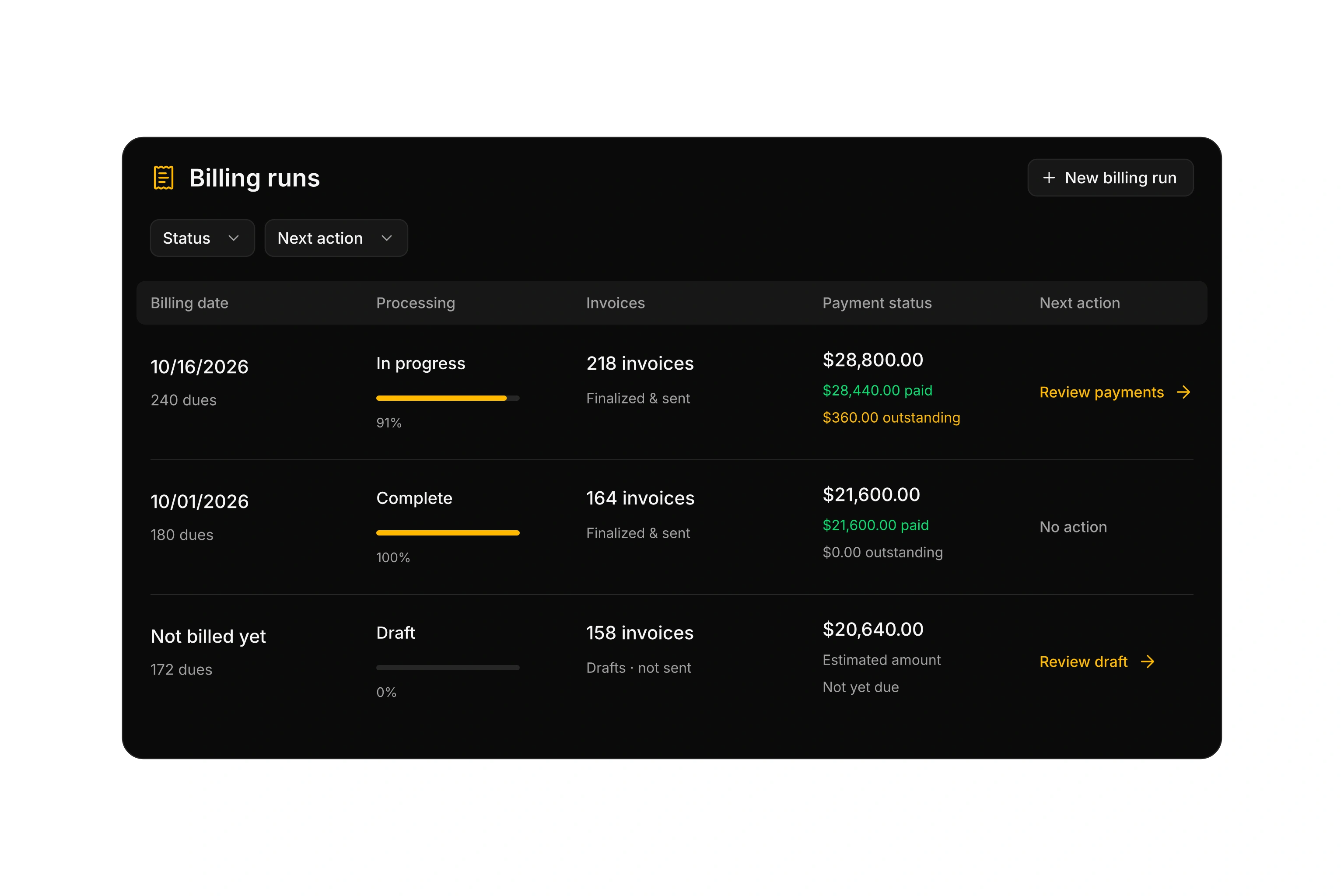
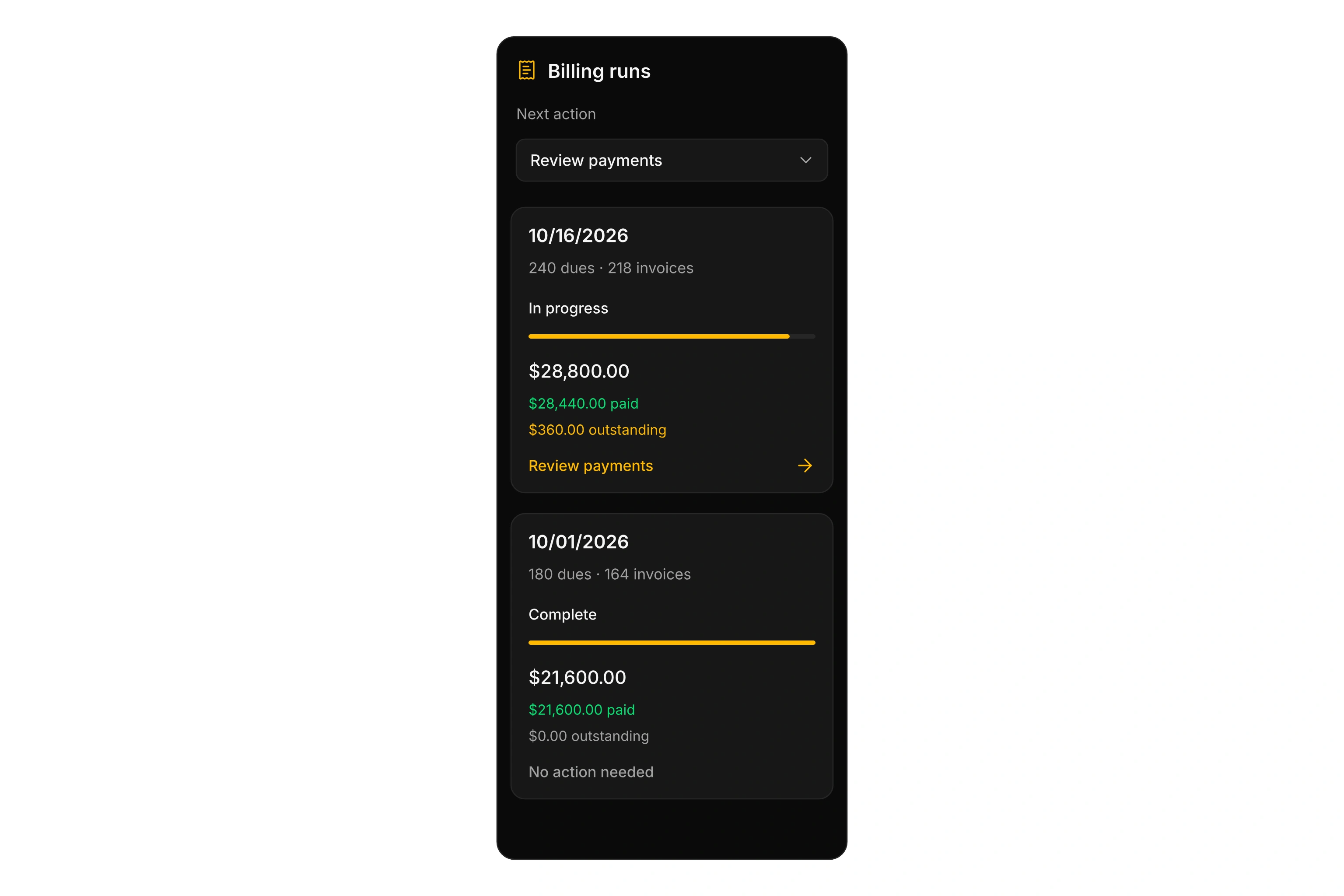
Follow each billing run from dues to invoices and payment status. Processing progress, paid and outstanding amounts, and the next action stay together in one overview.
Build products and packages
Keep items and services in a product catalog with prices, descriptions, and categories. Reuse those products in quotes, order confirmations, and invoices without entering the same details again.
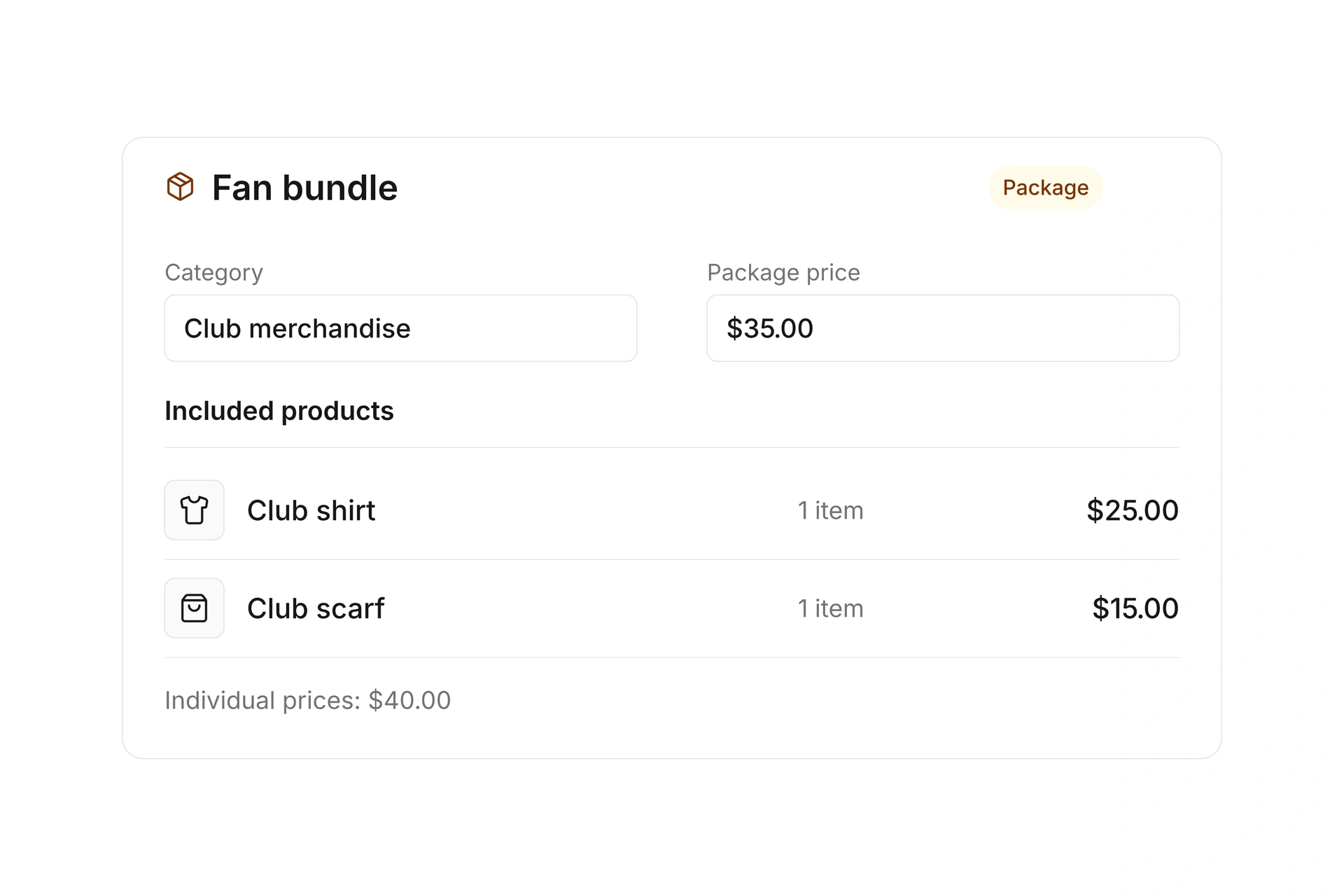
Bundle products at a separate package price, such as a club shirt and scarf. Package contents remain linked to product selection, documents, and inventory.
Track sponsorships and sales opportunities
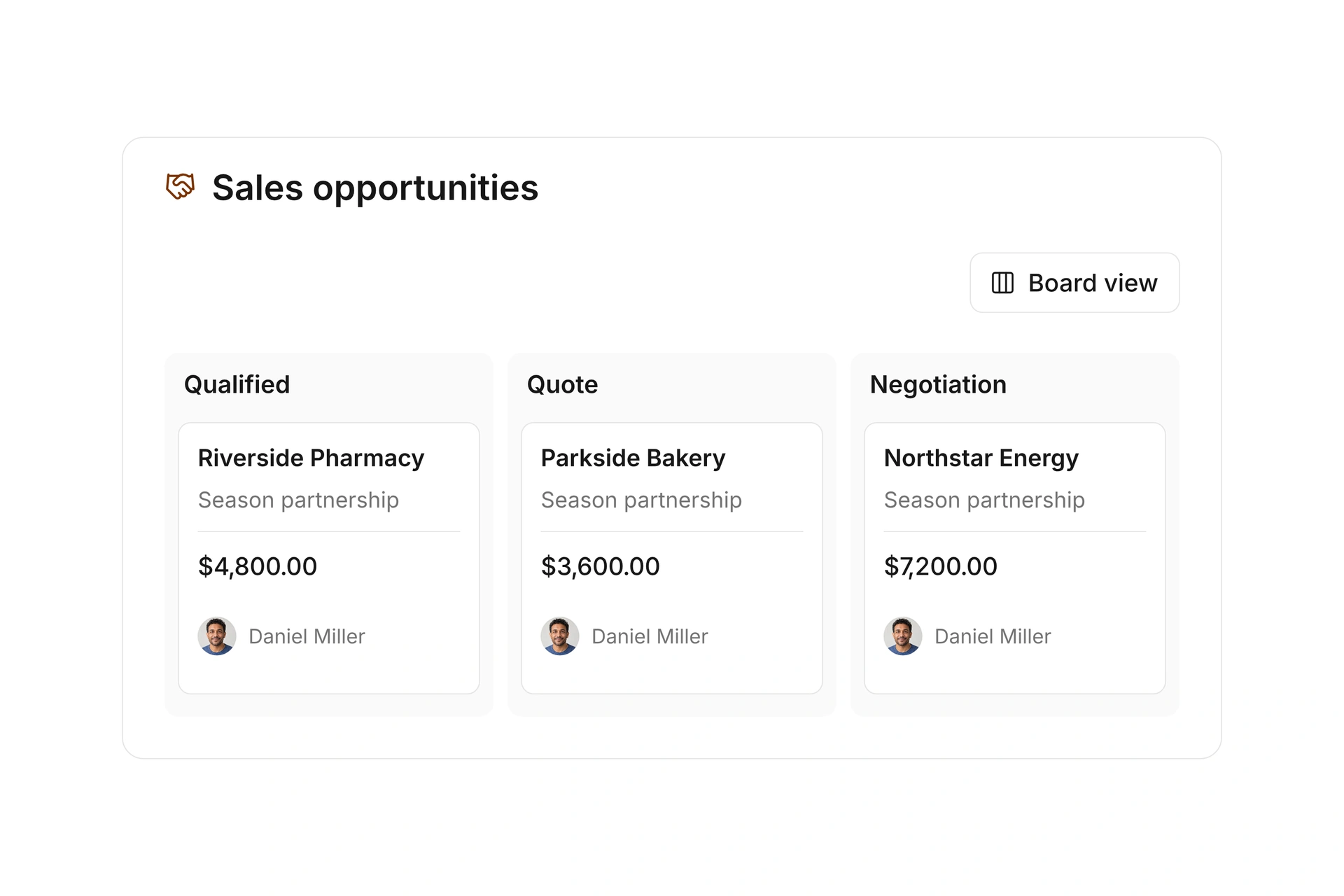
Connect sponsors and other contacts to specific sales opportunities. Record products, expected value, stage, and ownership from the first conversation to a won or lost deal.
Use the list or board view to see which opportunities need a quote and which are awaiting a decision. Link renewals to the original deal to keep recurring sponsorships connected.
From quote to invoice
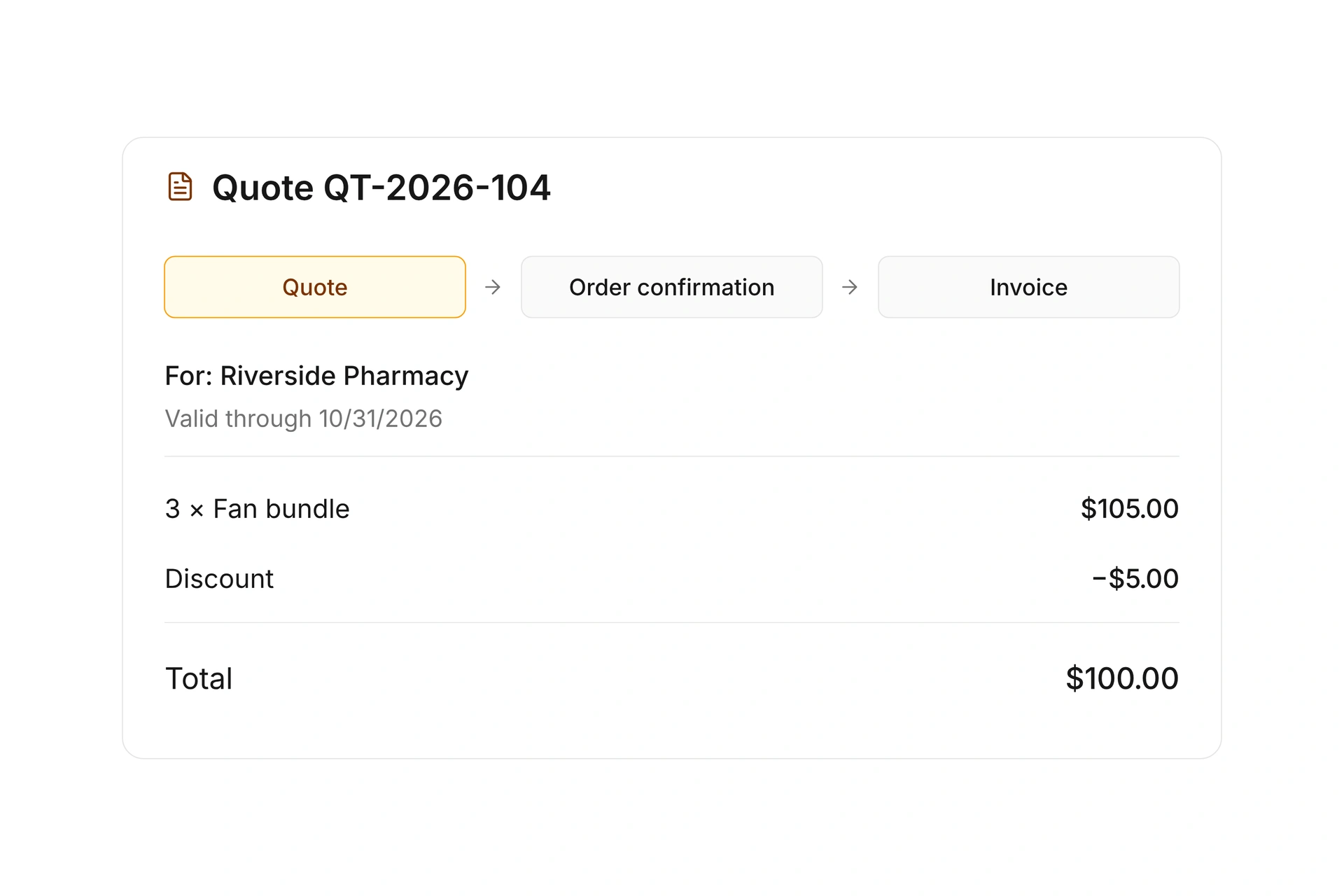
Create quotes with products, discounts, and an expiration date. Track their status and turn an accepted quote into an order confirmation or directly into an invoice.
Line items stay connected throughout the process. Enter quantities and prices once, then follow the quote through to the final invoice.
Manage stock and reservations
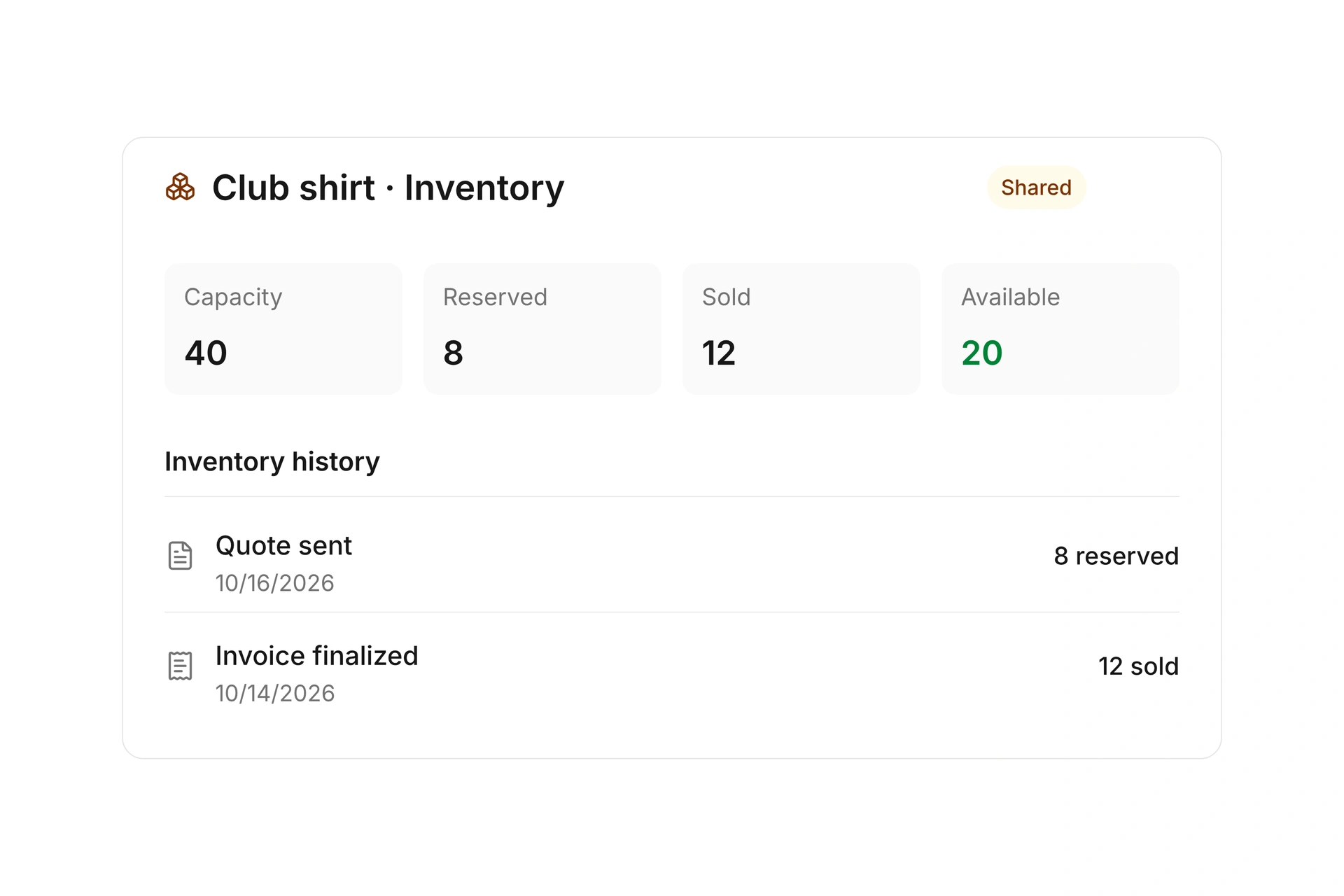
Manage shared inventory or separate capacities for each sales period. See reserved, sold, and available quantities. Package availability is calculated from its component products.
Sending a quote reserves the required stock. Rejected or expired quotes release it again. Adjust capacities with a reason and follow changes in the inventory history.
More time for your community.
See how campai connects member management, finances, and communication. Try the software or book a personal demo.
Explore on your own. Get personal help when you need it.
All dues and sales features
Explore dues plans, billing, products, sponsorships, quotes, and inventory.
Dues and billing
Dues and contracts
Manage active, upcoming, paused, canceled, and ended dues contracts with periods, next billing dates, and payment arrangements in one overview.
Dues plans
Define reusable dues plans with a base amount, billing period, payment workflow, and individual rules.
Availability by contact type and department
Choose which contact types and departments can use a dues plan and which kind of dues it creates.
Dues calculation
Set the base amount and calculation method for a dues plan.
Billing periods
Choose how often dues are billed and how each service period is calculated.
Formulas, price tiers, and proration
Calculate dues using formulas and custom fields, apply quantity-based price tiers, and prorate partial periods.
One-time joining fees
Add a one-time joining fee as a separate line item on the first dues invoice.
Age-based dues
Calculate age-based dues using the member’s age at the beginning, middle, or end of the service period, or on the payment date.
Adjustments
Adjust the base amount with clear rules instead of creating a separate dues plan for every variation.
Conditional adjustments
Calculate dues adjustments using one or more conditions.
Filter-based adjustments
Automatically adjust dues based on contact properties such as age, tags, or groups.
Period-based adjustments
Adjust the amount based on the actual dues period.
Dues based on supporting records
Link dues adjustments to supporting records, such as student verification, and account for their validity dates.
Optional extras
Offer optional extras that appear as separate line items on the dues invoice.
Pause rules
Choose how dues are prorated or reduced under your rules during a pause.
Contract pauses
Set a start and end date for a contract pause and calculate the affected period using the selected pause rule.
Shared family payer
Assign the same billing account to multiple family members and manage the payer relationship separately from the family group.
Combined family invoice
Combine eligible dues for multiple members on one invoice to the shared payer. Each line item identifies the member.
Vouchers
Apply fixed-amount or percentage vouchers to contacts or individual dues contracts. One-time credit is used across invoices; recurring discounts can reduce multiple periods.
Voucher templates
Create reusable templates for consistent vouchers.
Invoicing
Control when and how dues become an invoice.
Online payment workflow
Set when due amounts enter your online payment workflow, and track payment status.
Review dues changes
Review proposed dues changes before accepting and billing them.
Billing runs
Create draft, finalized, or sent invoices for selected dues, and combine eligible line items by billing account.
Billing history and next actions
Follow each billing run with dues, invoices, payment and delivery status. Handle the next action and retry failed runs.
Invoice corrections and PDF versions
Correct a finalized, unpaid dues invoice after reviewing the warning. Keep its invoice number and access earlier PDF versions.
Dues by property
Compare dues by selected properties to understand their distribution.
Dues cohorts
Compare groups of dues contracts by start date and their development over time.
Dues lifecycle
See how dues contracts are distributed across lifecycle stages.
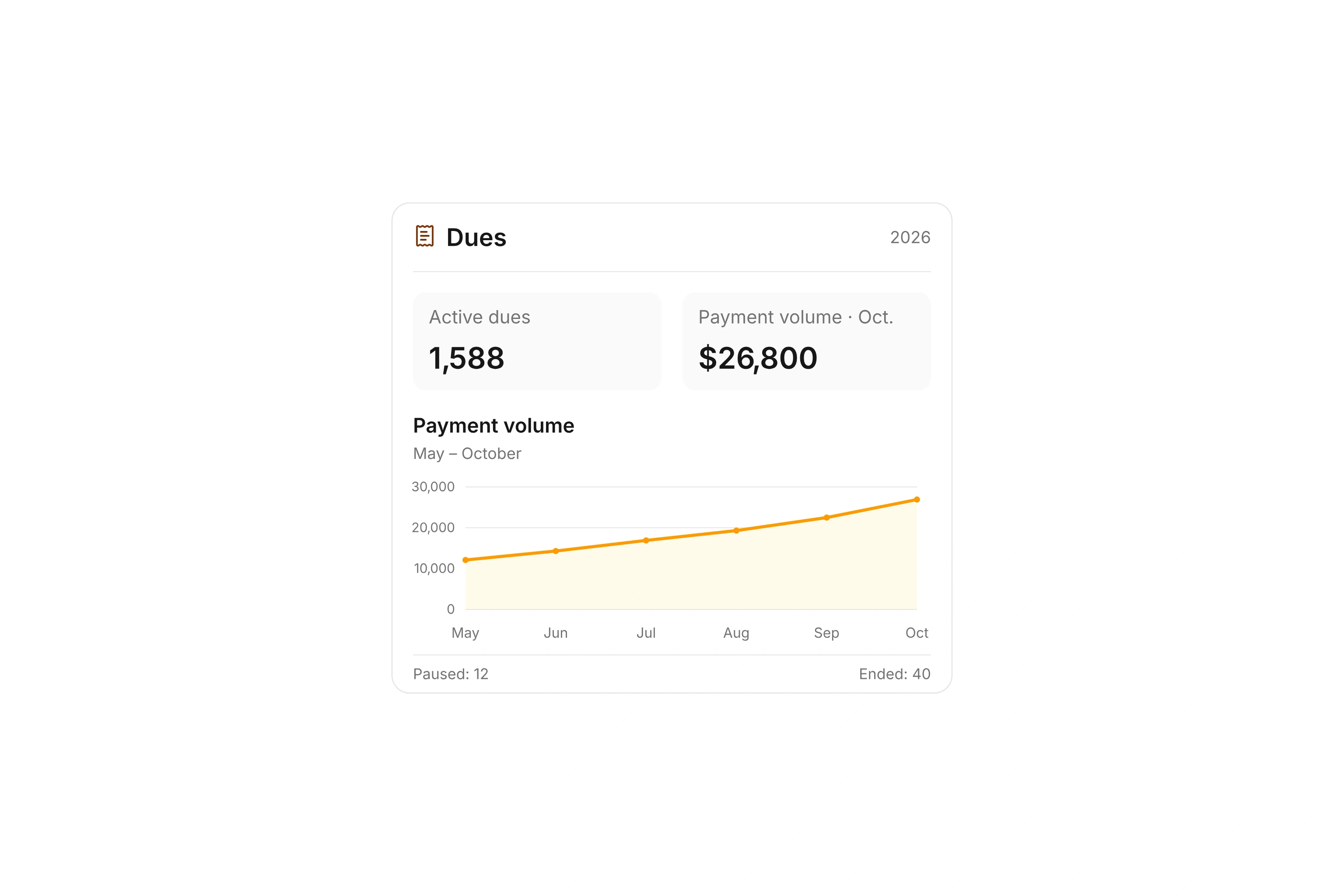
Payment volume
Track the volume of dues payments over your selected period.
Sales
Product catalog
Manage items and services with product numbers, images, descriptions, units, prices, tax settings, and accounting assignments in one catalog.
Products
Maintain reusable products and line items to add quickly when creating documents.
Product categories
Organize products into custom categories for filtering and automatic inventory initialization.
Product groups and packages
Create product groups for easier selection or sell packages at a separate package price. Contents stay connected to selection, documents, and inventory.
Inventory management
Control available quantities, adjust capacities with a reason, and follow every change in the capacity history.
Shared and period-based inventory
Manage one stock pool across periods or separate capacities for each sales period, including package availability calculated from components.
Reservations, commitments, and sales
See quantities reserved by quotes, committed by order confirmations, sold, or returned for each product and period.
Sponsor management
Manage sponsors as a contact type with sponsor numbers, and connect them to sponsorship packages, owners, opportunities, quotes, and invoices.
Sales opportunities
Track potential sales and sponsorships from new and qualified through quote and negotiation to won or lost, with contacts, products, value, probability, and ownership.
Renewals and follow-up deals
Link a new opportunity to a previously won deal to keep recurring sponsorships and partnerships connected.
Quotes and order confirmations
Create quotes and order confirmations, filter by status, and export table data or complete documents.
Quote status and inventory reservations
Reserve stock when sending a quote and release it when the quote is rejected or expires. Availability is checked again when reopening it.
From quote to invoice
Turn an accepted quote into an order confirmation or directly into an invoice without entering line items again.
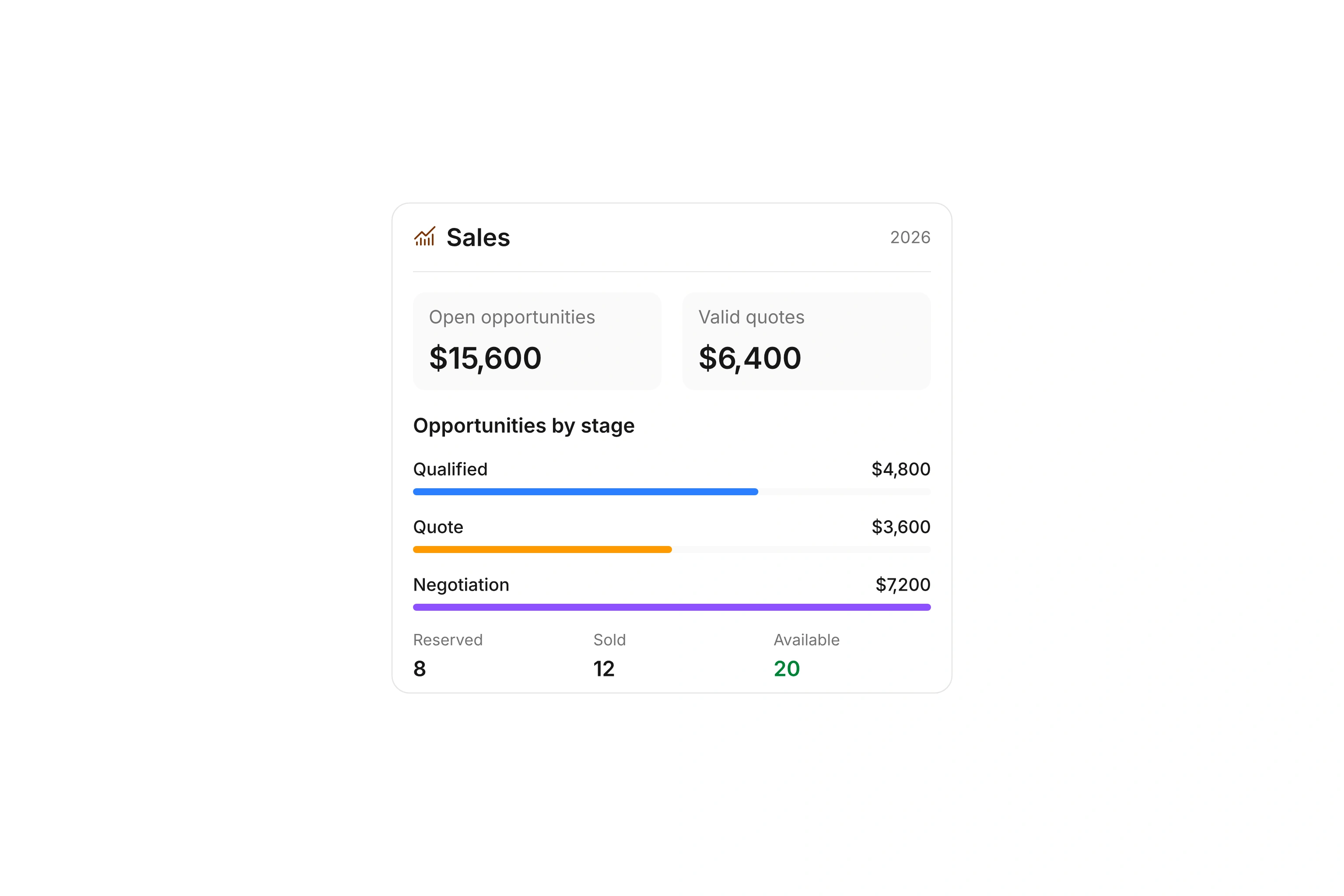
Sales dashboard
Review open opportunity and quote values, reserved, committed, and sold inventory, and related revenue for the selected period.
Pipeline and quote reports
See opportunity counts and expected value by pipeline stage to identify bottlenecks and potential deals.
Inventory utilization and value
Compare capacity, reserved, committed, sold, and available quantities alongside inventory value and utilization.