
Skip to content

Give your fundraising campaign a goal you can track.

Set a campaign goal and connect the donation forms your supporters will use. campai brings recorded gifts, donor counts, and recurring commitments into one administrative view. Show progress toward the goal on the public donation form.

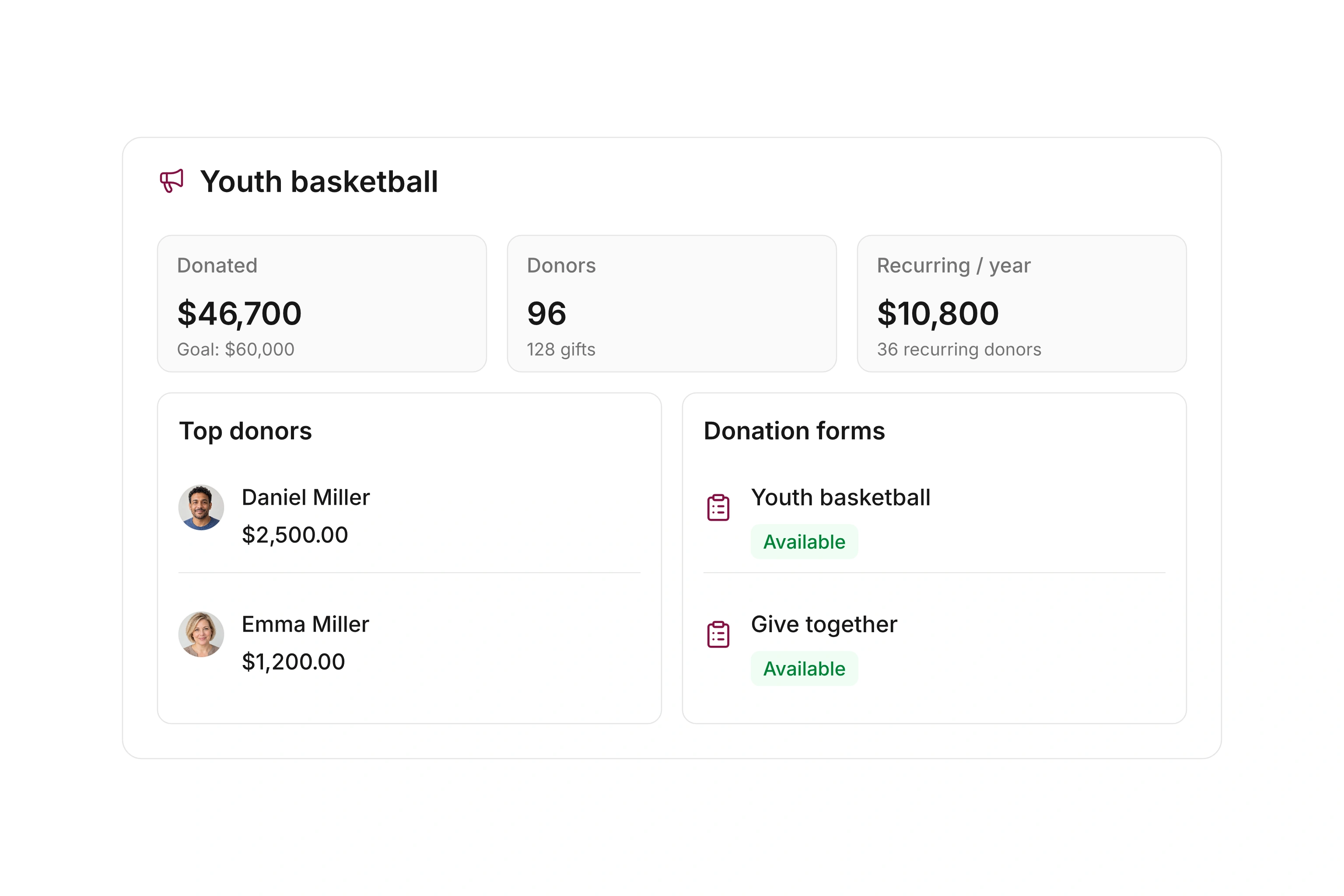
Administrative campaign overview with fundraising goal, recorded gifts, recurring commitments and associated forms

Define the campaign and connect its forms

Give the campaign a clear name and an optional fundraising goal. Internal notes help your team organize the work. Donors do not see those notes; explain the public purpose in the donation form.

Associate the relevant forms with the campaign, including multiple forms when needed. The administrative overview lists associated forms when your permissions allow you to read them. Your team can follow the campaign without treating each form as a separate fundraising effort.
Show progress where supporters make their gift

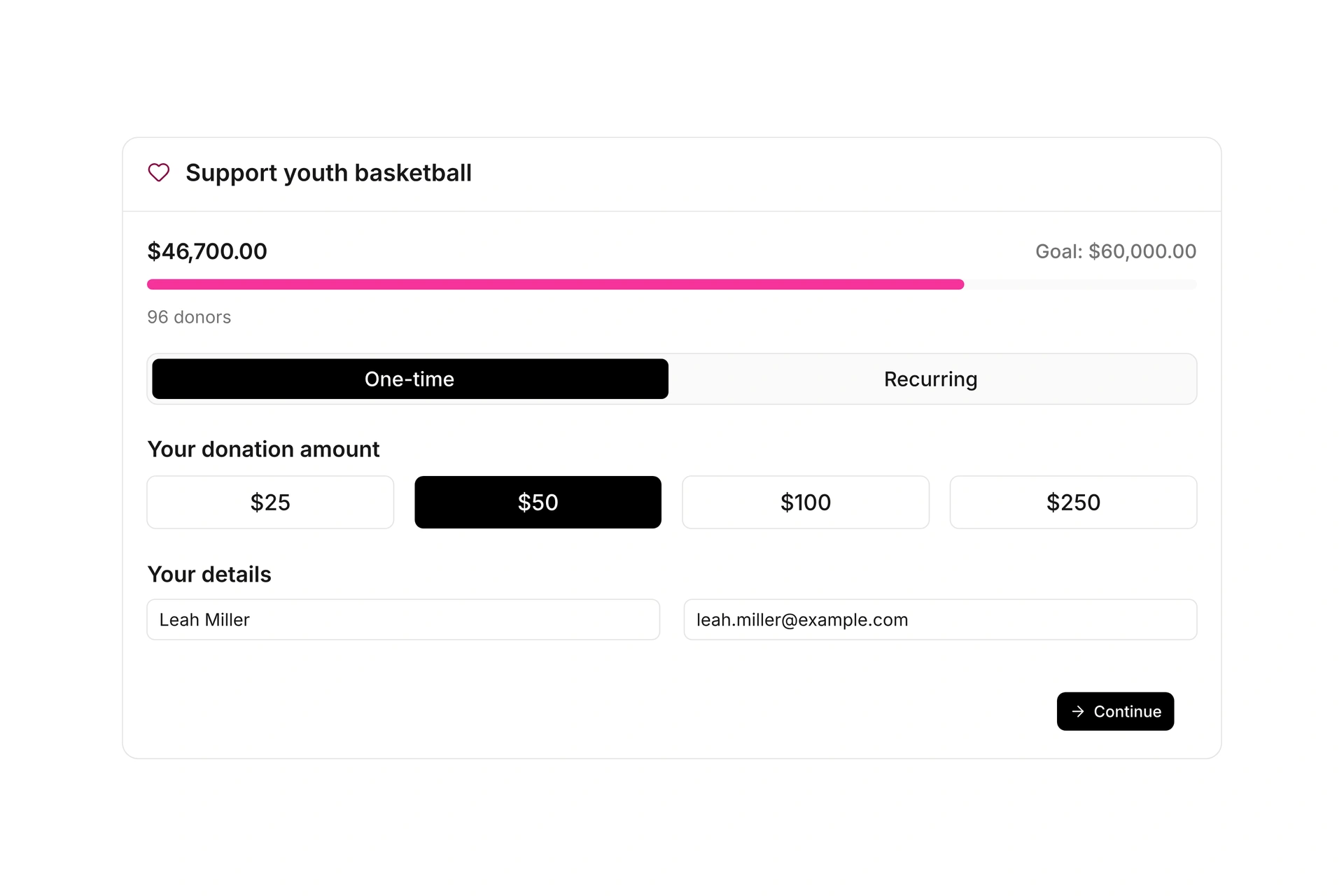
Enable campaign progress on a form associated with a campaign that has a goal. The form displays the recorded amount against that goal. Share the published form link through your website, a newsletter, or a QR code.

The campaign overview stays inside your administration. This workflow does not create a separate public campaign website or personal fundraising pages for supporters. Check the public form on a phone before you share it.

Public donation form with campaign progress, suggested amounts and giving frequency

Compare recorded gifts with recurring commitments

The campaign brings together its recorded donations and donor count. Recurring commitments and their annualized value provide another planning measure. They do not establish that the money has arrived.

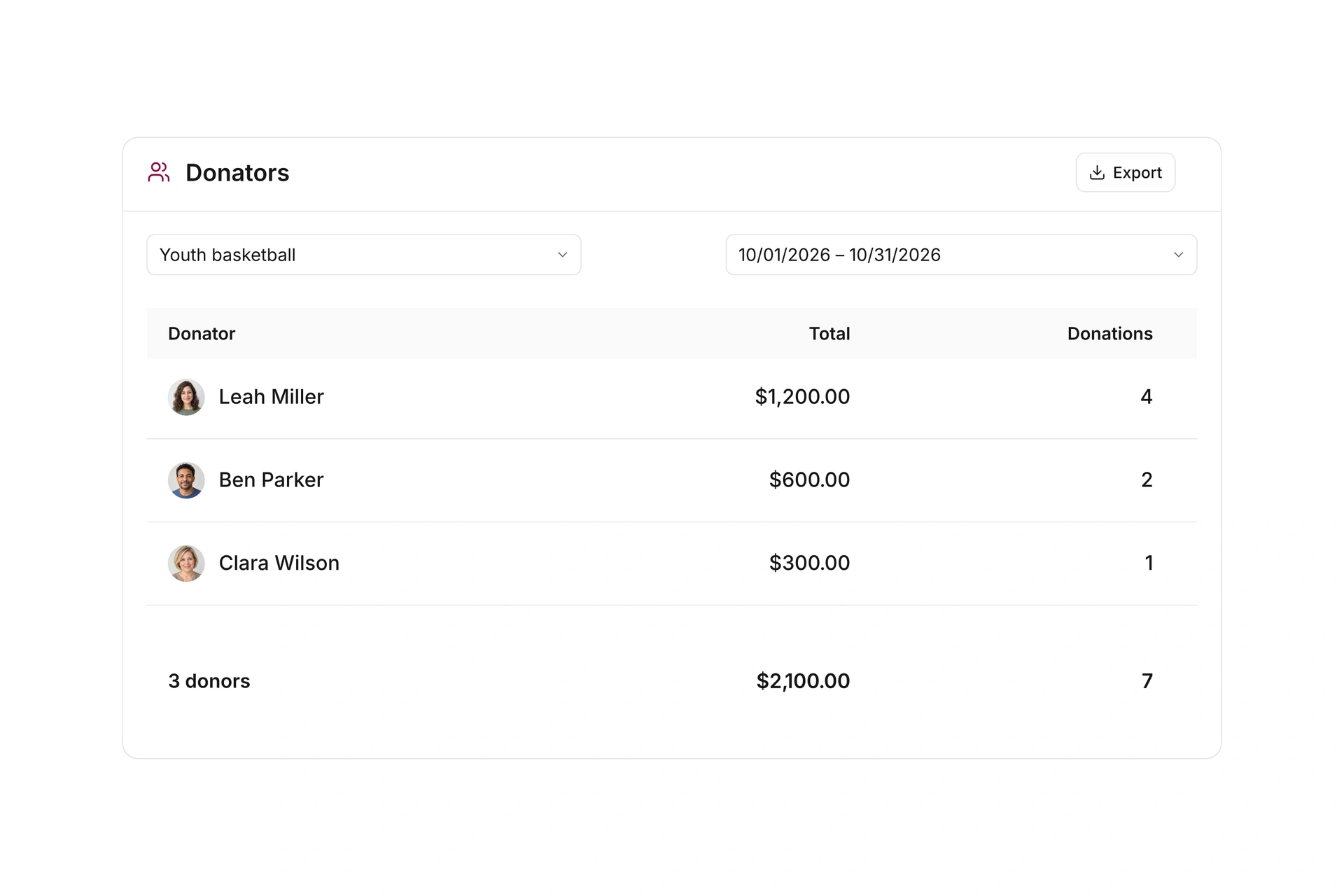
Open the associated donations to investigate a particular amount. Filter the donor report by campaign and date range, then export the results for further analysis. Compare commitments, billing records, and recorded gifts before treating projected support as available funds.

Donor report filtered by campaign and date range with donor amounts and an export action

Prepare and follow your campaign

Start with a specific purpose and check how the campaign connects to the donation form.

  1. Create the campaign

    Enter a name and goal. Keep internal notes with the campaign and explain the public purpose in the form.

  2. Connect the form

    Assign a donation form, choose amounts and giving frequencies, and enable campaign progress when appropriate.

  3. Check and share

    Open the published link on a phone. Review the goal, required information, and available payment options before sharing it.

  4. Follow the results

    Compare recorded gifts with recurring commitments. Inspect individual records and use the donor report for the date range you need.

A campaign for new training equipment

Connect these decisions to the process your team will manage.

DecisionIn campaiResult
Shared purposeA campaign with a fundraising goalGifts are associated with the same campaign.
Public appealAn associated form with progress enabledSupporters see the goal beside their giving options.
Ongoing supportRecurring commitments and annualized valueYour team can assess projected support.
ReportingDonor report filtered by campaign and date rangeReview each donor’s amount for the selected period.

Annualized recurring value is a planning measure, not confirmation of settled payments.

Frequently asked questions

Where do supporters see fundraising progress?

On the public donation form when it is associated with a campaign that has a goal and campaign progress is enabled.

Can several donation forms belong to one campaign?

Yes. The campaign overview lists its associated forms. Access to that list depends on your donation-form permissions.

Does this create a public campaign website?

The donation form is the public giving page. The administrative campaign overview stays inside campai. Personal fundraising pages and peer-to-peer fundraising are outside this workflow.

What does annualized recurring value mean?

It projects the campaign’s ongoing recurring commitments over a year using their giving frequency. Compare it with recorded donations; it does not confirm that a payment has settled.

Can I report on campaign donors?

Yes. Filter the donor report by campaign and date range, then export the results for further analysis.

Plan your next fundraising campaign

Bring the purpose, goal, and giving frequencies you have in mind. We can work through the campaign, its form, and the reporting your team needs.

Explore on your own. Get personal help when you need it.