
Skip to content

Give recurring support a manageable routine.

A recurring gift needs an ongoing process after the form is submitted. campai connects the submission to a donation subscription plan, a contact, and billing. Review new commitments when needed, then follow the amounts that actually arrive.

Recurring donations showing donors, billing intervals, and processing status

Offer clear amounts and intervals

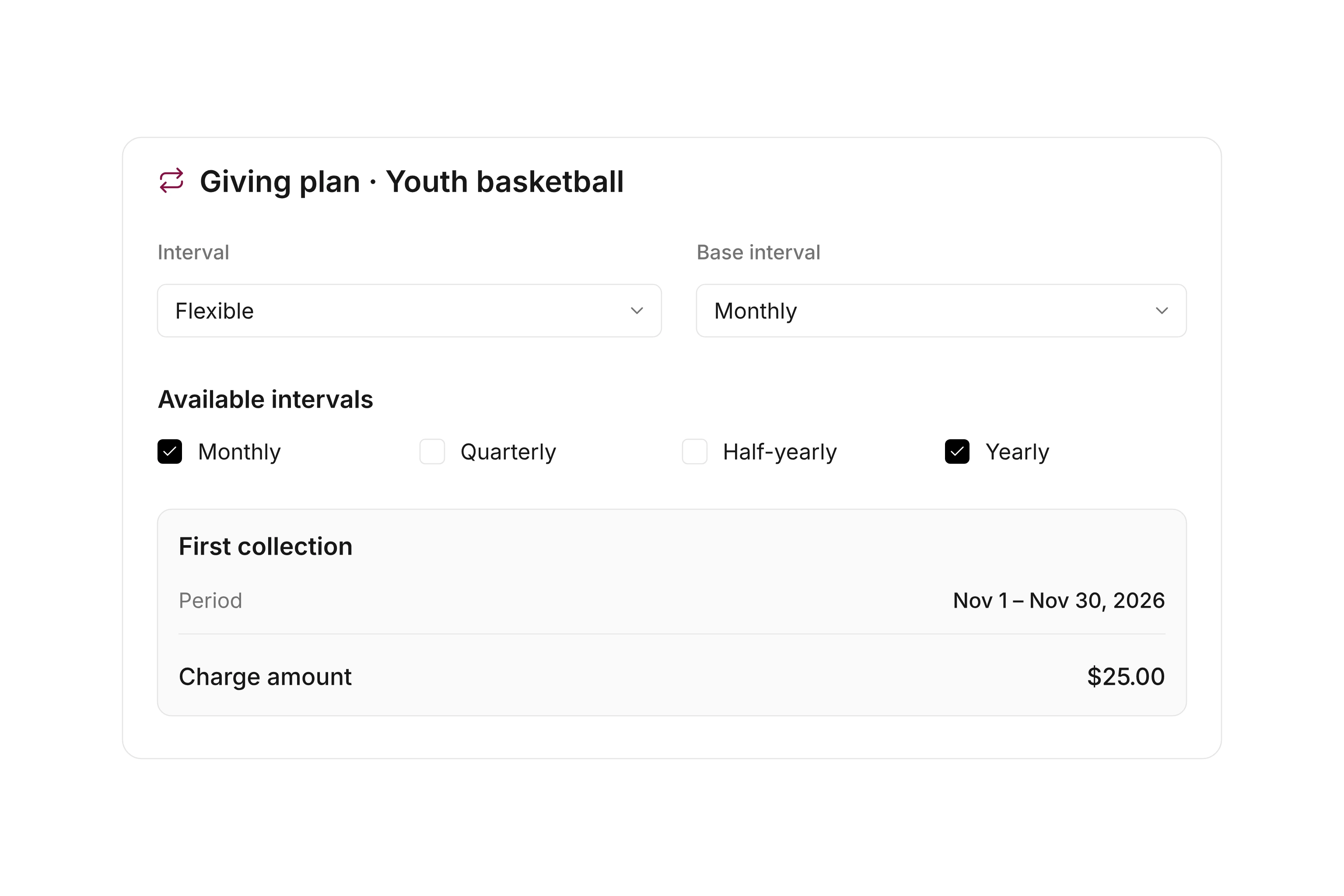
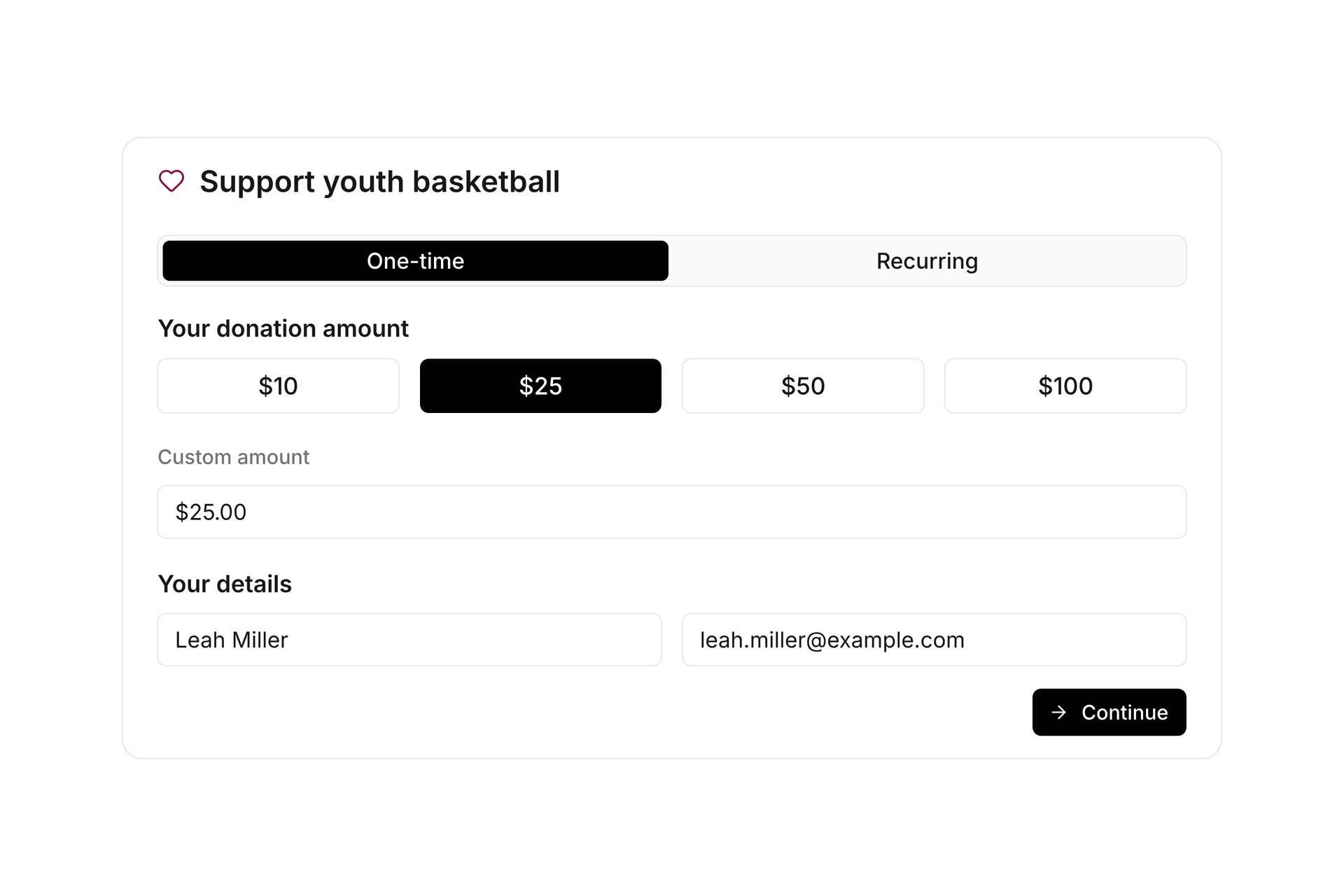
Prepare the donation subscription plans you want to offer in the form. Each choice can have a donor-facing label, a description, and its own suggested amounts. When the submission is accepted, the selected amount becomes part of the subscription.

Choose intervals your organization can administer consistently. A recurring subscription provides the basis for future billing; it is not a record of money already received. Keeping those concepts separate also makes campaign planning easier to explain.
Review commitments before accepting them

You can require review of new recurring donations. Assigned reviewers receive the submission and accept or reject it. At acceptance, the person can be matched to an existing contact rather than creating an unnecessary duplicate.

If review is not required, the configured acceptance step runs directly. Decide which approach fits the form before sharing it. Configure the submission and acceptance emails so donors understand the current stage of their recurring gift.

Review commitments before accepting them

Keep billing connected to donor records

An accepted recurring donation creates a subscription on the selected donation plan. Subsequent processing uses the subscription billing workflow. The contact and payment details remain connected to the record.

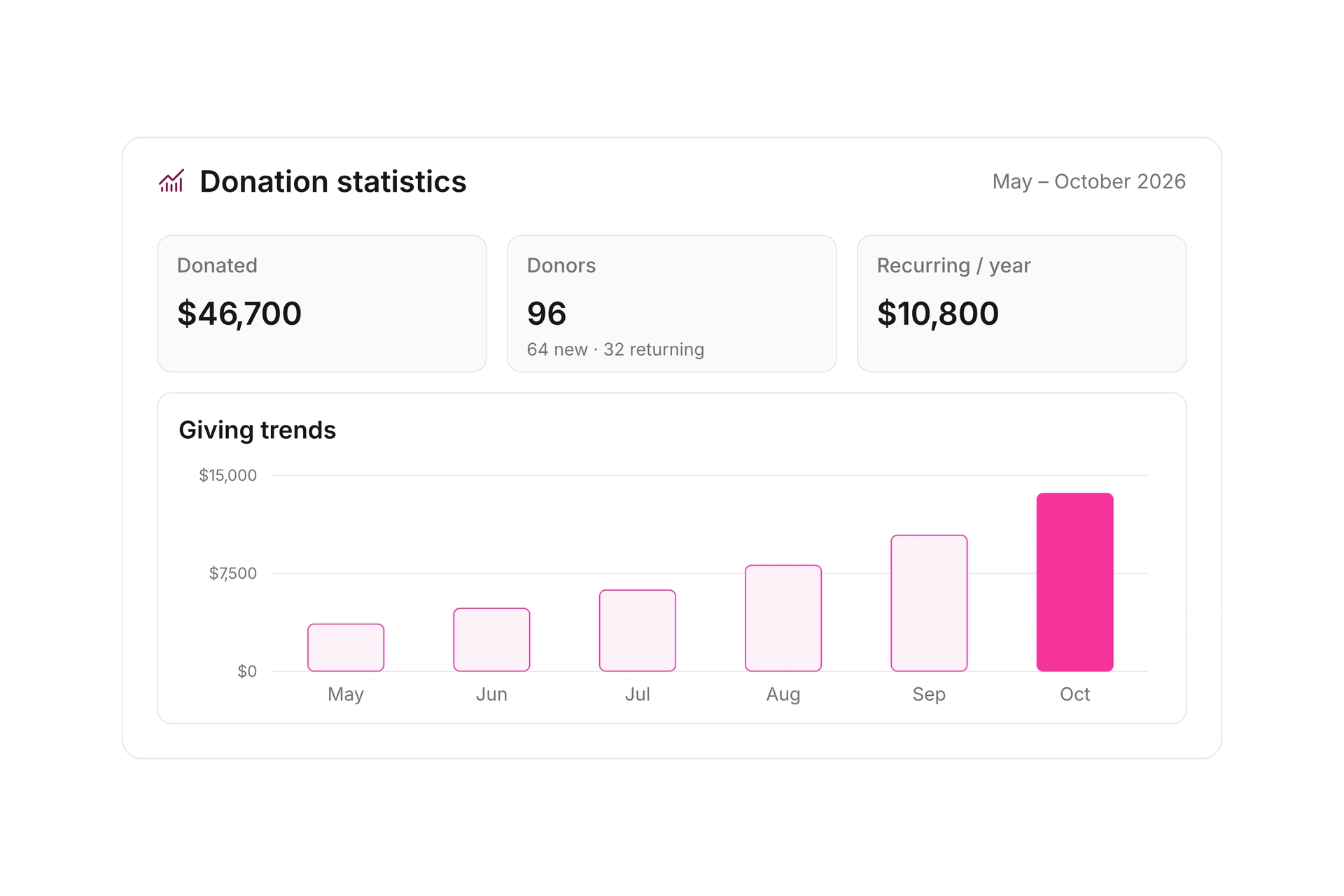
Review the donor record and donation reports to follow ongoing support. Annualized recurring value can help you plan, while recorded donations show the gifts received. Compare those figures and investigate outstanding items before treating expected contributions as available funds.

Keep billing connected to donor records

Follow a recurring gift through its first cycle

Decide who reviews new commitments and who checks the billing that follows.

  1. Prepare the donation plan

    Review the interval and billing settings. Give the option a clear donor-facing label so supporters do not need to understand your internal plan names.

  2. Receive the submission

    The donor selects an available frequency and amount. campai records the submission and the information required for the configured payment workflow.

  3. Review and accept

    If review is enabled, the responsible person checks the submission and contact match, then accepts or rejects the recurring donation.

  4. Follow the subscription

    Check the new subscription and its next billing step. Track payments received and prepare acknowledgments using the resulting donation records.

Read commitment, billing, and payment separately

Each stage answers a different question when you plan your fundraising.

StageWhat existsWhat to check next
SubmittedA recurring-gift requestAre the details and contact match correct?
AcceptedA donation-plan subscriptionAre its amount, interval, and next billing correct?
BilledAn associated payment documentHas the payment arrived?
Gift recordedA donation linked to its sourceIs an acknowledgment ready to prepare?

Annualized recurring value is a planning figure, not automatically cash already received.

Frequently asked questions

Does every recurring donation need manual approval?

You decide whether the donation form requires review. When it does, an assigned reviewer processes the submission before it is accepted.

What does acceptance create?

campai creates a subscription on the selected donation plan. It uses the chosen amount and the plan settings for ongoing billing.

Can I match an existing contact?

Yes. At acceptance, a submission can be associated with an existing contact. Check the match when a donor is already a member or has previously supported your organization.

Can I email the donor about acceptance?

You can configure separate emails for submission and acceptance of a recurring donation. Review their wording and enable the messages you need before publishing the form.

Does a commitment immediately become an acknowledged gift?

No. The commitment starts the recurring workflow. Billing, payment, the recorded donation, and its acknowledgment are separate stages whose status you can follow.

Set up your recurring-giving process

We can review your giving intervals, new-donor review process, and the handoff to subscription billing.

Explore on your own. Get personal help when you need it.