
Skip to content

Bill membership dues according to your rules.

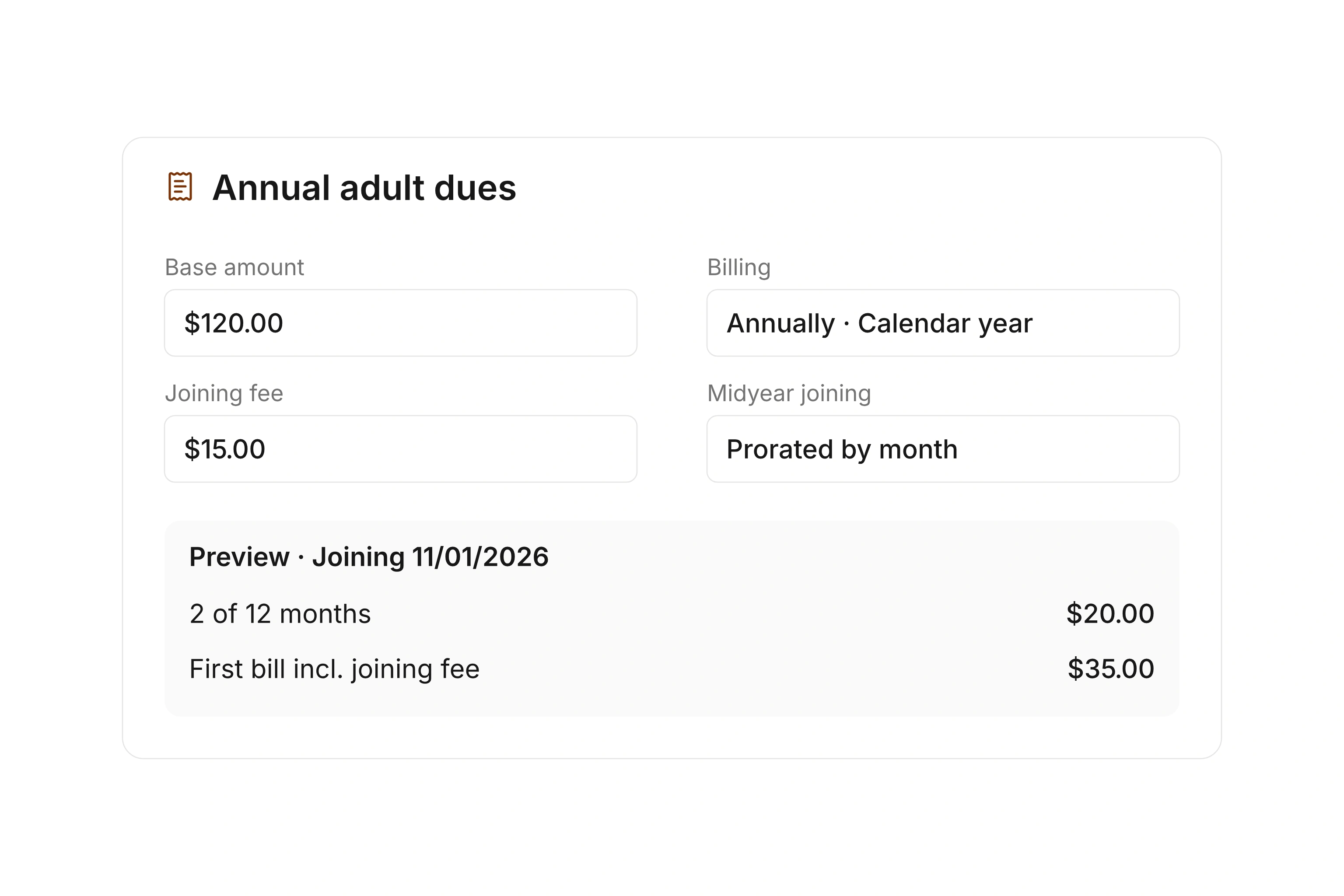
Annual dues, a midyear enrollment, and an agreed pause need different settings. Use subscription plans in campai to define the rules, then assign the appropriate subscriptions to members. Review upcoming charges and choose how to create the invoices for each billing run.

Subscription overview with billing period, amount, and upcoming collection

Set up the plan behind each charge

Define the period, collection settings, and charge calculation for each subscription plan. Use regular intervals or custom periods when your organization needs them. Options and adjustments let you represent different agreements within a plan.

Start with your approved dues schedule and map each rule to a setting. Pay particular attention to whether dues cover a fixed calendar period or a period measured from the member’s start date. That choice determines which periods you will bill later.
Account for starts, changes, and pauses

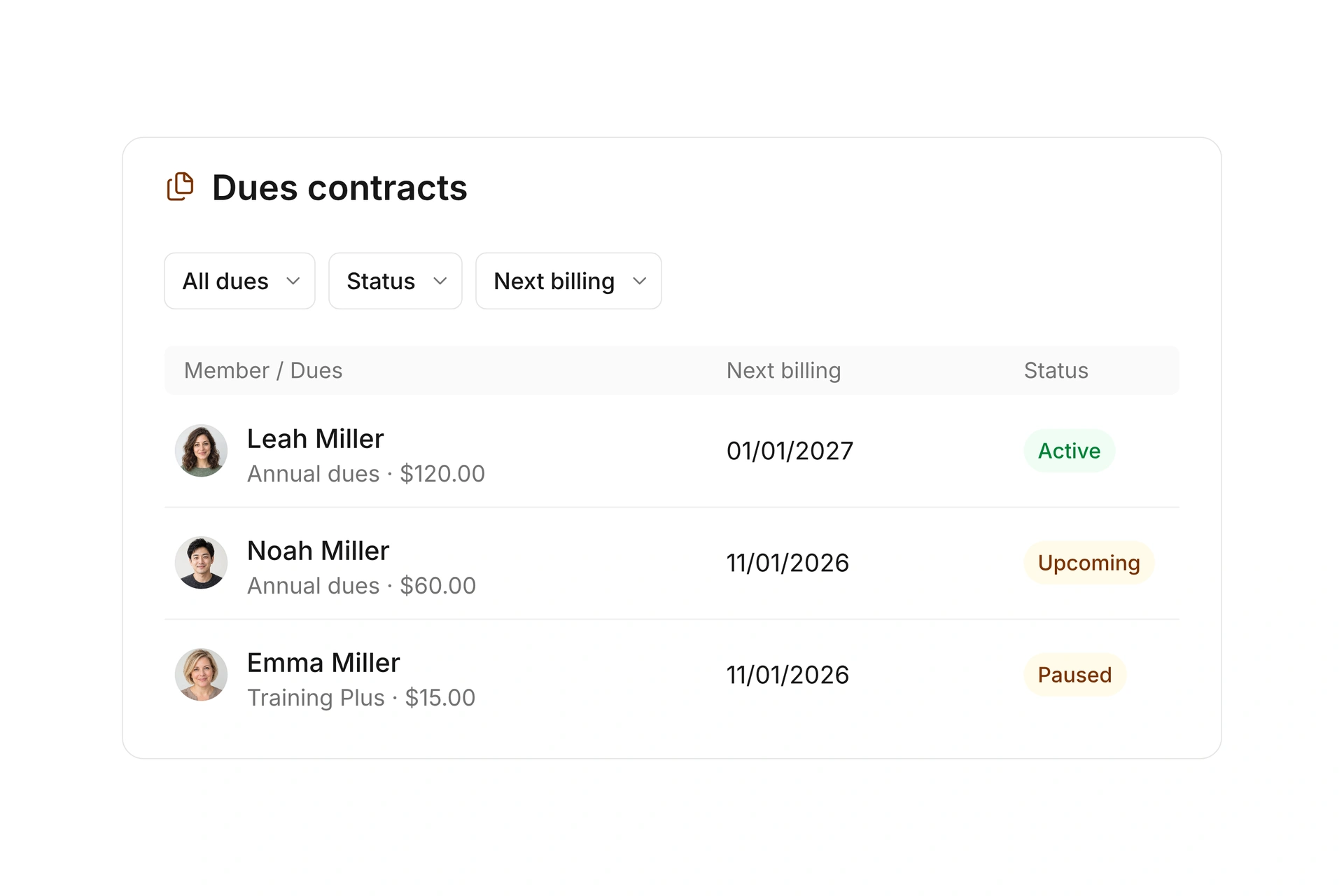
A member’s subscription records its start, end, and selected options. If the plan has pause rules, you can assign an appropriate pause to that subscription. The next collection uses both the plan and the individual subscription details.

Check a change against an existing subscription and a recent enrollment. A setting change, an already billed period, and an issued invoice describe different parts of the process. Review the next calculated period before processing a large group of subscriptions.

Account for starts, changes, and pauses

Choose when invoices are ready to send

A billing run can create draft invoices, finalize invoices, or finalize and send them. Drafts give you a chance to review details and line items before sending. Select the mode that fits the review process for that run.

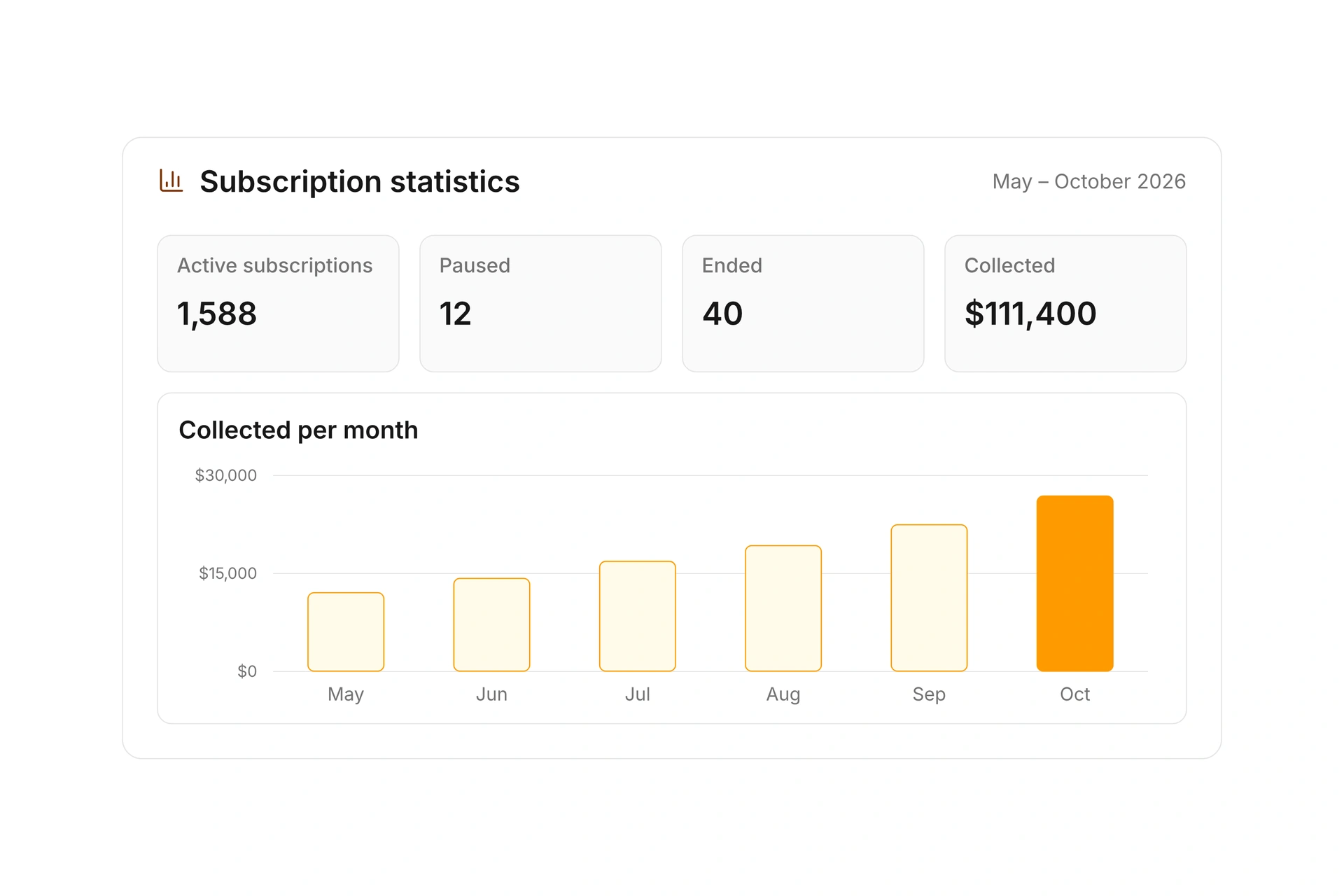
Afterward, follow outstanding balances and payment status. Creating an invoice does not confirm that the payment has arrived. Keep questions connected to the relevant subscription and invoice so you can review the billed period, calculation, and payment together. Use the online payment options available to your organization.

Choose when invoices are ready to send

Prepare a billing run

Review a few different membership situations before processing the subscriptions that are due.

  1. Define the rules

    Set up subscription plans with periods, charge calculations, and collection settings. Add the options and pause rules covered by your organization’s actual dues policy.

  2. Assign subscriptions

    Review each member’s start, end, options, and responsible debtor. Give recent enrollments and changed agreements particular attention before billing.

  3. Review upcoming charges

    Compare the period and amount for a regular subscription, a midyear enrollment, and a paused subscription. Resolve unexpected differences before processing the group.

  4. Create and follow invoices

    Choose drafts, finalized invoices, or finalized invoices with sending. Review the resulting records and follow outstanding payments through the relevant invoice.

Four cases to check before annual billing

Use these checks to cover different member situations when you prepare a billing run.

Member situationWhat to checkResolve before billing
Existing subscriptionNext billing periodDoes it follow the last period billed?
Midyear enrollmentStart date and calculationDoes the selected plan fit the enrollment?
Agreed pausePause rule and datesIs the intended rule assigned to this subscription?
Shared payerDebtor and invoice groupingAre the subscriptions compatible for grouping?

Your organization sets its dues. campai calculates charges using the rules you configure.

Frequently asked questions

Can I manage monthly and annual dues?

Yes. Subscription plans support several intervals and custom periods. You define the covered period and when collection takes place.

How do subscription pauses work?

Set up pause rules in the plan, then assign the relevant rule and dates to a subscription. Review the effect on the next collection before processing it.

Can I review invoices before sending them?

Yes. Choose draft mode when you process the charges. You can also finalize invoices directly or finalize and send them.

How is a subscription different from an invoice?

A subscription holds the recurring agreement and its settings. An invoice records a specific billing period. The invoice’s payment status shows whether an amount remains outstanding.

Can household dues appear on one invoice?

Eligible charges for the same debtor can be grouped on one invoice. Other settings must be compatible, including the due date and invoice template. Enable invoice grouping when you process the charges.

Put your dues schedule into practice

Bring a standard subscription and the exceptions you handle most often. We can review the periods, options, and billing process with you.

Explore on your own. Get personal help when you need it.