
Skip to content

Members update their details. You decide how changes work.

A new address or phone number should not require a chain of emails. With self-service in the Community App, members submit their own updates while you choose which details are visible and which changes need review.

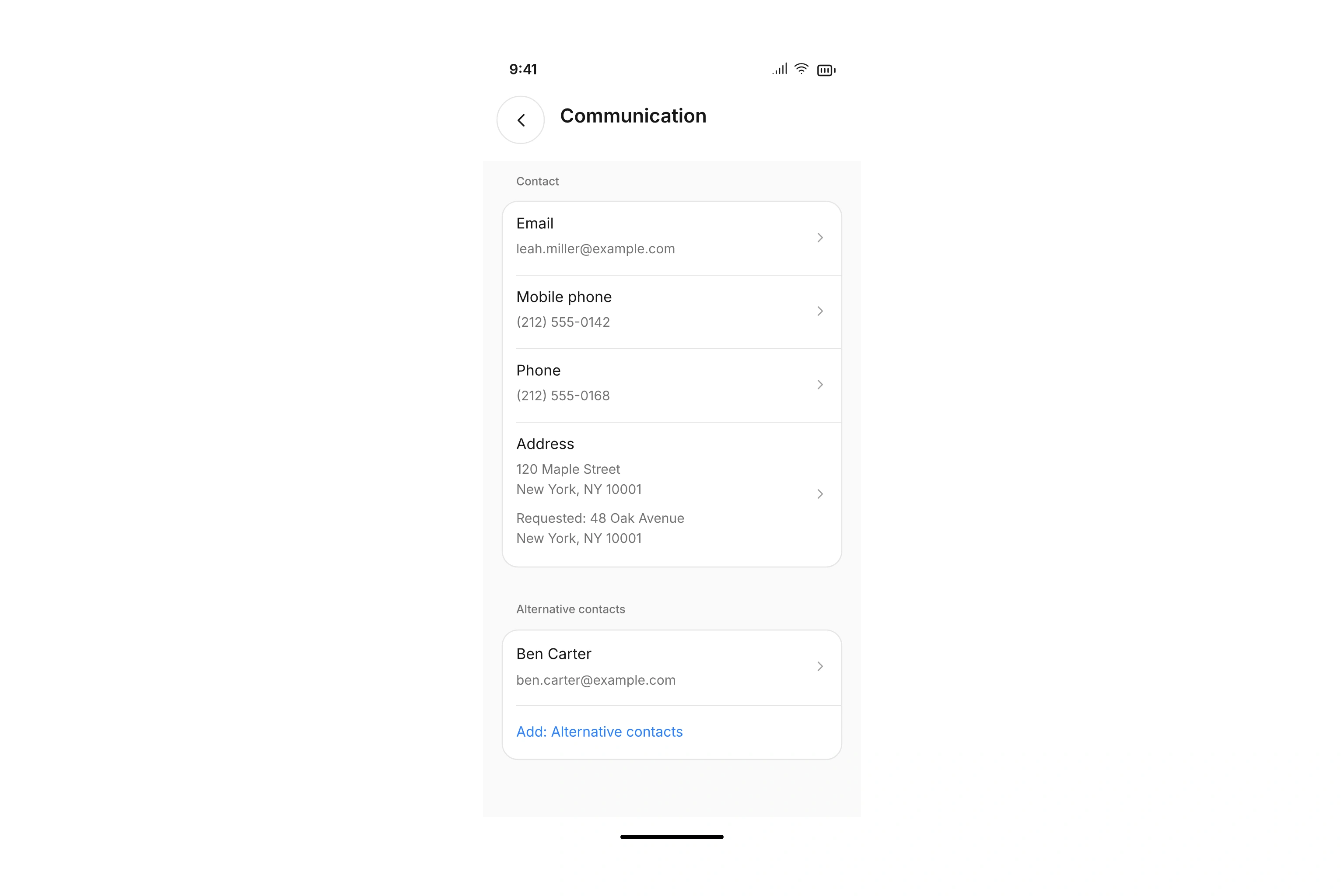
Personal details and requested changes in Community App self-service

Make the right information available to each member

Enable self-service and choose which contacts can use it. Access criteria include contact types, contact segments, departments, and tags. The view concerns the linked contact; it does not grant general access to your membership database.

For each property, choose whether it is hidden, shown for reference, editable after review, or editable immediately. Available options depend on the property itself. For example, you might allow phone number changes immediately while requiring a staff member to check a different type of update. Start with the information members regularly ask your team to correct.

Send requested changes to the people who review them

For a property requiring review, the requested value stays separate from the current value until a decision is made. Your team can see who submitted the update and compare the two values. Choose reviewers in the self-service settings and use rules for different groups of contacts. Administrative access can be limited to assigned changes.

A reviewer accepts or rejects a request. Accepting it applies the reviewed value to the relevant record. If the underlying value has changed in the meantime, campai checks for a conflict before an older review decision can overwrite the newer information.

Update the contact record people already use

Accepted changes flow into the associated contact information. Fields configured for immediate changes do not require a separate approval. Where you enable an editable document property, members can also submit a file with the information required by that property.

Self-service remains part of your membership administration. It is not a public directory or a substitute for reviewing a required document with its own validity period. Use the required-documents workflow for those checks. A small, clearly configured set of properties gives your team a useful starting point before you make additional details available.

Set up an address change that requires review

This is one possible configuration. You decide whether the relevant address property can change immediately or needs a review first.

  1. Configure access and the field

    Enable self-service for the intended contacts. Set the relevant address property to require review and select the responsible reviewers.

  2. Submit the new address

    The member opens their details in the Community App and submits the update. The existing address stays in place while the request is pending.

  3. Compare the information

    The reviewer opens the request and compares the current and requested values. If the information cannot be accepted, they can reject the request.

  4. Apply the decision

    Accepting the request applies the change. The request records the decision, and the member receives an update about the outcome.

Example: four fields with different rules

Choose settings that match how your team works. These are example choices, rather than default settings for every organization.

PropertyChosen ruleResult
Internal custom detailHiddenDoes not appear in self-service
Membership numberView onlyMember can look up the value
Mailing addressReview changesYour team decides whether to apply the update
Phone numberApply immediatelyNew information is saved without a review step

Available settings depend on whether the property supports editing or must always remain visible.

Frequently asked questions

Does every member have to be able to edit every field?

No. You can restrict access and configure the properties individually. Fields that are not editable do not become freely editable through self-service.

Who reviews submitted changes?

Choose reviewers and configure rules based on contact information. Those people need the administrative permissions required to work on changes; an assignment does not grant unrestricted access.

What if staff change the record while a request is pending?

When accepting a change, campai checks that the expected current value and submitted request still match. A conflicting change needs a decision based on the current information.

Can members upload documents?

Yes, through an enabled, editable document property. Uploading a file does not automatically make it an approved required document with a checked validity period.

Does self-service replace a membership application?

No. A membership application supports the intake process. Self-service updates enabled properties for contacts already linked to the Community App, following the change rules you configure.

Give members a direct way to keep their details current.

Choose which updates can happen immediately and where your team needs a review step.

Explore on your own. Get personal help when you need it.