
Skip to content

Collect membership applications and review them together.

A new membership application needs more than a completed form. In campai, your team reviews the submitted information, brings in the right people, and decides how the application becomes a contact record with the appropriate billing setup.

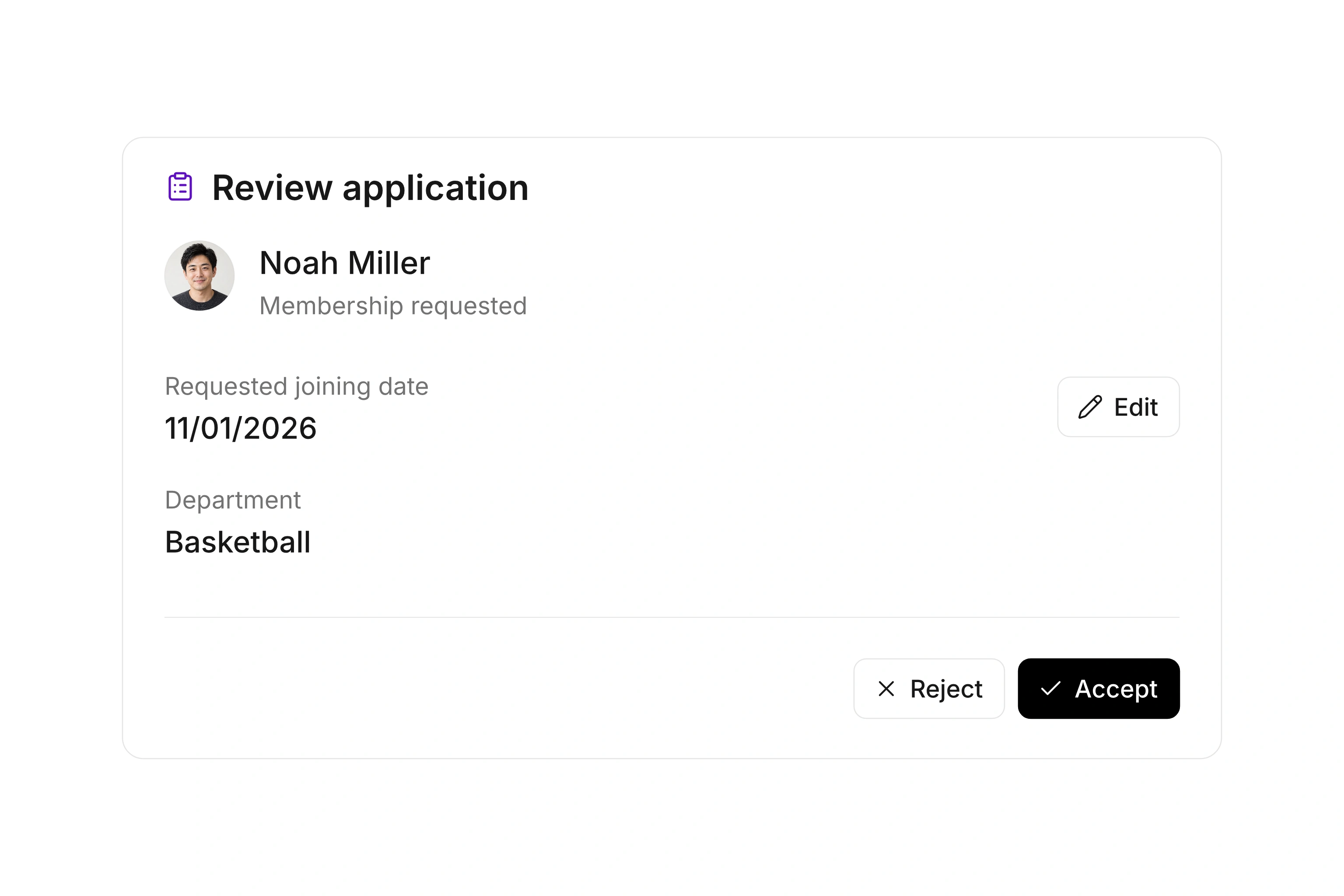
Membership application overview with submitted information, assigned reviewers, and processing status

Ask for the information your admission process needs.

Build an application form around the way your organization accepts members. Choose the contact details and additional answers you need, then review the public form before sharing it. Confirmation messages and the experience after submission belong to its settings.

Submissions arrive together in campai. Open the details, check the answers, and edit information when a correction has been established. Review starts from the information the applicant submitted, giving your team a common record instead of separate copies in individual inboxes.

Route the application to the people who should review it.

Choose default reviewers or set rules based on the form’s answers. If an applicant selects a particular department, the submission can go to the people responsible for that department. Matching rules take precedence over default reviewers. Eligible organization owners provide the fallback when neither is available.

Reviewers can filter for their own reviews. You can also request a review from a particular administrative user and include a note about the open question. Resolve missing information or departmental questions before making the admission decision.

Connect an accepted application to the right records.

When accepting a submission, check whether to create a contact or use an existing one. The payer relationship and appropriate dues can also be considered during acceptance. This gives the new membership the connections your team needs for ongoing service and billing.

Pay particular attention to applicants who already exist in your contact database. Household grouping and the payer relationship are separate choices. Review those selections against the submitted information before accepting the application so later work starts with the intended setup.

Process an application through admission

Before publishing the form, decide who reviews new applications and which information must be complete before acceptance.

  1. Prepare the form

    Choose the necessary fields and answers. Review the public form and the confirmation after submission. Complete a trial submission so your team can see which information will arrive in administration and how it will be used.

  2. Configure reviewer routing

    Choose default reviewers and any rules based on answers. Check that selected users have access to the submissions. Try the relevant answer choices so a department rule routes applications as your team expects.

  3. Review the submitted information

    Open the application, check its contents, and correct established errors. Request another review when needed. Keep the application pending while information required for admission is still missing.

  4. Accept or reject the application

    At acceptance, review any existing contact, payer relationship, and dues selection. Use the appropriate records before completing the decision. If the membership should not proceed, reject the submission through the available workflow.

Example: An application for a department

An applicant selects a department on the form. Your administration checks the contact details while the department’s responsible person reviews the relevant part of the application.

Information or decisionProcessing stepReason for the check
Selected departmentReviewer rule based on the form answerThe submission reaches the relevant people
Existing contactReview the matching record at acceptanceAvoid an unnecessary second record for the same person
PayerChoose an existing or new relationshipFuture invoices use the intended payer
Dues and start dateReview the plans selected during acceptanceBilling begins with the intended configuration

Form answers support the review. The people responsible for your organization’s admission process make the membership decision.

Frequently asked questions

Does every submission immediately create a membership?

A submission is an application your team can process in campai. In this review workflow, you check the information and accept it with the appropriate record relationships, or reject it when admission should not proceed.

Can different departments receive different applications?

Yes, when the relevant information is included in the form’s answers. Reviewer rules evaluate those answers and select the appropriate reviewers. Without a matching rule, configured defaults or eligible organization owners provide the fallback.

Can I correct a typo after an application is submitted?

Yes. Authorized users can edit submitted information. Confirm the correction with the applicant when the intended information is not clear, then review the updated details before accepting the application.

What if the applicant is already a contact?

You can use an appropriate existing contact during acceptance. Review payer and group relationships too. A similar name alone is not enough to establish that two records refer to the same person.

How is an application different from a questionnaire?

An application supports admission through review and acceptance into contact records, with dues where applicable. A questionnaire collects general responses, such as feedback or survey answers. Choose based on how your team needs to process the result.

Map your admission process

Bring your current application, dues choices, and review responsibilities to a consultation. We can follow one submission through to admission.

Explore on your own. Get personal help when you need it.