
Skip to content

Ask for the information your next decision needs.

Planning a season, organizing volunteers, or collecting feedback starts with usable answers. Build a public questionnaire in campai, guide people through relevant questions, and review the submissions together when you are ready to make a decision.

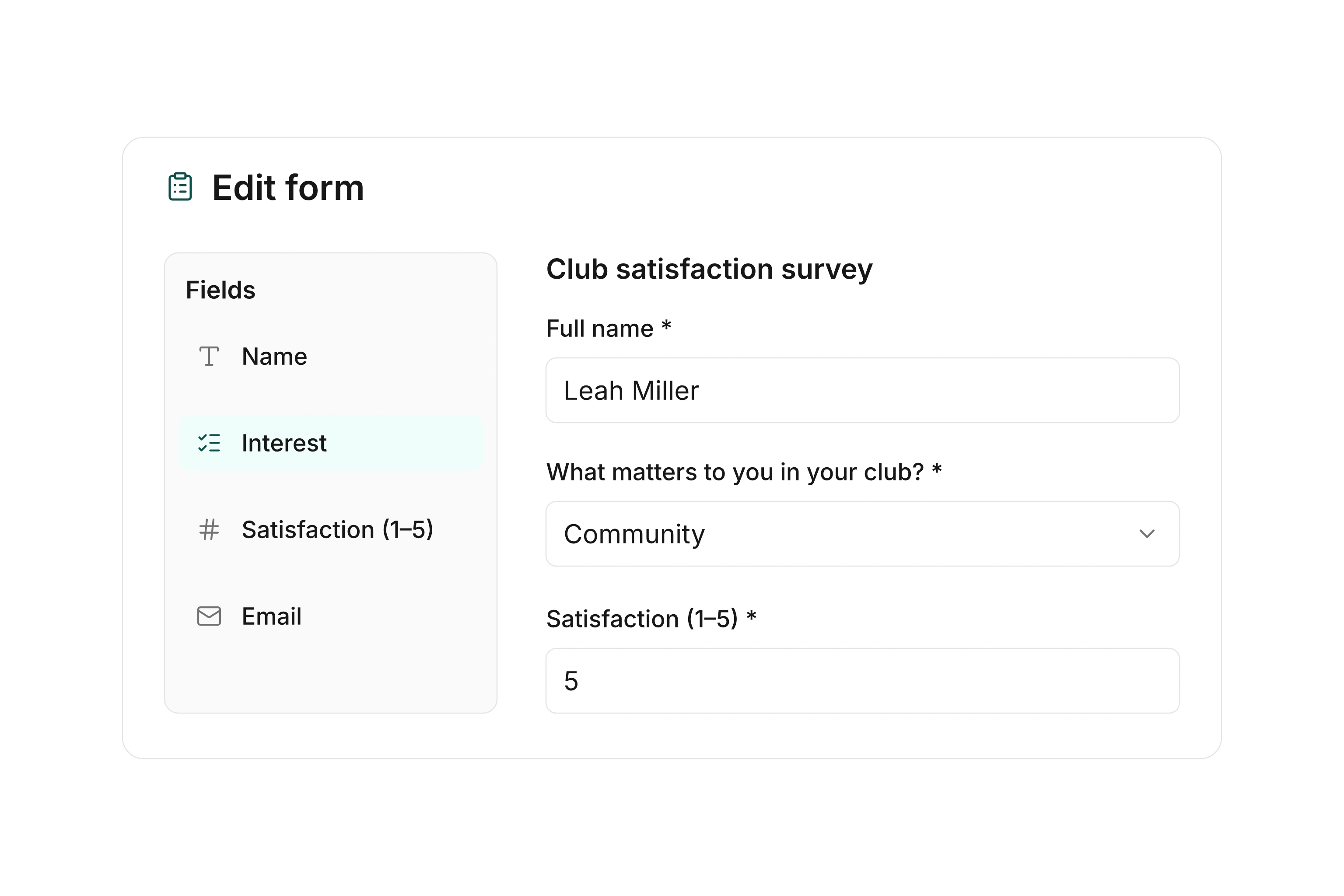
Questionnaire editor with form sections and different input fields

Build the form around a clear question

Group questions into understandable sections and choose inputs that suit the answers. A fixed selection is easier to compare later, while a text field gives people room to explain something unexpected. Matrix questions let respondents rate several items using the same structure.

Show the sections together or guide people through them one step at a time. Add a short explanation where an input might otherwise be unclear. Order the questions to help the person completing the form and to support the analysis you will need afterward.
Use conditions where the answers require them

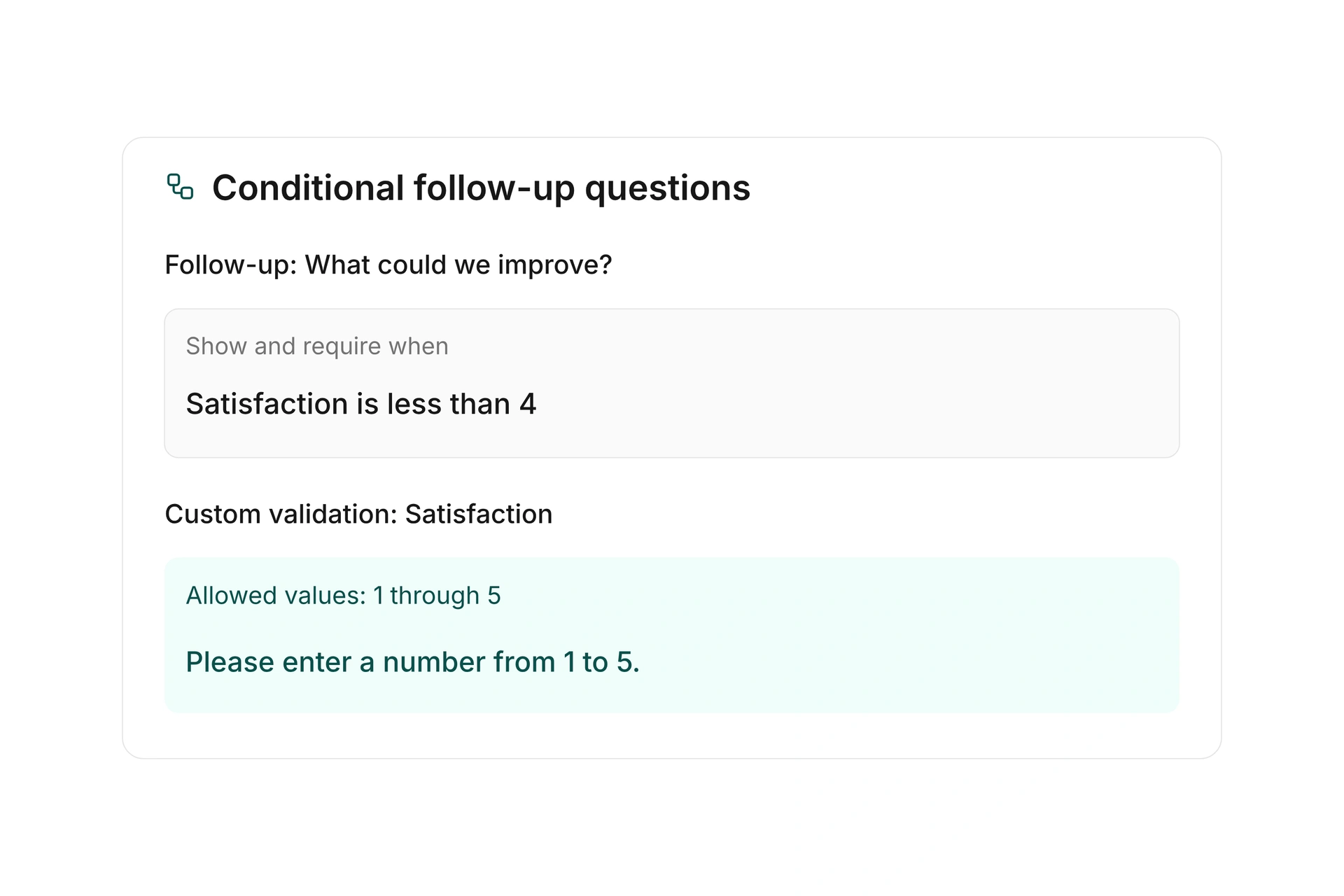
Display additional fields based on earlier answers and make them required when appropriate. Custom validation rules check allowed inputs. For example, require a description of equipment only from a person who has offered to bring some.

Calculated fields use form inputs and save their results with the submission. You can combine conditions and provide a fallback value. Check every branch before publishing, including empty values and answers that do not meet a calculation rule.

Use conditions where the answers require them

Review responses and use the results

Share the questionnaire through its public URL. Configure a confirmation email and, when needed, count submissions only after the email address is confirmed. Notify selected people when a new submission arrives.

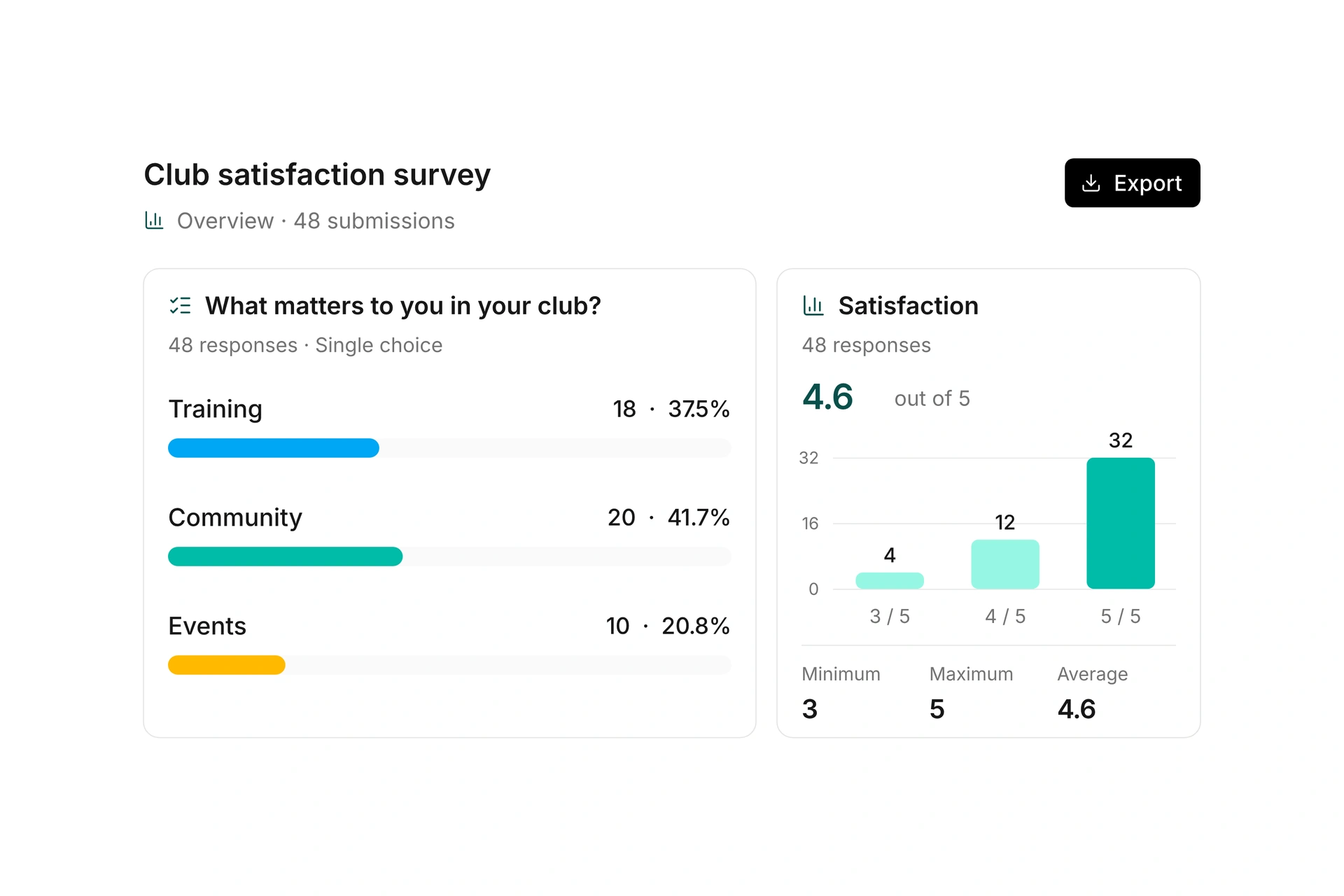
Open an individual submission, export its details as a PDF, or export the list for further work. campai provides charts for supported response types. Numeric fields can be summarized with count, sum, minimum, maximum, and average. Read free-text answers alongside the rest of the submission to preserve their context.

Review responses and use the results

Prepare a questionnaire for the coming season

Start with the decision the responses should help you make.

  1. Choose the questions

    List the information you need for planning. Use fixed answer choices where you expect to compare responses across participants.

  2. Set up relevant follow-ups

    Add conditional questions and required fields. Test each path so people do not encounter a requirement that does not apply to their answer.

  3. Publish and check the experience

    Open the public link on a phone. Review the completion message, confirmation email, and notifications for new submissions.

  4. Turn responses into a plan

    Review the charts and individual answers. Export the details you need and record how the results affect your plans for the season.

Ask for help with a community event

A short questionnaire can separate interest, availability, and the support each person can offer.

QuestionField or rulePlanning value
How would you like to help?Multiple selectionCompare interest across activity areas.
Which dates work for you?Predefined date choicesCompare availability.
Can you bring equipment?Yes/no with a follow-upAsk for details only when someone offers.
What else should we know?Free textConsider specific needs when assigning work.

Responses inform your plan. Your team can then organize the actual assignments.

Frequently asked questions

Can I display a question only when it is relevant?

Yes. Fields can depend on answers earlier in the questionnaire. An offer to help can reveal a detail question that someone declining does not need to answer.

Can the form calculate a value?

Yes. Calculated fields can use inputs and store the result with the submission. Test the calculation and every condition using representative values before sharing the form.

Can I require email confirmation?

Yes. A questionnaire can send a confirmation email, and you can choose to count submissions only after that confirmation.

Which responses can I analyze?

Supported selection and numeric fields have charts and numerical summaries. You can also review individual submissions and export their details or the full submission list.

How do I prepare the next version?

Copy the questionnaire and adapt the copy for the next survey. Earlier submissions then remain with the original questionnaire.

Plan a questionnaire around your decision

Bring the questions you want to ask and the decision they should inform. We can review the form, conditions, and results together.

Explore on your own. Get personal help when you need it.