
Skip to content

A shared home for the files your organization uses.

Board minutes, program materials, and event plans need a place people can find. Organize them in campai and choose who can view each folder in the administration area or Community App.

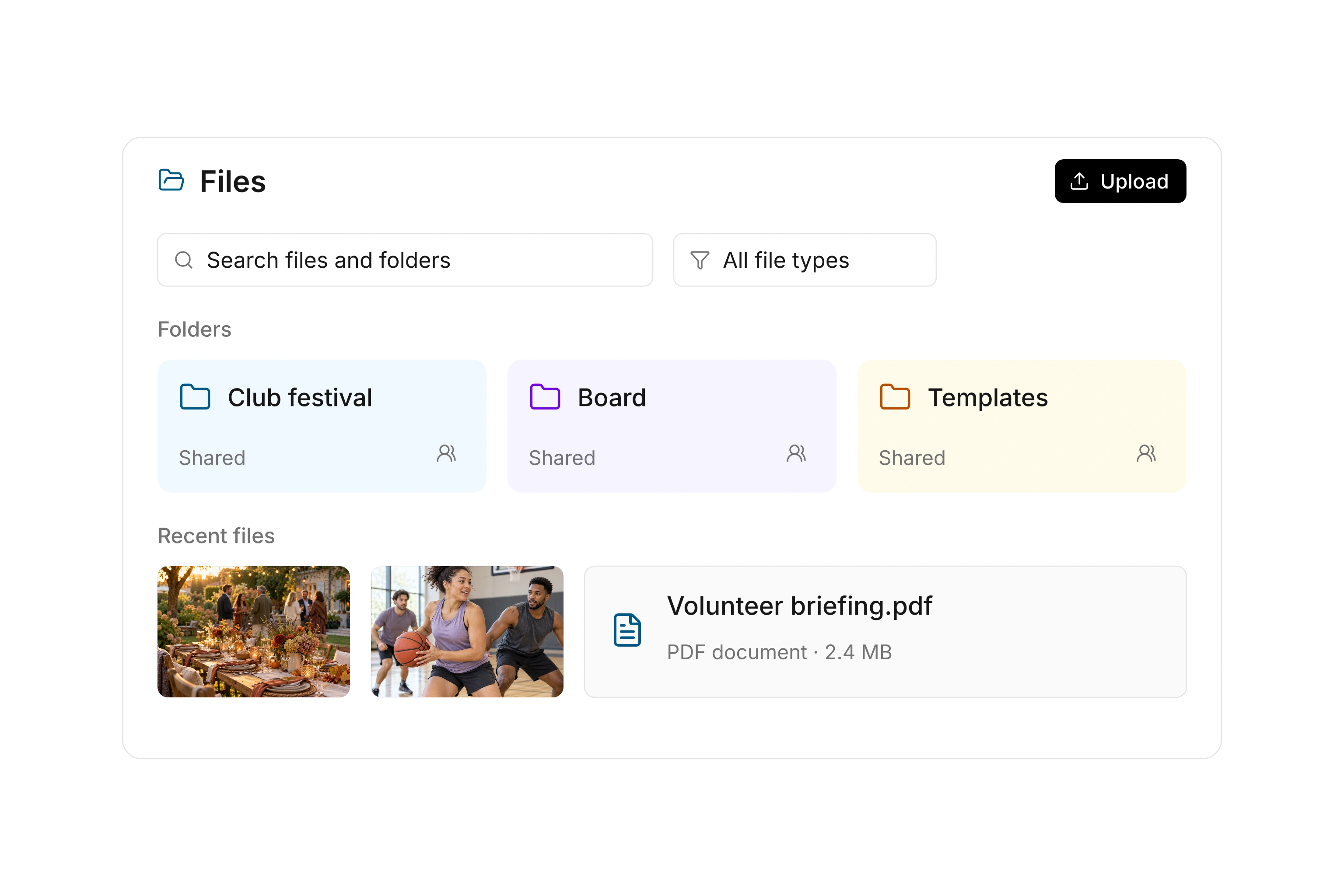
Files in campai showing folders, a file list, and sharing settings

Give each set of documents a clear home

Build folders around the work people do: board meetings, programs, and events, for example. Add a color and cover image to help distinguish folders, upload files, and rename or move items as your collection grows. Search by name and filter by file type when you need to find something specific.

Choose a grid, list, or gallery view to suit the contents. Names, sizes, and modification dates help with meeting minutes; a gallery is useful for photos. Details provide additional information about the selected item, so people can check what they are opening before downloading a file.
Share folders with the people who need them

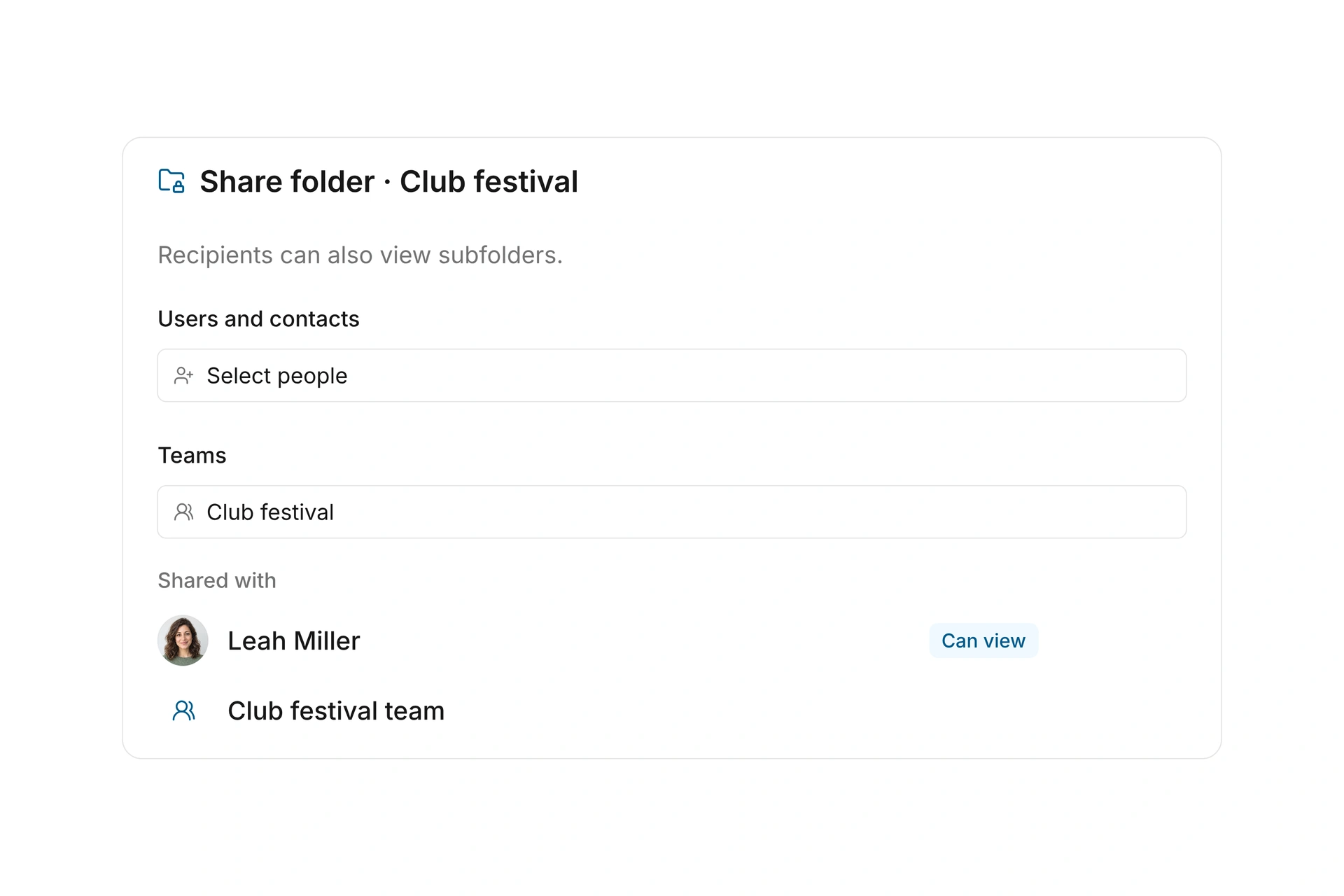
A folder can be shared with selected people, contacts, contact segments, or teams. Sharing extends to its subfolders. Contacts and teams can view shared materials in the Community App; access in the administration area also depends on administrative permissions. A folder share grants viewing access without making its recipients administrators.

The sharing view also shows access inherited from a parent folder. Keep confidential board materials separate from general member information. Moving an item changes the folder permissions that apply to it, so review the destination before moving sensitive documents into a shared location.

Share folders with the people who need them

Preview a file or take a set of documents with you

Open previews for supported file types from the file area. View images and play audio or video without first finding the file elsewhere. When a preview is unavailable, download the file and open it in an appropriate application. File storage does not imply browser-based editing of office documents.

You can download several files or folders together. campai prepares a ZIP file in the background and provides a notification with the download link. Use this to collect a meeting packet or take approved materials to an event. The download includes only content you are allowed to access.

Prepare the files for a new board term

Start with the materials people use regularly. Decide who should receive them before sharing a large folder tree.

  1. Create the structure

    Separate meeting materials, active projects, and general information. Choose folder names that a newly appointed board member will understand.

  2. Add the documents

    Upload existing files and place them in the appropriate folders. Check modification dates and details when similar filenames could cause confusion.

  3. Choose the audience

    Share the board folder with selected administrative users or contacts. Share general information separately with the intended member group.

  4. Check access

    Review the displayed access and ask an authorized person to open the folder. Prepare a combined download if the next meeting needs a document packet.

Example: four folders with different audiences

An organization separates its documents according to who needs them. The actual folder names and recipients are your choices.

FolderContentsShared with
BoardMinutes and agenda materialsSelected administrative users
ProgramsActivity guides and resourcesSelected contacts
Member informationBylaws and general noticesRelevant contact segment
Event teamSetup plan and scheduleSelected main team

Subfolders inherit access from their parent folders. Design the structure and its sharing rules together.

Frequently asked questions

Can members open shared files in the Community App?

Yes, when the folder is shared with their contact, an applicable contact segment, or an eligible team, and they have Community App access. Sharing a folder does not itself create an app account.

Can everyone with access change the files?

No. A folder share gives viewing access. Uploading, changing files, and managing sharing require the corresponding administrative permissions.

What happens when I move a file or folder?

Access follows the new location. campai warns you when you move an item. Pay particular attention to who can view a destination folder that is already shared.

Can I download an entire folder?

Yes. Combined downloads are prepared as ZIP files and include accessible content. The current size limit for a ZIP selection is 250 MiB.

Can several people edit a document at the same time?

The files feature provides storage, sharing, previews, and downloads. Live document coediting is not part of this workflow. Use an appropriate editing application for changes to the document itself.

Put your team’s documents where people can find them.

See how folder organization and sharing can support your everyday work.

Explore on your own. Get personal help when you need it.