Skip to content

An online store for your club’s jerseys and merch

Sell jerseys, merchandise and gear on your website and in the Community App. Members see their own price, every order becomes an invoice, and stock, payments and returns stay connected in campai.

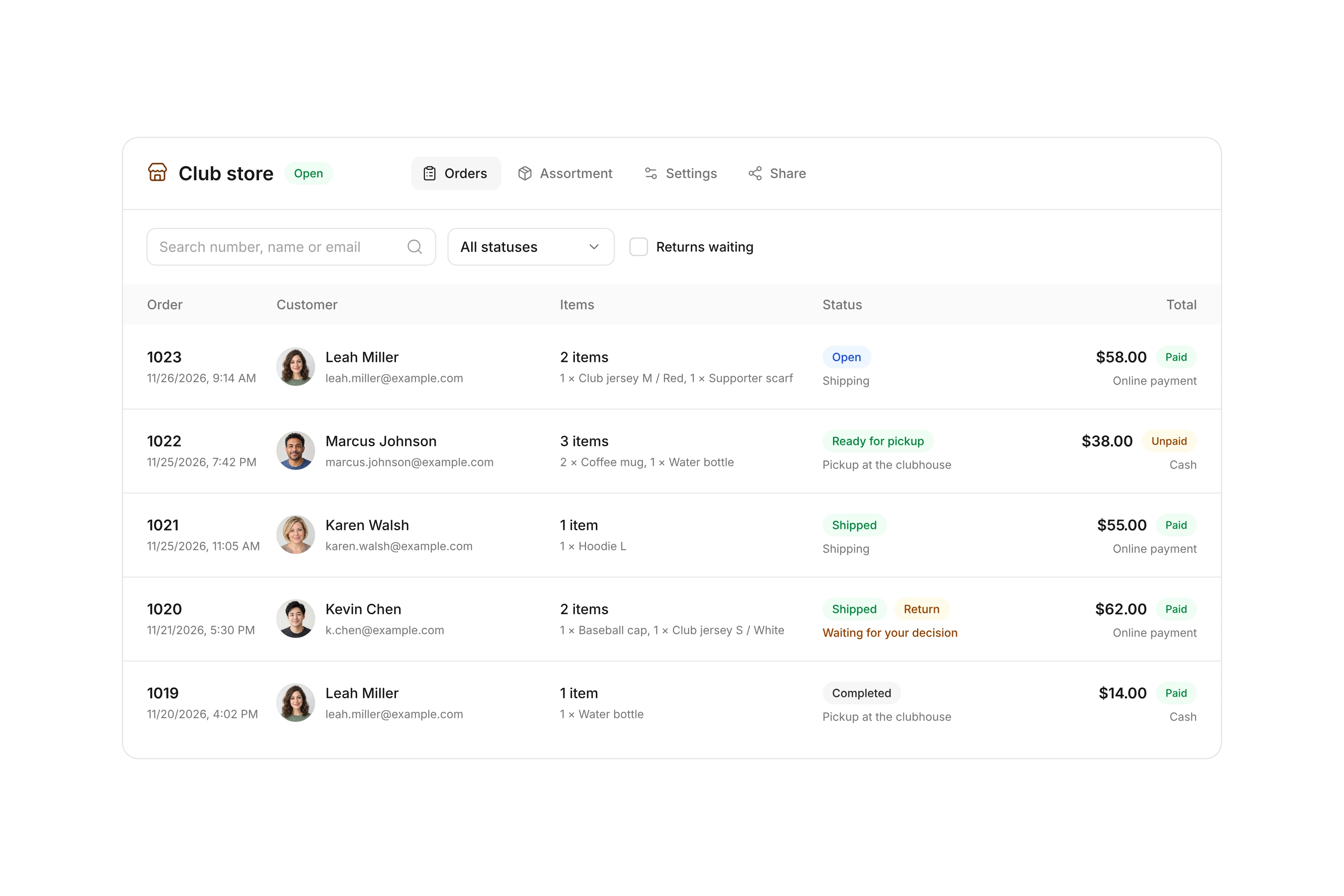
Online store orders that are open, shipped and ready for pickup, including one return request

Create products in every size and color

Create a product once and add up to two options, such as size and color. Every combination becomes its own variant with a number, price, stock and an active switch. Leave a price empty to use the product’s price.

Show up to eight pictures in the store. Use the same product in quotes and on invoices without maintaining it twice.
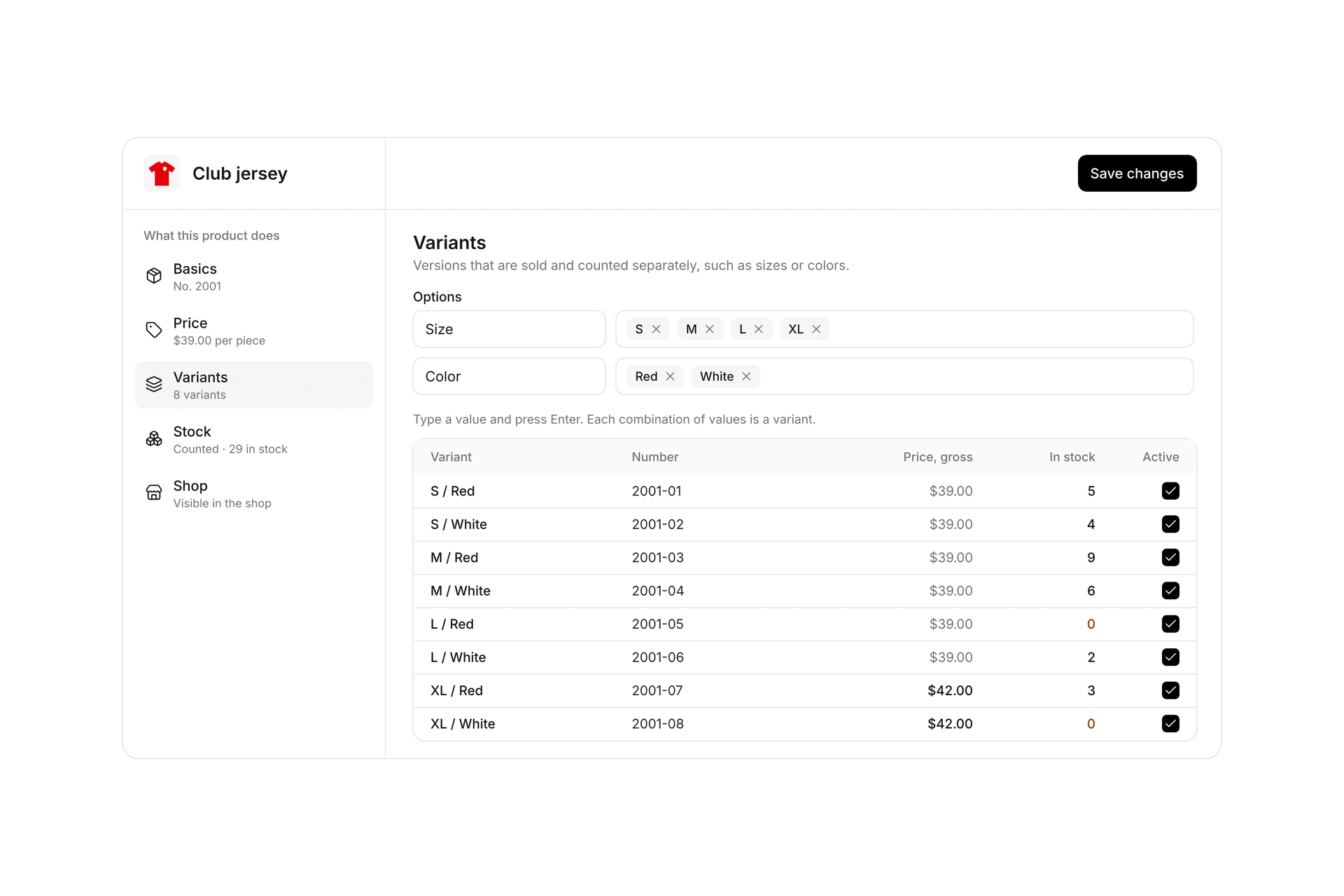
Variant table for a club jersey with sizes, colors, prices and stock for each variant

Curate your assortment

Tick “Sell in the shop” on a product or add existing products to the assortment. You decide the order buyers see them in.

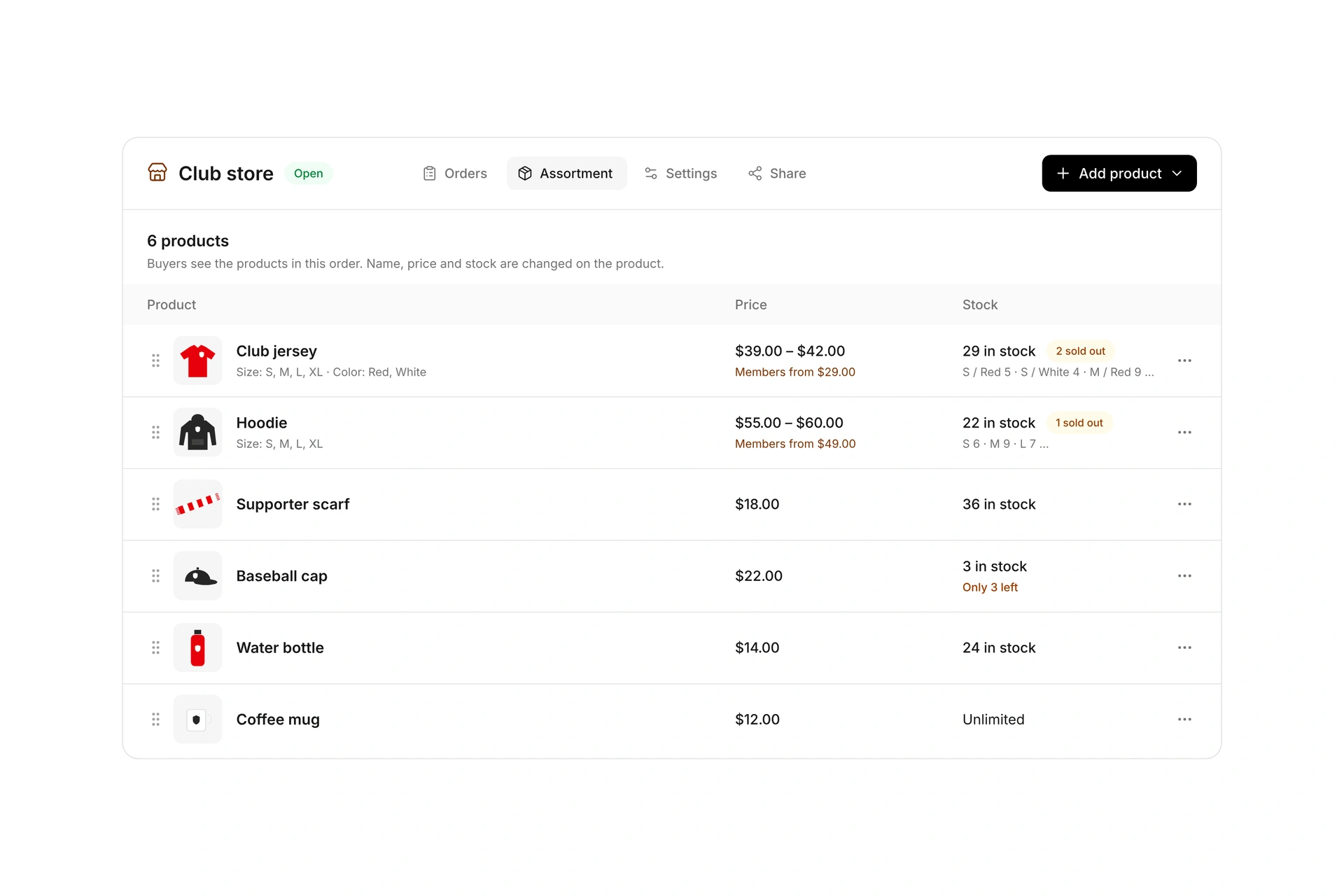
The assortment shows price ranges, member prices and the stock of every variant. Sold-out variants are flagged, and buyers see them as sold out in the store.

Club store assortment with a jersey, a hoodie and accessories, prices and stock for each variant

Lower prices for members

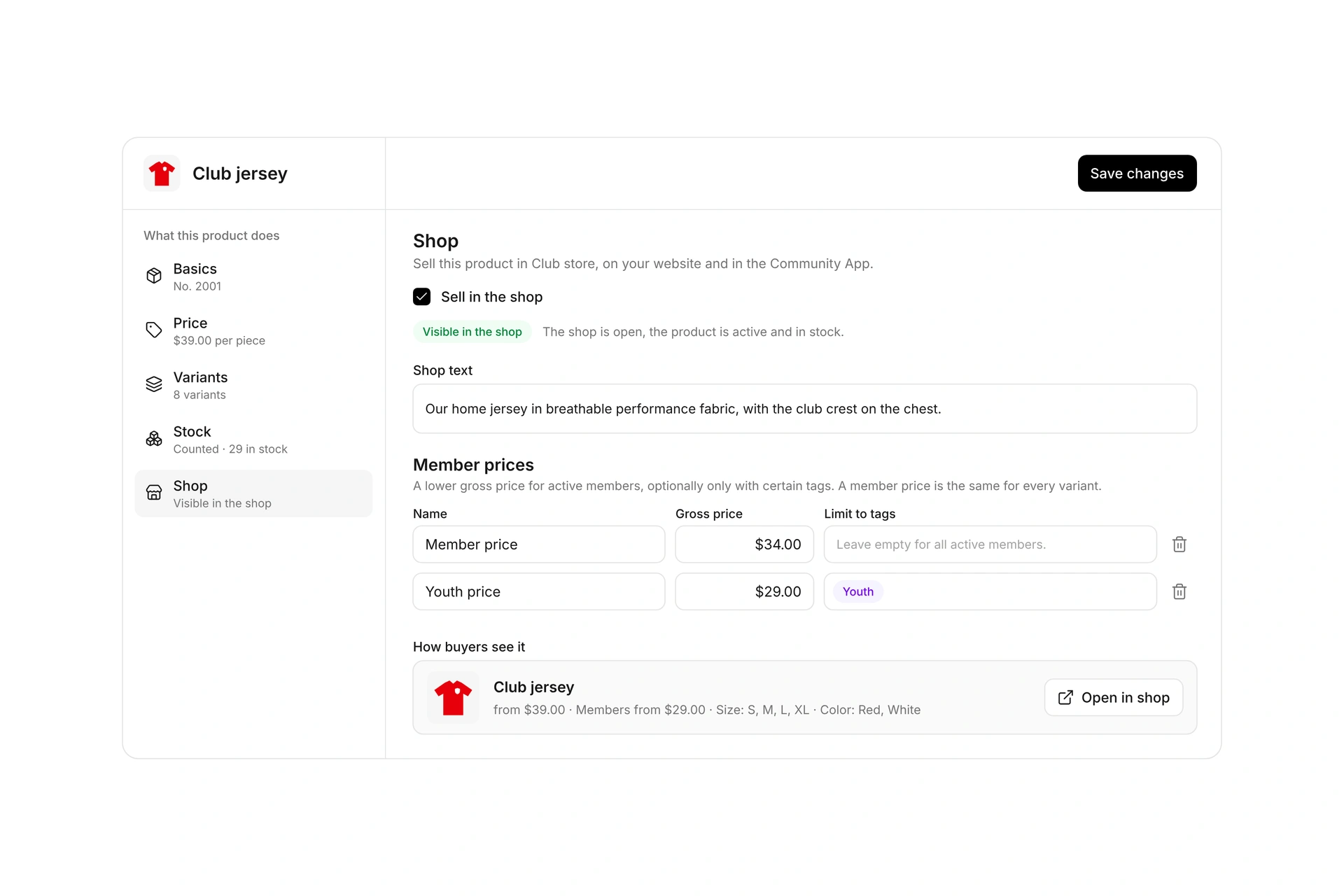
Give active members a lower price, optionally only for certain tags, such as a youth price. Add up to ten member prices per product. Signed-in members see their own price in the Community App, and the lowest matching price always applies.

Write a store description for buyers, and check the preview to see how the product appears.

Store settings for a jersey with a store description, a member price, a youth price and a buyer preview

Ship orders or get them ready for pickup

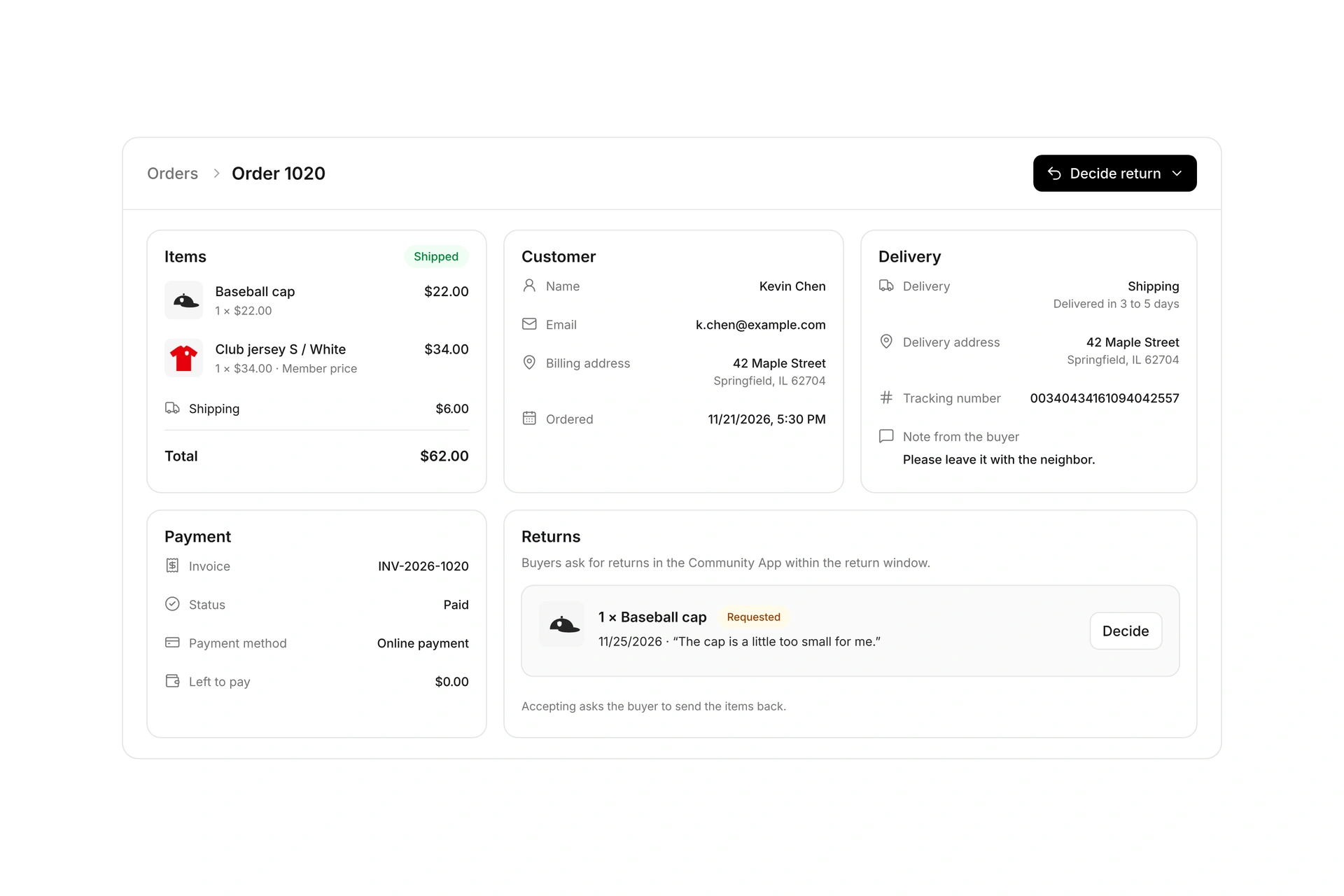
Every order creates an invoice right away. Each order shows the items, buyer, delivery option and payment status. Mark it as shipped with a tracking number or as ready for pickup, and the buyer gets an email at every step.

Buyers request returns in the Community App within your return window. Accept a return, and once the items are back, campai issues the credit note, puts the stock back and refunds online payments.

Order with items, customer details, a tracking number, a paid invoice and a requested return

Track the stock of every variant

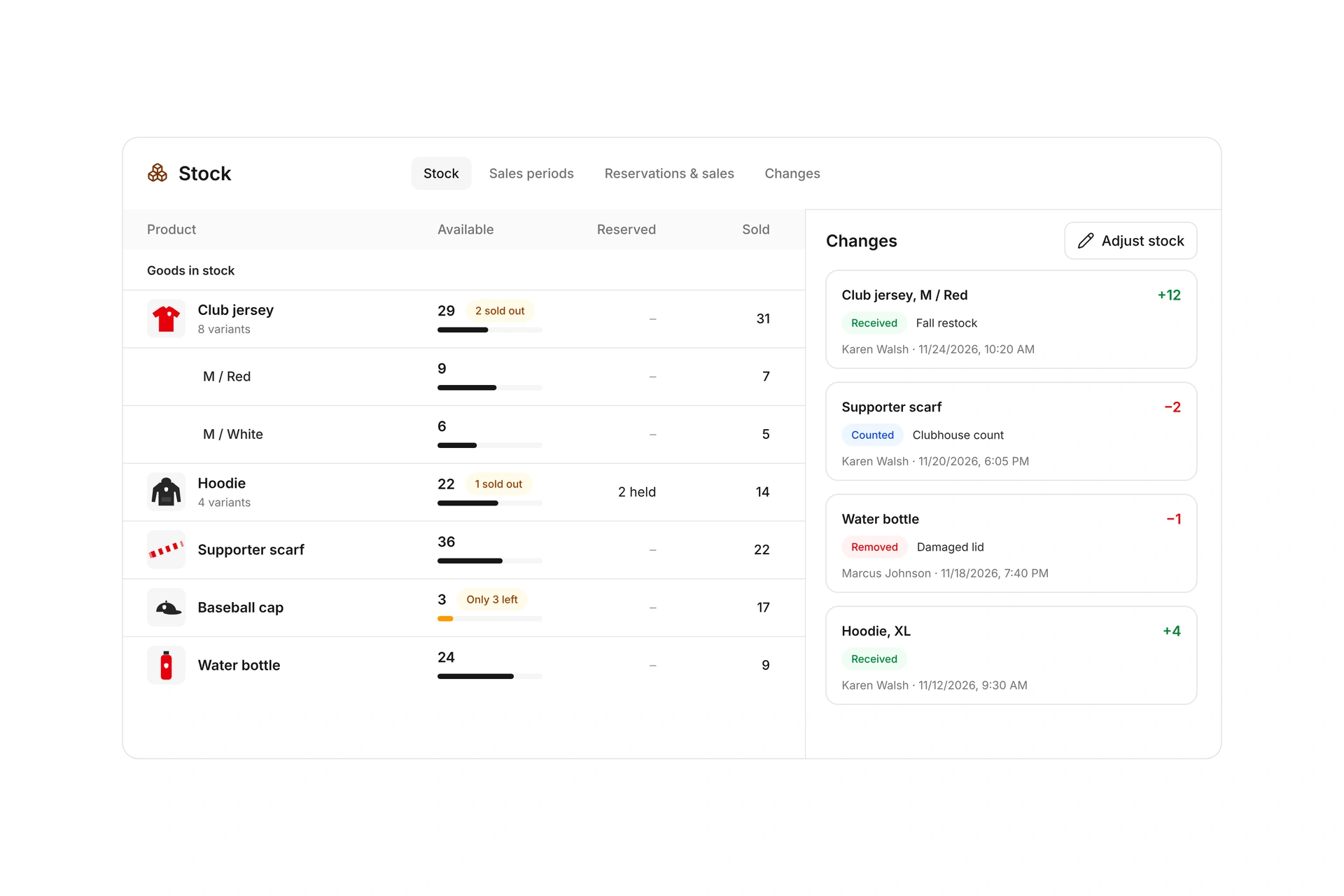
The Stock page shows how much of every product and variant is available, reserved and sold. Store orders and invoices update the stock automatically.

When you adjust stock, choose what happened: items received, shelf counted or pieces removed. Every change is recorded with who made it and why.

Stock of jerseys, hoodies and accessories with available and sold quantities and the latest changes

Set delivery, payment and returns

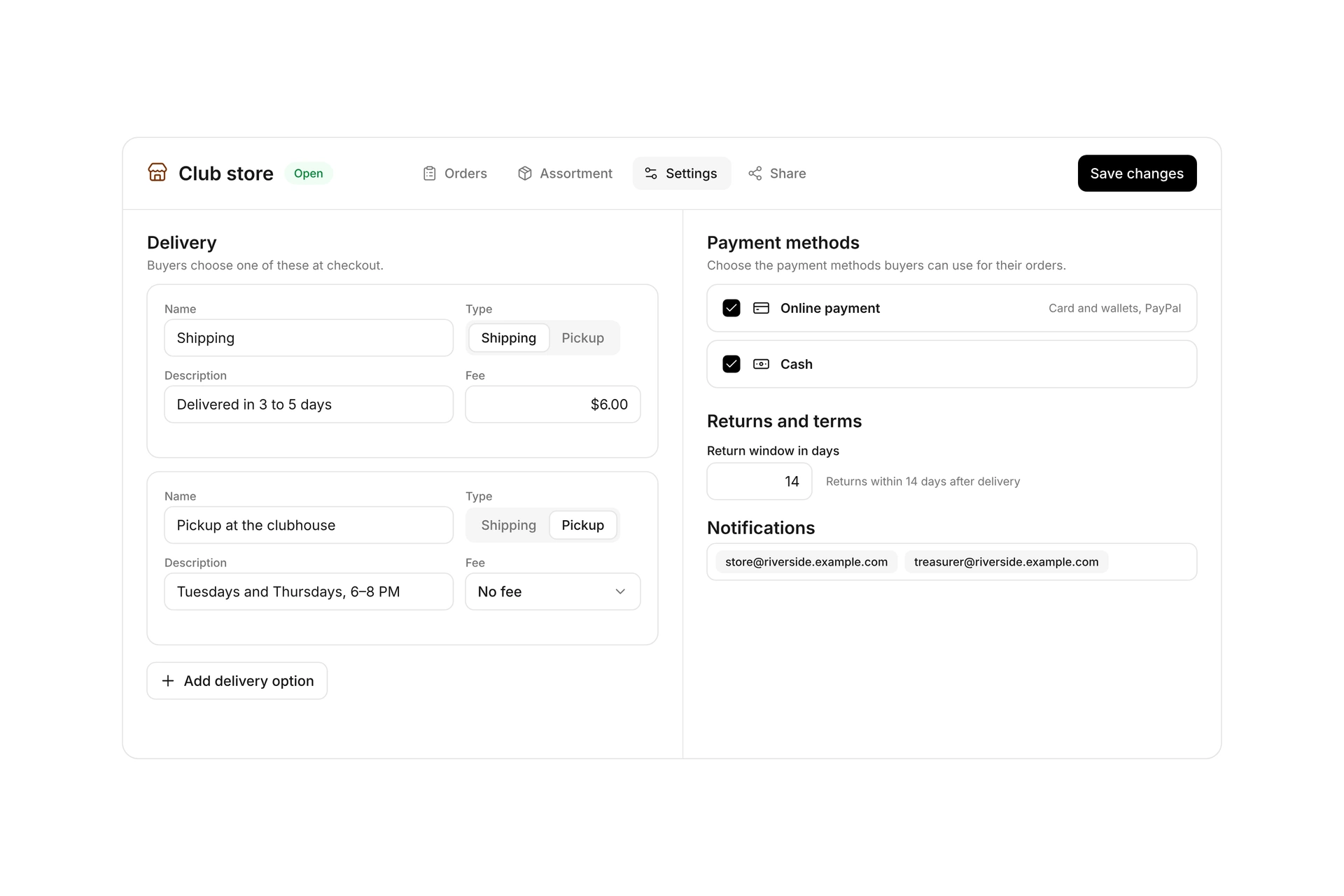
Offer up to ten shipping and pickup options, free or with their own fee. Accept online payments by card, digital wallet or PayPal once Stripe or PayPal is connected, or let buyers pay cash at pickup.

Set your return window and terms. Up to ten email addresses hear about every new order and return request.

Store settings with shipping, clubhouse pickup, online payment and cash, a return window and notifications

Sell on your website and in the Community App

Embed the store with its catalog, product pages and cart on your website, or share the link to the Community App. Checkout happens in the Community App: buyers sign in or register, choose delivery and payment, and order for themselves or a linked family member.

If you like, your products also appear in the Discover section of the Community App.

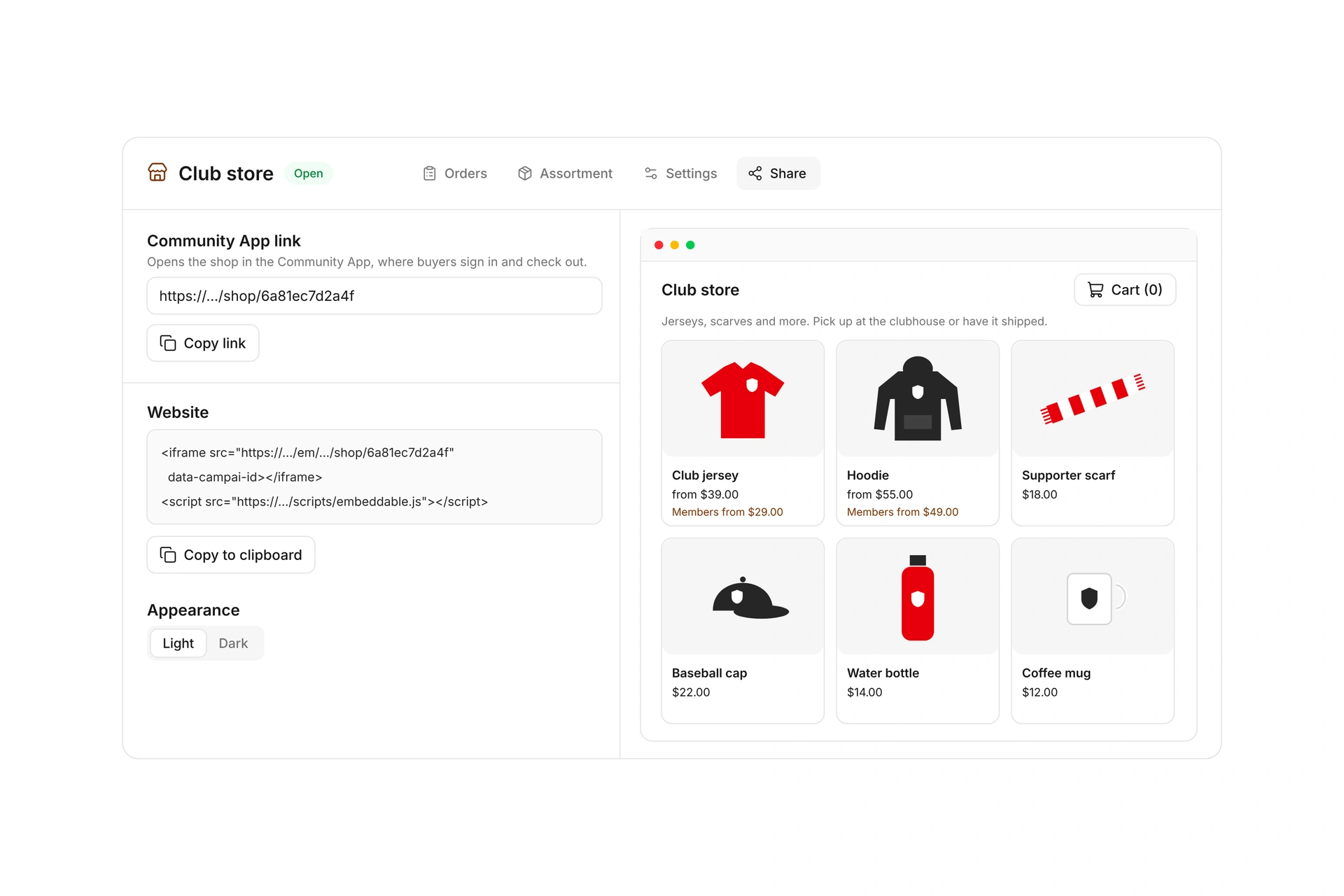
Store sharing with the Community App link, the embed code and a preview of the catalog on a website

Buyers keep track of their orders

Under “My orders” in the Community App, buyers see the status, track their shipment, open the invoice and pay what is still due online. While an order is still open and unpaid, they can cancel it themselves.

From product to delivery

Here is how to set up your club store.

  1. Create products

    Add products with pictures and variants and tick “Sell in the shop.”

  2. Set up the store

    Choose a name, delivery options, payment methods, a return window and who gets notified.

  3. Share the store

    Embed the store on your website or share the Community App link.

  4. Handle orders

    Ship orders or get them ready for pickup, and decide on returns.

Example: selling the new season’s jersey

Here is how a club sells its new home jersey.

StepIn campai
ProductClub jersey in four sizes and two colors, so eight variants with their own stock.
Prices$39.00 regular, $34.00 for members and $29.00 for members tagged Youth.
DeliveryShipping for $6.00 or free pickup at the clubhouse.
After the orderInvoice right away, stock updated, and an email to the buyer and to the store team.

Frequently asked questions

Do buyers need an account?

To place an order, buyers sign in or register in the Community App. Browsing and filling the cart on your website works without signing in.

What happens when I cancel an order?

You can cancel orders that are open or ready for pickup. An unpaid invoice is canceled. A paid one gets a credit note, and online payments are refunded. You pay back other payments yourself. The stock goes back into inventory.

Which products can I sell in the store?

Single products, products with variants and packages. Products with stock per sales period, such as seasonal advertising spaces, are still sold through quotes and invoices.

Open your club store with campai

Bring your product list to a demo and explore variants, member prices and orders in campai.

Explore on your own. Get personal help when you need it.