Skip to content

Run tournaments and show every score live

From the format to the awards ceremony, campai works out the standings and the final round for you. Volunteers enter scores courtside, and spectators follow every match live on your website, on a screen in the venue, and in the Community App.

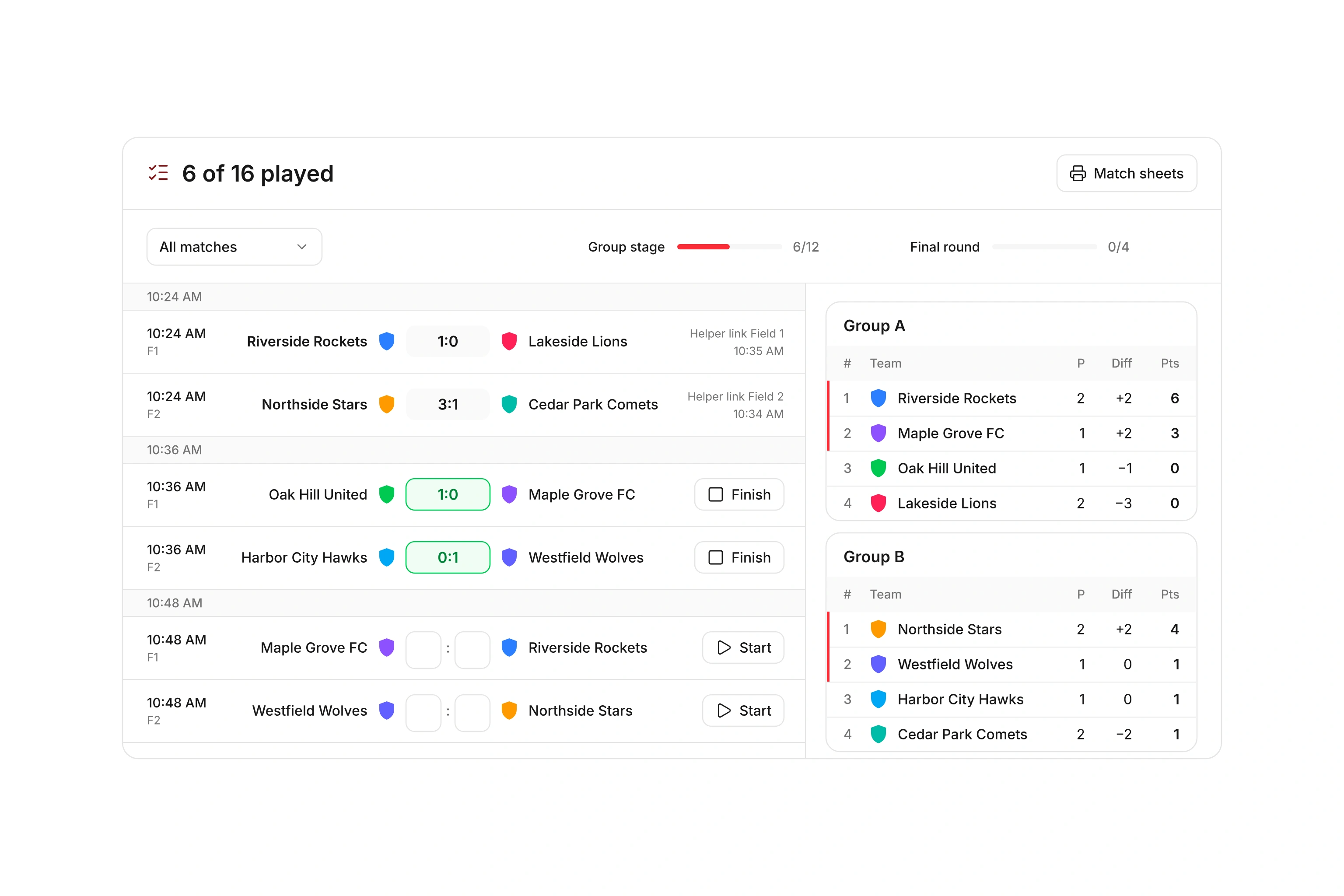
Tournament results with matches in progress, scores entered through helper links and the standings of both groups

The right format in a few clicks

Choose whether teams or individuals compete, how many days you play, and how many fields you use. campai suggests formats that fit, such as two groups with semifinals and a third-place match, groups only, or a seeded knockout bracket. You see right away when the last match ends and how many games each team plays.

For special events, build the format freely: every match takes its teams from a group rank, the winner or loser of another match, or a fixed team. campai draws the groups at random or by pots, or you place the teams yourself.
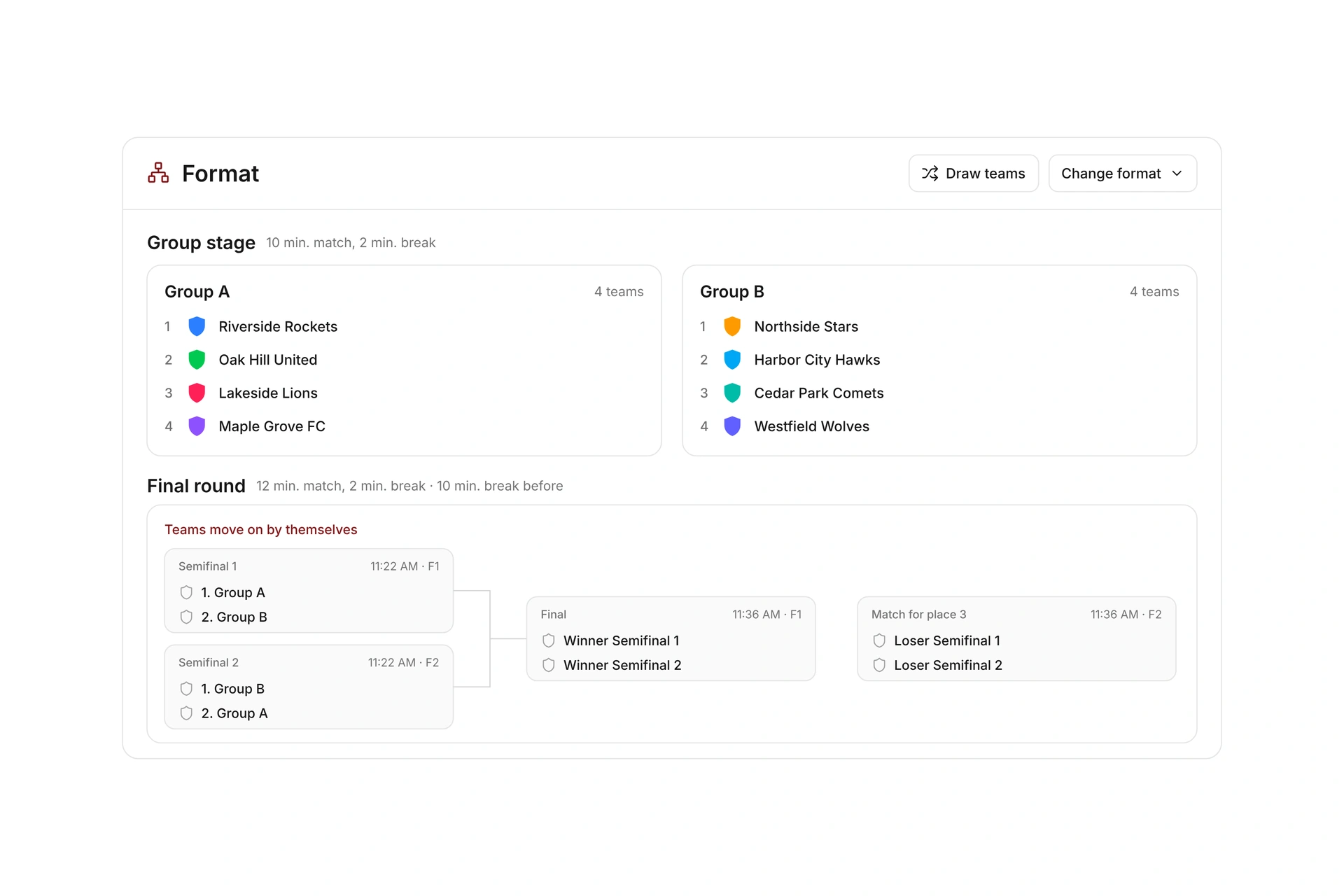
Tournament format with two groups of four and a final round with semifinals, a final and a third-place match

Let teams register or add them yourself

Add teams yourself, pick them from your contacts, or paste a whole list. Or open registration as a team event, free or with a fee, with spots per category, a registration deadline and a waitlist. Confirmed registrations become teams automatically.

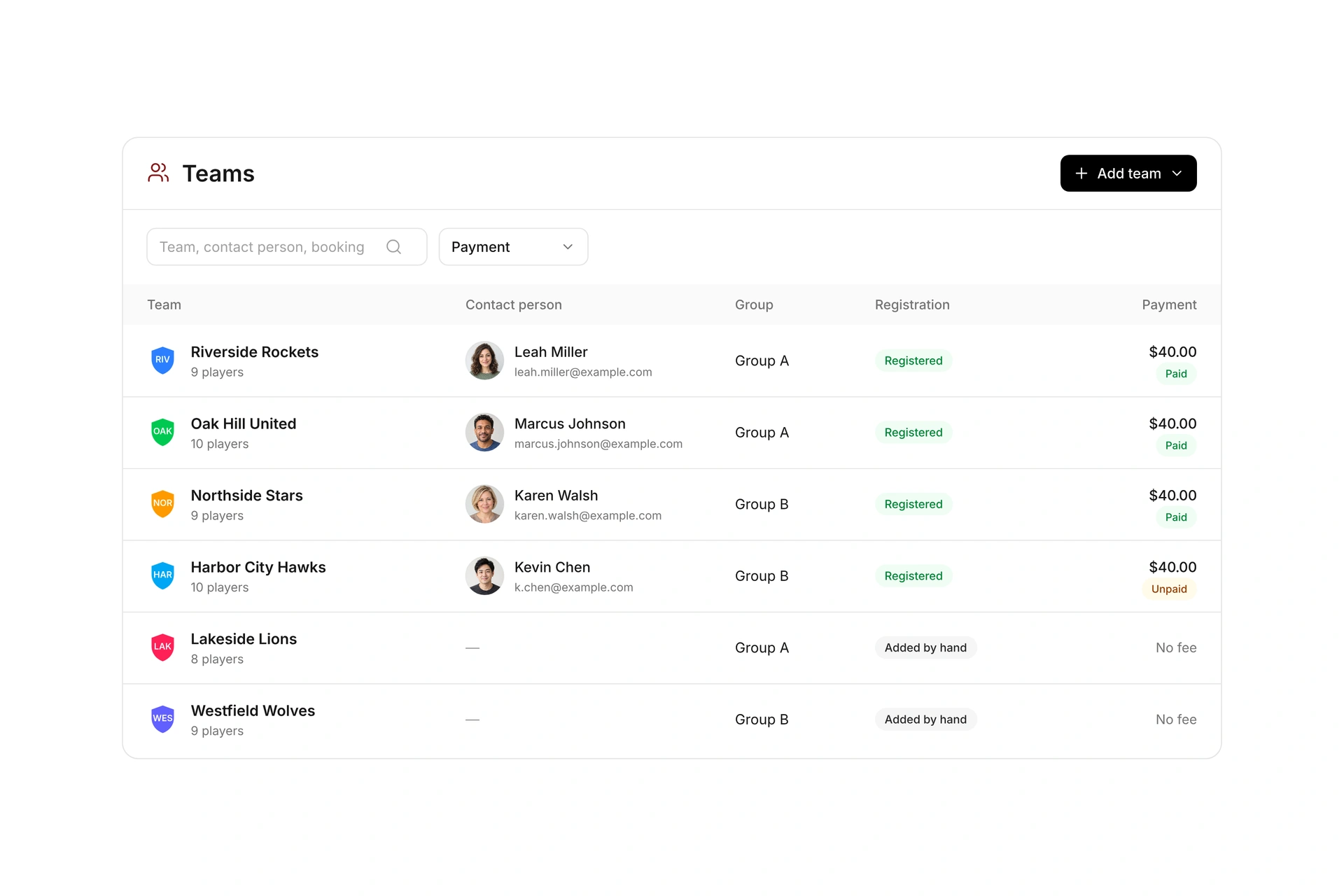
Keep each team’s short name, crest, color, contact person and players together. The team list shows who registered and whether the fee is paid.

Tournament team list with contact people, groups, registration status and paid entry fees

Spread the schedule across fields and times

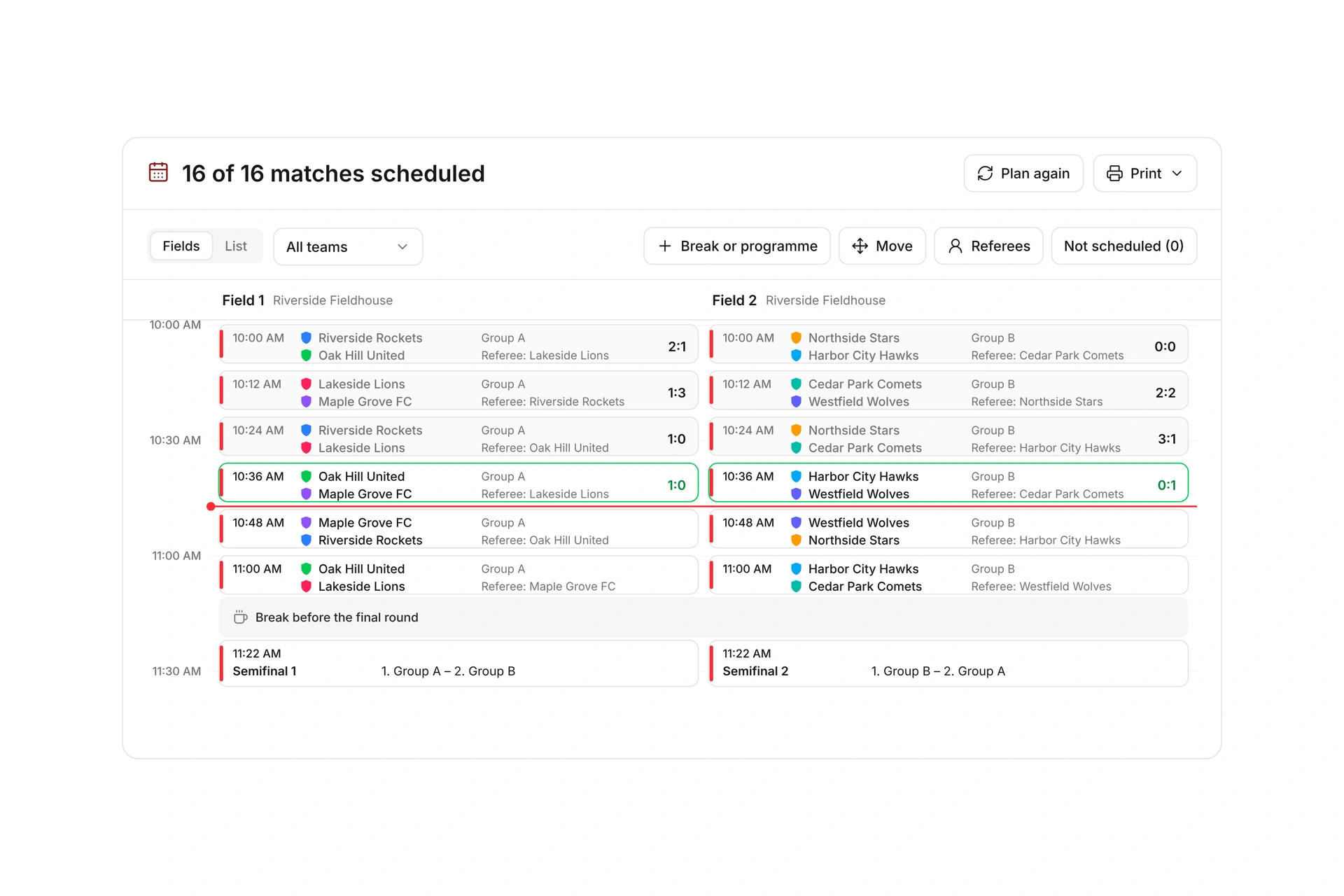
campai builds the schedule from your format, fields and match length. No team plays two matches at once, and teams without a match can referee the others. Plan breaks and program items such as the awards ceremony right into the day.

Drag matches to another time or field on the board. campai flags overlaps for fields, teams and referees right away. Link a field to a resource, and it is reserved for the tournament in your booking calendar.

Schedule on two fields with a referee for every match, the break before the final round and both semifinals

Standings and brackets update themselves

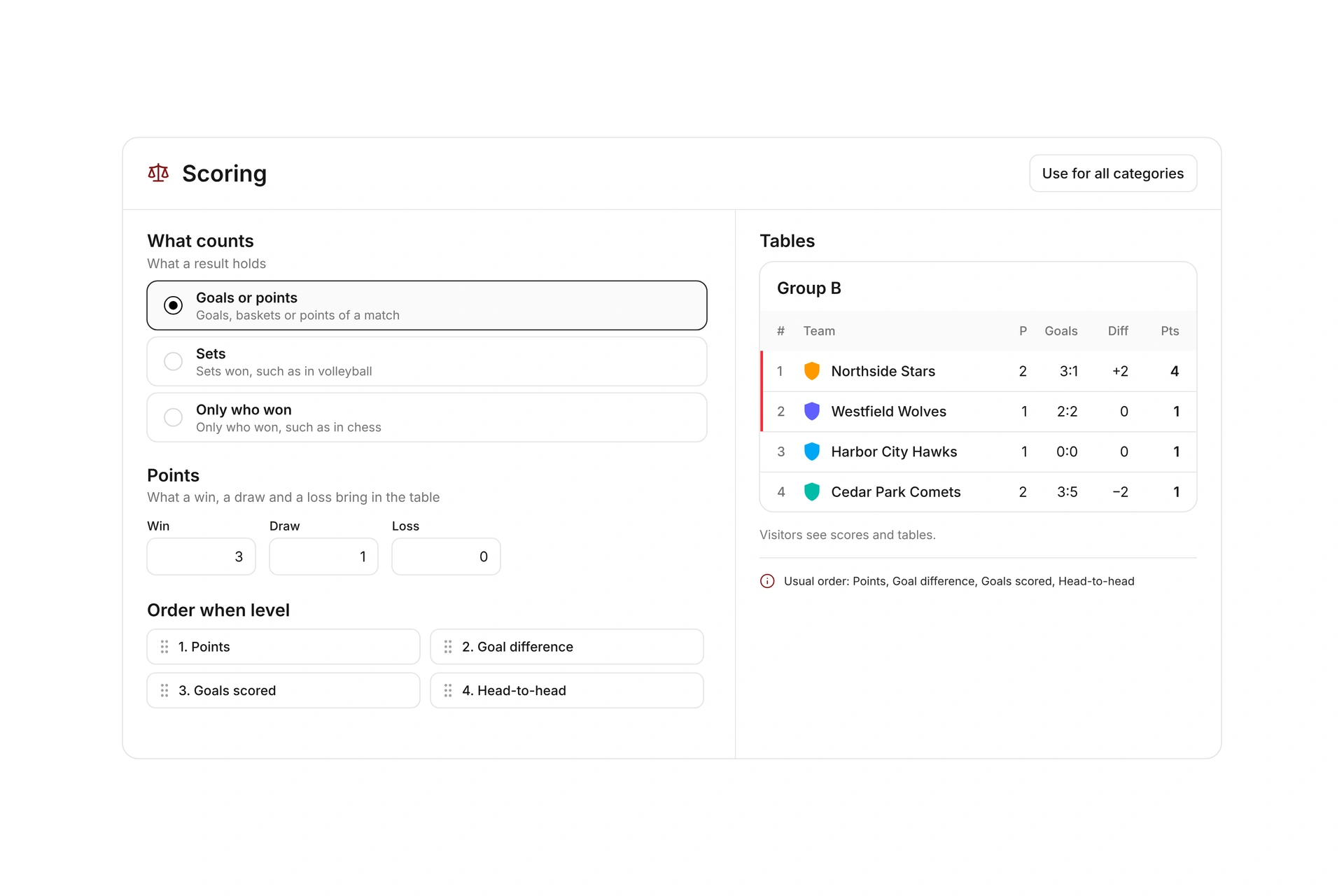
Decide what counts: goals or points, sets won, or only the winner. Set the points for a win, a draw and a loss, and choose how ties are broken, such as goal difference, goals scored and head-to-head.

With every score, campai updates the standings and fills the final round, either automatically or once you start the next stage. Record extra time, penalty shootouts and goal scorers with the result.

Scoring by goals with points for a win, draw and loss next to the standings of one group

Volunteers enter scores without signing in

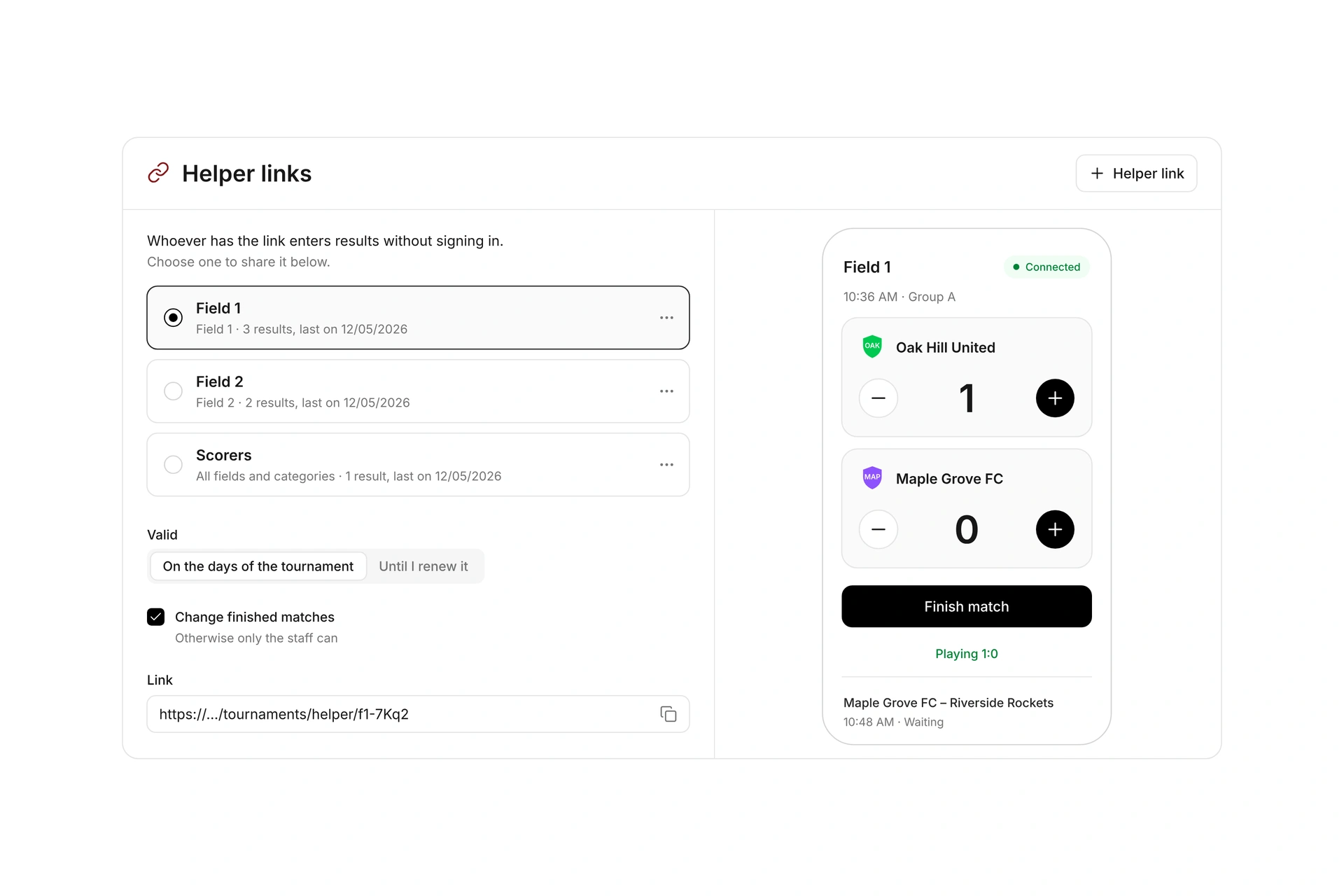
Create a helper link for each field. Anyone with the link can start the match, count goals with plus and minus buttons, and finish the game without an account. If the venue loses its connection, the phone keeps the entries and sends them once it is back online.

Decide whether a link works only on tournament days and whether helpers can change finished matches. Team leads or referees can also report scores in the Community App, with a window for objections.

Helper links for two fields and the scorers next to the score entry screen on a phone

Schedules and standings on your website

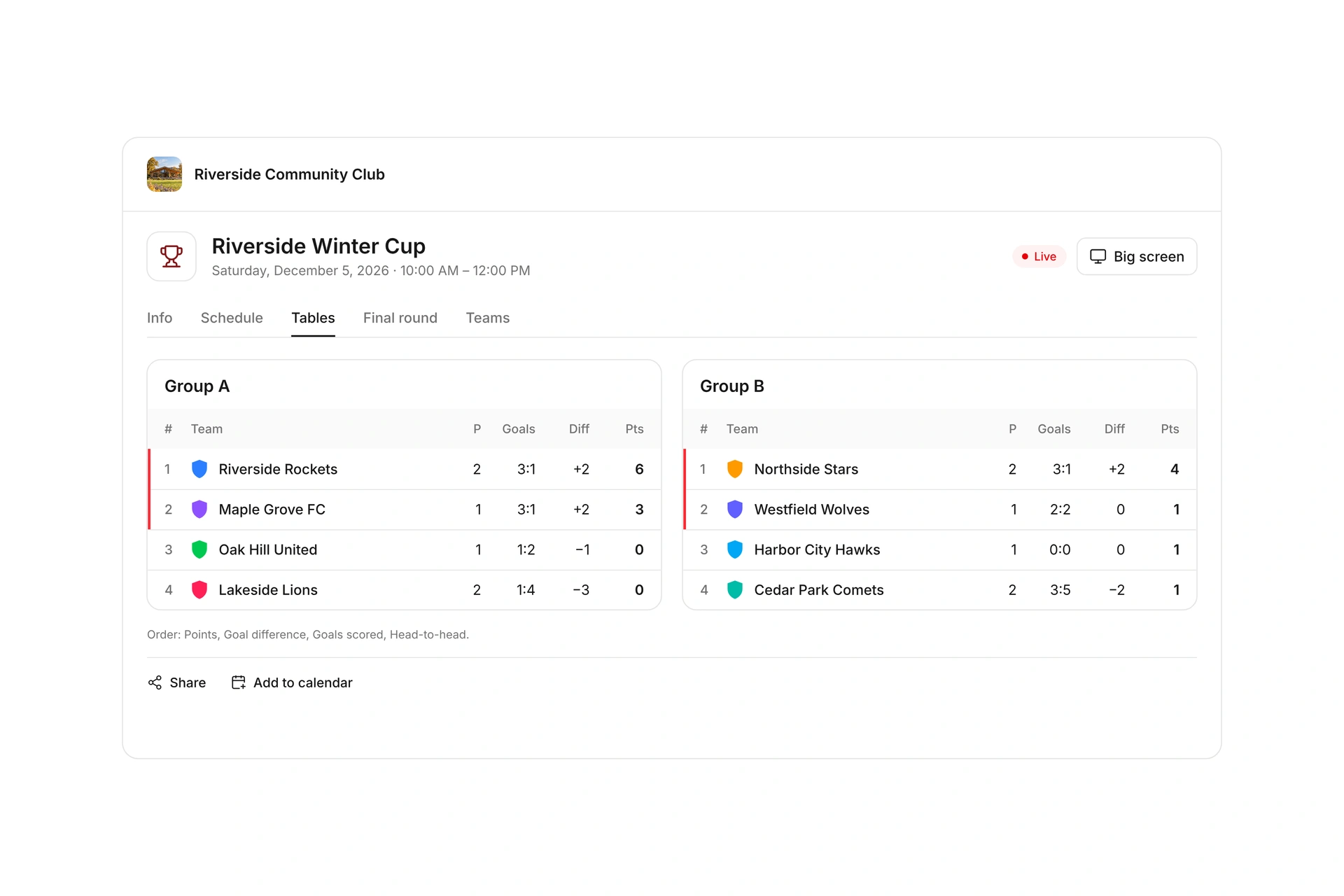
Publish the tournament and share its page as a link or QR code, or embed it on your website. Visitors see the schedule, standings, final round and teams, all updating live during the event, and teams can register right on the page.

Tournament views show individual parts as tiles, a schedule, standings, a bracket or a live view, including on your campai website. For youth events, hide the standings or show only the schedule.

Public tournament page with a live badge, a big screen button and the standings of both groups

A big screen for the venue

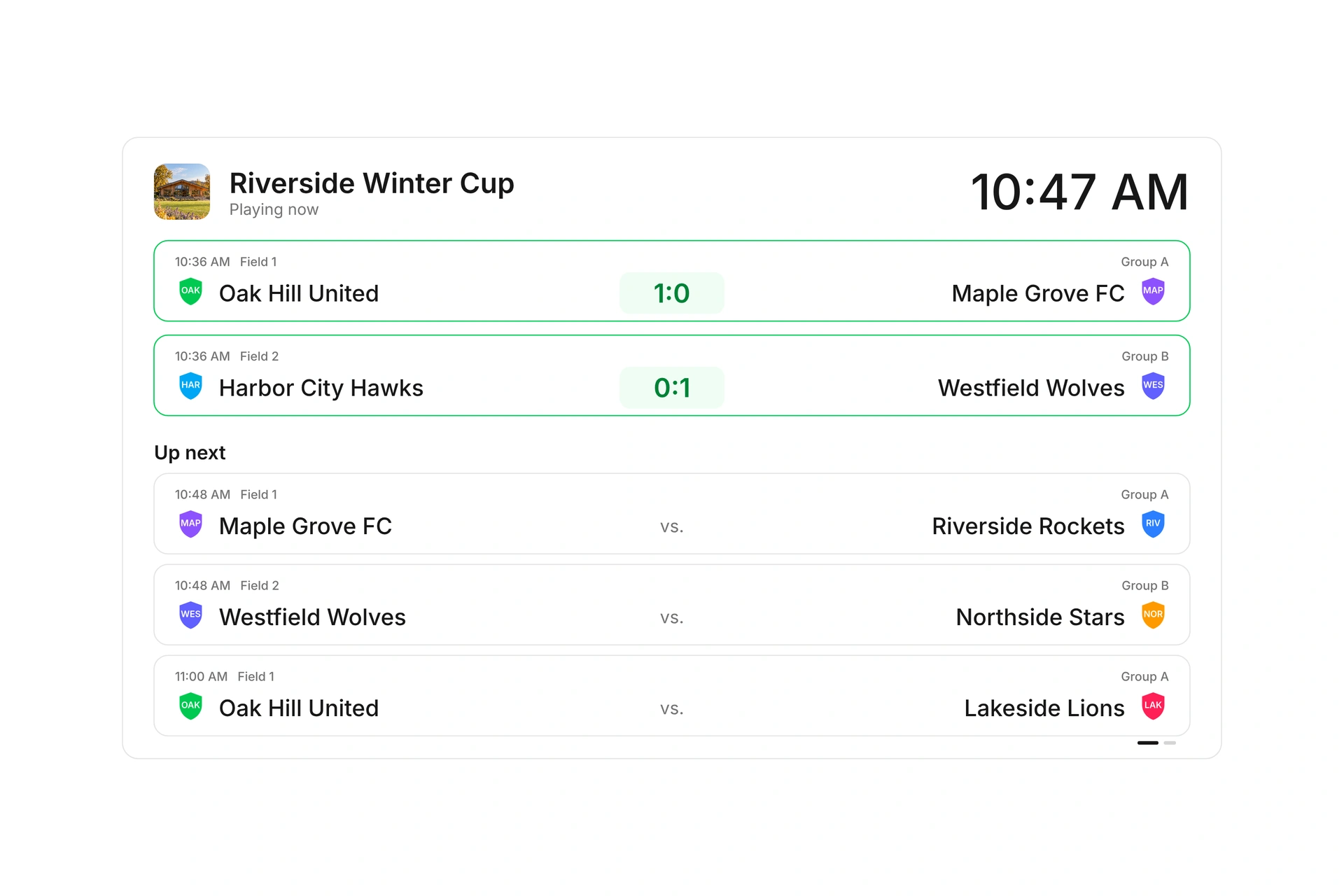
Open the venue screen on a TV or projector. It rotates through the current and next matches, the standings and the final round, counts down to kickoff, and shows the final ranking at the end. A QR code lets spectators follow along on their phones.

Venue screen showing two matches in progress with their scores and the next games

Match sheets, team signs and certificates

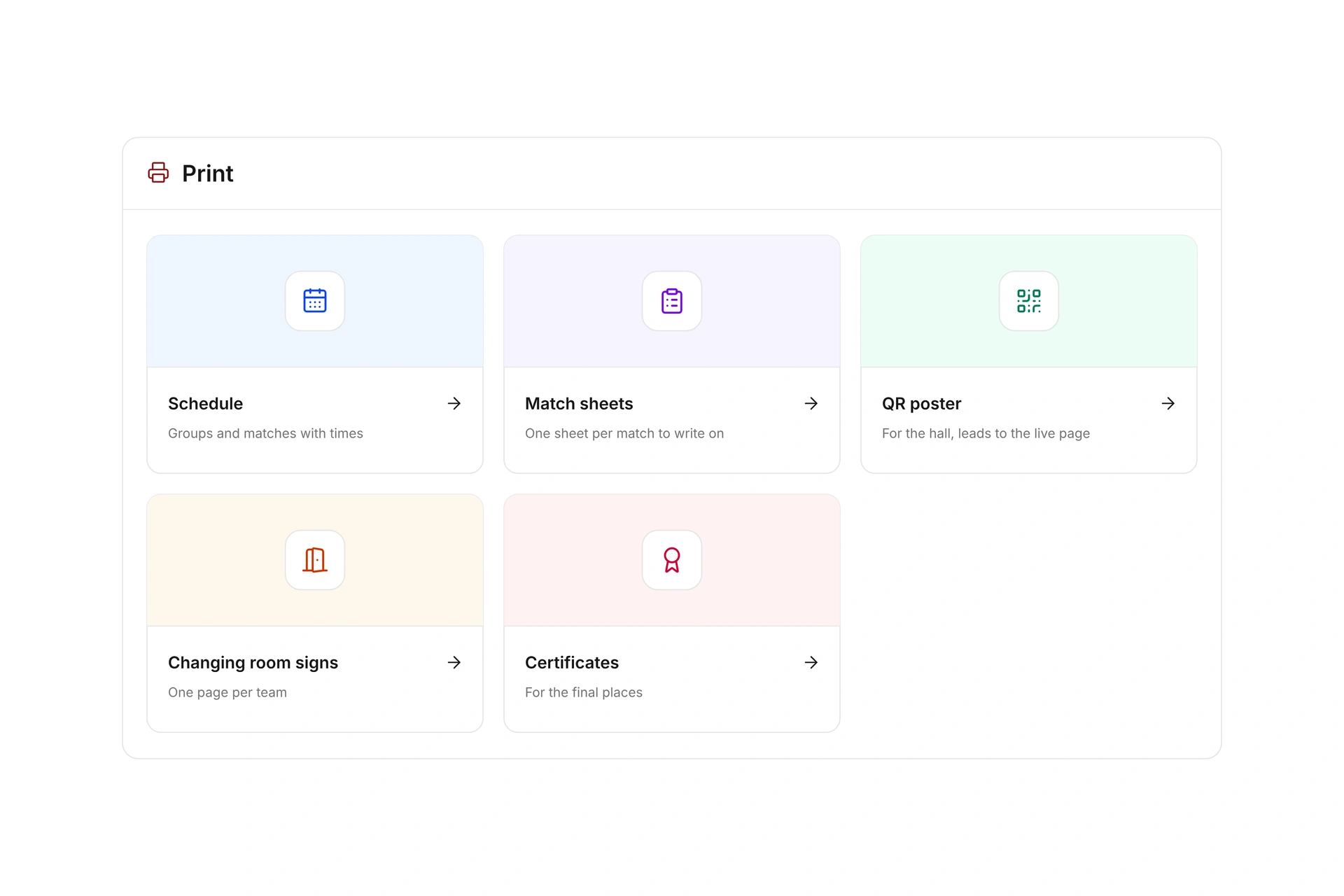
Print the schedule with results, referees and breaks, match sheets by field, time or referee, a QR poster for the venue, a sign for every team’s locker room, and certificates for the top finishers. Each template is ready as soon as the data it needs is in place.

Print templates for the schedule, match sheets, QR poster, locker room signs and certificates

Follow teams in the Community App

Anyone can follow the schedule, standings and scores in the Community App, even without an account. People in your organization who follow a team get a notification ten minutes before each match and after every result. Link a tournament team to a team in the Community App, and its matches also appear on that team’s page.

From the first team to the awards ceremony

Here is how a tournament runs in campai.

  1. Choose a format

    Set categories, fields and match times, then pick a suggested format or build your own.

  2. Gather teams

    Add teams or open registration as a team event. Then draw the groups.

  3. Publish the schedule

    Create the schedule, check for overlaps, and publish the tournament page, website views and app.

  4. Play it live

    Volunteers enter scores while the standings and final round update themselves. Print the certificates at the end.

Example: an indoor tournament with eight teams

Here is a tournament day on two fields.

StageIn campai
Group stageTwo groups of four, everyone plays everyone, 10-minute matches with 2-minute breaks. Teams without a match referee.
Final roundAfter a 10-minute break: crossover semifinals, a third-place match and the final, each 12 minutes long.
ScoresOne helper link per field. Standings and the final round update after every match.
SpectatorsTournament page on your website, a big screen in the venue and notifications in the Community App.

Frequently asked questions

Do volunteers need a campai account?

No. With a helper link, volunteers enter scores without signing in. You choose the field the link covers, whether it works only on tournament days, and whether finished matches can still be changed.

Can I charge an entry fee?

Yes. Open registration as a team event with a fee. Teams pay with the payment options you offer for the event, and confirmed registrations appear as teams in the tournament.

Which sports does it work for?

Any sport where goals or points, sets won, or only the winner count, such as soccer, basketball, volleyball, handball or chess. Teams or individuals compete in up to 24 categories.

How big can a tournament be?

A tournament can run for up to 14 days on up to 32 fields. Adjust groups and final rounds to the number of teams that register.

Plan your next club tournament with campai

Bring your tournament format to a demo and see the schedule, live scores and venue screen in campai.

Explore on your own. Get personal help when you need it.