
Nonprofit Payment Processing: Costs, Security and How to Choose
How nonprofit payment processing works: cost components, PCI DSS basics, recurring payments, chargebacks, payouts and reconciliation, and how to choose.

The Cedar Ridge Hiking Club has 300 members. Dues come in through one online tool, trip fees through another, and donations through a third, while a few members still pay the treasurer with a personal payment app. Every month, the treasurer spends a weekend matching three payout reports to one bank account and still can't say who has paid.
Nonprofit payment processing is the chain of services that moves money from a donor's or member's card or bank account into your organization's bank account. Choosing well means understanding how that chain works, what it really costs at your volume, how it keeps payment data secure, how it handles recurring payments and disputes, and how easily its payouts reconcile with your records.
This guide explains each of those pieces in plain language and ends with a checklist of questions to ask any provider. It doesn't recommend specific companies; prices and features change, so compare current published rates and terms yourself.
How an Online Payment Moves
When someone gives $50 on your website, several parties are involved in a few seconds.
| Term | Plain-language meaning |
|---|---|
| Payer | The donor, member or attendee |
| Issuing bank | The bank that issued the payer's card |
| Card network | The network that sets rules and routes card transactions between banks |
| Acquiring bank | The bank that accepts card payments on your behalf |
| Payment processor | The company that moves transaction data and funds between the parties |
| Payment gateway | The technology that securely captures payment details online and passes them to the processor |
| Merchant account | The account that lets an organization accept card payments |
| Payment facilitator | A provider that signs you up under its own master merchant account, usually with fast approval |
| Payout or settlement | The transfer of collected funds, minus fees, to your bank account |
| Token | A stand-in for stored card or bank details, used for recurring payments |
| Chargeback | A payer's dispute of a charge through their bank |
The steps behind one card payment
- The donor enters card details on your form, ideally in fields hosted by your payment provider.
- The gateway encrypts the details and sends them to the processor.
- The processor routes an authorization request through the card network to the donor's bank.
- The bank approves or declines, usually within seconds.
- Approved payments are captured and grouped into batches.
- The funds settle and are paid out to your bank account on the provider's schedule, typically net of fees.
Cards, bank transfers and wallets
Card payments confirm quickly and are familiar to donors, but they carry dispute rights and usually the highest costs per transaction. Bank transfers (often called ACH payments in the US) debit a checking account with the payer's authorization; they typically take longer to complete and can still be returned for reasons such as insufficient funds after first appearing successful. Digital wallets let people pay with credentials already stored on their phone or in an account, which speeds up mobile checkout. Which of these you can offer depends on your provider.
Types of Payment Providers
Most organizations end up with one of four setups.
| Setup | How it works | Good for | Watch for |
|---|---|---|---|
| All-in-one payment provider | Quick online sign-up under the provider's master account; standard pricing | Small organizations that need to start quickly | Holds or reserves on unusual activity; limited room to negotiate |
| Merchant account plus gateway | Your own account with an acquiring bank, connected to a separate gateway | Higher volumes with negotiable pricing | More paperwork, monthly fees, contract terms |
| Payments inside your donor or membership software | The software includes or connects to a processor and links payments to records | Organizations that want payments and records in one place | Whether you can choose the processor; platform fees; moving stored payment details later |
| Personal payment apps | Person-to-person transfers to an individual's account | Not suitable for organizational funds | Mixed personal and organizational money, missing records, terms that may not allow organizational use |
The last row matters for volunteer-run groups. Payments to a treasurer's personal account create commingled funds, incomplete records and real risk for the volunteer. Open accounts in the organization's name with its EIN, and give at least two board members access.
What Processing Really Costs
Providers publish and quote fees in different ways, so compare the total cost at your own volume rather than the headline rate.
Cost components
| Component | What it is | Questions to ask |
|---|---|---|
| Percentage fee | A share of each payment | Is there a rate for registered charities? Does it differ by card type or payment method? |
| Fixed per-transaction fee | A flat amount per payment | How much does it add to small gifts? |
| Bank transfer fees | Fees for ACH payments | Flat or percentage? Is there a cap? |
| Monthly or annual fees | Account, gateway, reporting or security program fees | Which are mandatory? |
| Dispute fees | Charged per chargeback | Is the fee returned if you win? |
| Refunds | Fees on refunded payments | Are the original fees returned? |
| International payments | Extra fees for foreign cards or currency conversion | Do you need them at all? |
| Payout fees | Fees for faster payouts | Is the standard schedule free? |
| Platform fees | A software company's own fee on top of processing | Is it separate from processing? Is it optional? |
| Contract terms | Minimums, early termination, equipment leases | Can you leave without penalty? |
Pricing models
- Flat-rate pricing charges the same rate for most payments. It's simple to predict.
- Interchange-plus pricing passes through the card networks' costs and adds a stated markup. It's more transparent at higher volumes but harder to read.
- Tiered pricing sorts payments into categories with different rates. It can be hard to compare, so ask for a sample statement.
Some providers offer discounted pricing for registered charities. Ask what documentation they need, such as your IRS determination letter, and whether the discount applies to every payment type.
A comparison worksheet
Pull 12 months of payment data from your records, then ask each provider to price that exact mix.
| Your volume (last 12 months) | Count | Total | Quote A fees | Quote B fees |
|---|---|---|---|---|
| Card payments | 1,450 | $118,000 | From quote | From quote |
| Bank transfers | 220 | $41,000 | From quote | From quote |
| Refunds | 12 | $1,150 | From quote | From quote |
| Disputes | 3 | $260 | From quote | From quote |
| Monthly and annual fees | — | — | From quote | From quote |
| Total fees | $159,000 processed | Sum | Sum | |
| Effective rate | Total fees ÷ $159,000 | Total fees ÷ $159,000 |
The effective rate (total fees divided by total volume) is the number to compare. Also look at your average payment. Because a fixed per-transaction fee doesn't shrink with the gift, it weighs four times as heavily on a $25 gift as on a $100 gift. If most of your payments are small, the fixed fee may matter more than the percentage.
Letting donors cover the fees
Many donation forms offer an optional box that adds the processing cost to the gift. Keep it unchecked by default, show the exact added amount, and record the total the donor paid as their gift. Ask your accountant how to present fees in your books.
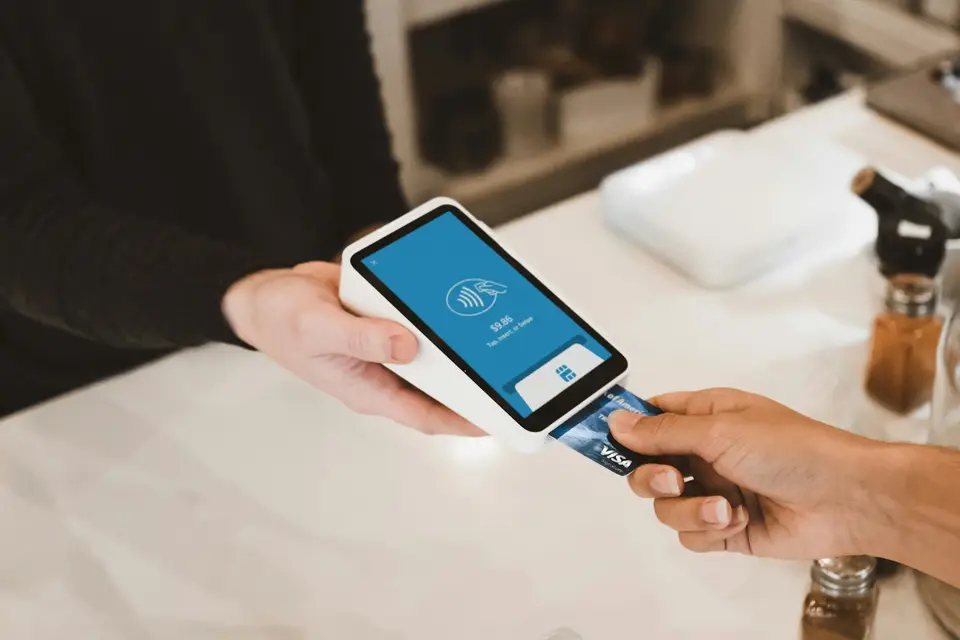
Security and PCI DSS Basics
Card payments come with a security standard: the Payment Card Industry Data Security Standard (PCI DSS), maintained by the PCI Security Standards Council. It applies to organizations that store, process or transmit cardholder data. The card brands run their own compliance programs, and whether and how a small organization must validate compliance is determined by those brands, usually through your acquiring bank or payment provider. Many small merchants validate with a Self-Assessment Questionnaire (SAQ); there are several versions, each with its own eligibility criteria.
The simplest way to reduce your exposure is to keep card data off your systems entirely. When your provider hosts the payment page or the payment fields, card numbers go straight to the provider and never touch your website or spreadsheets. That usually reduces how much of the standard applies to you, though it doesn't remove your responsibility. Ask your provider which SAQ fits your setup and check the PCI Security Standards Council's site for the current version of the standard.
| Do | Don't |
|---|---|
| Use hosted payment pages or fields from your provider | Build your own form that sends card numbers to your server |
| Turn on multi-factor sign-in for your payment dashboard | Share one login among volunteers |
| Give each person only the access they need | Leave former treasurers with access |
| Take phone gifts by entering them directly into the provider's secure form | Write card numbers on paper or in a spreadsheet |
| Train anyone who handles payments | Email or text card details, even internally |
| Remove dashboard access the day someone leaves | Store the card's security code anywhere |
Payment security is one part of protecting member and donor data; our guide to association data security covers the rest.
Recurring Payments
Monthly gifts and automatic dues renewals are where processing quality matters most, because every failed payment is revenue you have to chase.
- Stored payment tokens: The provider stores the card or bank details securely and gives your system a token to charge later.
- Card updates: Some providers can update stored card details automatically when a bank issues a new card. Ask whether yours does.
- Retries and reminders: Failed payments should be retried on a sensible schedule, with a friendly email and a link to update payment details.
- Clear authorization: Show the amount, frequency and how to cancel before the first charge, and send a confirmation. Keep a record of each authorization, especially for recurring bank debits.
- Advance notice: For annual charges, send a reminder before the renewal date so the charge isn't a surprise.
- Easy changes: Let payers change the amount, date or payment method without calling you.
For the fundraising side of recurring gifts, see our monthly giving program guide; for dues, read how to collect membership dues online. In campai, dues plans with flexible billing intervals and an online payment workflow with payment status show at a glance who has paid, who is pending and who needs a follow-up.
Chargebacks, Refunds and Disputes
A chargeback happens when a payer asks their bank to reverse a card charge. The money is pulled back, you're usually charged a dispute fee, and you have a limited window to respond with evidence. Card networks and your provider set the rules and deadlines, so read your provider's dispute policy before you need it.
| Common cause | Prevention |
|---|---|
| Donor doesn't recognize the charge | Use a clear statement descriptor with your organization's recognizable name; send an immediate receipt |
| Donor forgot about a recurring gift | Clear terms at sign-up, reminders before annual charges, easy cancellation |
| Stolen card used on your form | Fraud screening, limits on repeated attempts, and watching for bursts of small gifts |
| Duplicate charge | Disable the submit button after one click; show a confirmation page |
| Canceled event or unwanted purchase | A written refund policy and prompt refunds when appropriate |
Stolen-card testing deserves special attention. Fraudsters sometimes use donation forms to check whether stolen card numbers work, running many small gifts in a short time. If you see a sudden burst of tiny donations from unfamiliar names, contact your provider immediately and ask about the protections it offers.
When a dispute arrives, respond with what you have: the receipt, the donor's authorization, any correspondence, and for events, proof of registration and attendance. Often the fastest fix is a friendly call; many disputes are simple confusion.
Payouts and Reconciliation
Your provider typically pays out in batches, minus fees and refunds. Your bank shows one deposit, while your donor and member records need individual gifts. Reconciliation connects the two.
Worked example
The payout report for March 3–9 lists 62 payments totaling $5,000.00, one refund of $50.00, and the processing fee for each payment. The bank shows one deposit.
| Line | Amount |
|---|---|
| Gross payments (62) | $5,000.00 |
| Refunds (1) | −$50.00 |
| Processing fees | −Total from the payout report |
| Deposit in bank | $4,950.00 minus fees |
A monthly routine
- Match each bank deposit to a payout report.
- Confirm every payment in the report is recorded on the right donor or member record, at the gross amount.
- Record fees as an expense, rather than recording gifts net of fees; many accountants recommend this so revenue reflects what donors actually gave.
- Record refunds and disputes against the original payment.
- Flag restricted gifts so they're tracked separately.
- Review failed recurring payments and follow up.
- Keep the payout reports with your monthly bank reconciliation.
Your provider may also send a Form 1099-K reporting payments processed for your organization. The IRS notes that if you accept card payments directly, you receive one from your processor no matter how many payments you got or how much they were for. Make sure the totals tie to your books, and ask your accountant how it fits your annual Form 990 reporting.
Reconciliation is much faster when payments land directly on the right record. In campai, you can manage bank accounts and cash, match and split payments, and track receivables and reminders, and donations can be linked to their payments, which also simplifies donation receipts.
How to Choose a Payment Provider
Score each provider on the criteria that matter to your organization, weighting the most important ones.
| Criterion | Why it matters | Questions to ask |
|---|---|---|
| Total cost at your volume | Headline rates mislead | What's our effective rate on last year's payment mix? |
| Payment methods | Donors abandon forms that don't offer their preferred method | Which cards, bank transfers and wallets are supported? |
| Recurring support | Monthly gifts and dues depend on it | Tokens, automatic card updates, retries, payer self-service? |
| Fit with your records | Manual matching wastes hours | Do payments link automatically to donor, member and event records? |
| Payout timing and reports | Cash flow and reconciliation | How often do payouts arrive? Do reports show each payment and fee? |
| Security support | Reduces your PCI scope | Hosted fields? Multi-factor sign-in? Help with the SAQ? |
| Fraud and dispute tools | Protects your form and your staff time | Card-testing protection? Dispute workflow? |
| Checkout experience | Mobile and accessibility affect completion | Can donors pay on a phone without leaving your page? |
| Contract and exit | You may outgrow the provider | Termination fees? Can stored payment tokens be migrated? |
| Support | Problems happen at deadlines | How do we reach a person, and how fast? |
Don't let the payment decision drive everything else. The right provider is the one that fits the systems where your donors and members live; our guides to membership software for nonprofits and your donation page cover the rest of that picture.
Digital wallets and payment accounts
Some donors prefer to pay with a wallet or a payment account they already use. Offering one can make mobile giving faster. Before adding it, check how those payments reach your records, what information you receive about the payer, how fees and holds work, and whether gifts can be linked to your donor records without manual entry.
Frequently Asked Questions
What's the difference between a payment processor and a payment gateway?
The gateway is the technology that securely captures payment details online and sends them on. The processor moves the transaction through the card networks and banks and handles the funds. Many providers bundle both, so you may never see them separately.
Do nonprofits get lower processing fees?
Sometimes. Some providers offer discounted pricing for registered charities, usually with documentation such as your IRS determination letter. Ask each provider directly, and compare effective rates on your real payment mix rather than headline discounts.
Is it okay to pass processing fees to donors?
Offering donors the option to cover fees is common. Make it optional and unchecked by default, show the exact amount, and record the full amount paid as the gift.
Do we need PCI compliance if our provider handles card data?
Yes, PCI DSS still applies to organizations that accept cards, but using hosted payment pages or fields usually shrinks what applies to you. Ask your provider which Self-Assessment Questionnaire fits your setup and how they help you complete it.
How long does it take for online donations to reach our bank account?
It depends on the provider, the payment method and your account history. Card payouts often arrive within a few business days; bank transfers can take longer. New accounts sometimes have longer initial payout schedules. Ask for the standard schedule in writing.
Can our treasurer collect payments through a personal payment app?
It's best not to. Personal accounts mix organizational and personal money, leave gaps in your records, and may not be meant for organizational use. Use accounts in the organization's name with board oversight.
Next Steps
- Export 12 months of payments by type, count and amount.
- Ask two or three providers to quote that exact mix and calculate each effective rate.
- Check how each option handles recurring payments, payouts and links to your donor and member records.
- Confirm that card data is captured in hosted fields and that dashboard access uses multi-factor sign-in.
- Write down your refund and dispute process.
- Set a monthly reconciliation date and an owner, and move any payments out of personal accounts.