Skip to content

Manage your club’s classes in one place

Plan a workshop, a weekly class, or an ongoing program. Keep dates, registration, participant records, and payments together so your team can follow each booking through to check-in.

Plan classes, events, and series

Plan single sessions and recurring classes

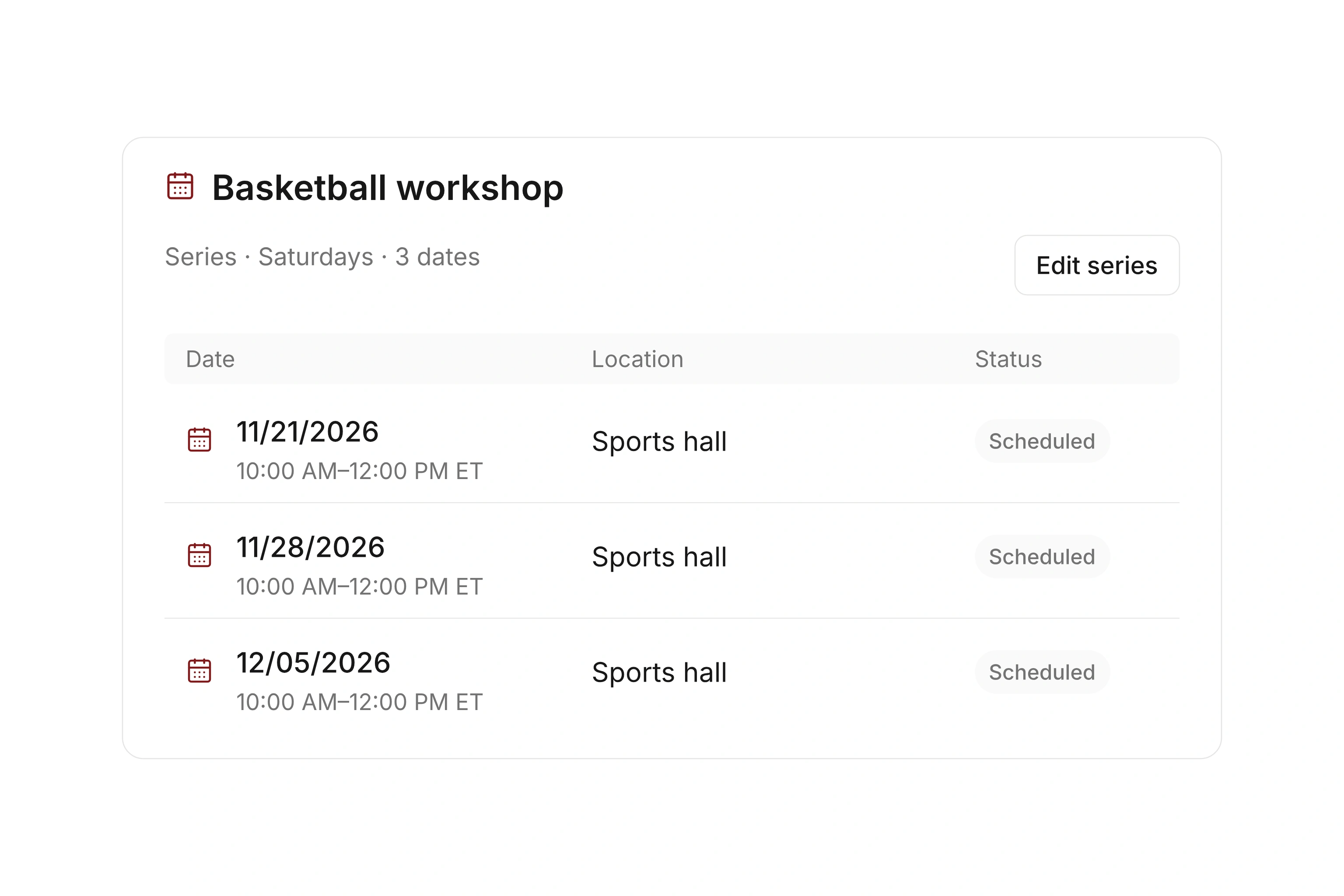
Create a class with its location and instructor, then use a series for recurring dates. Switch between day, week, and month views to review the schedule. Account for holidays, closures, and other blocked dates before opening registration.

Shared offer settings help you maintain booking rules across related sessions. Decide whether participants book one session, a block of classes, or an ongoing program, and check the resulting registrations before publishing.
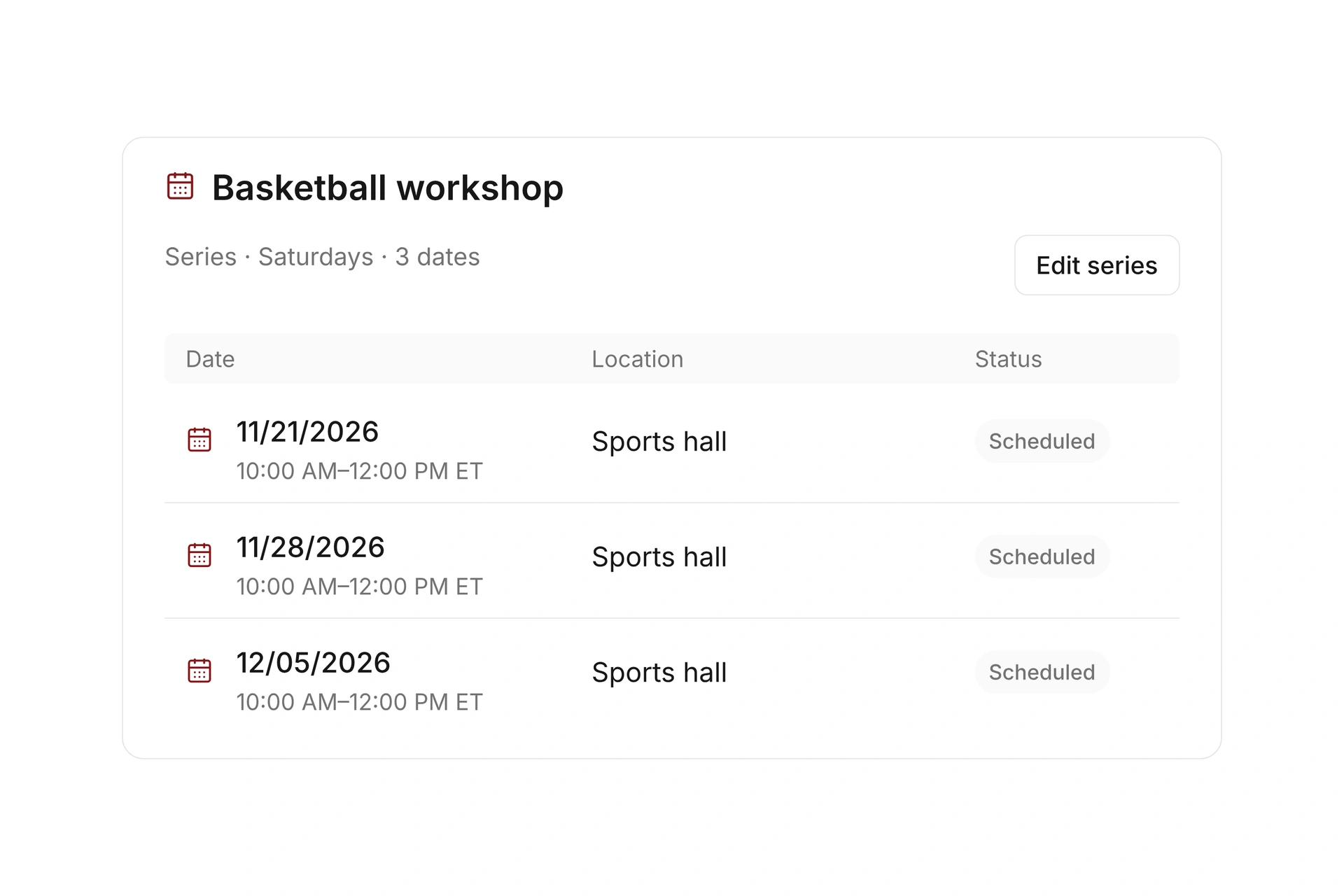
Plan single sessions and recurring classes

Let participants register online

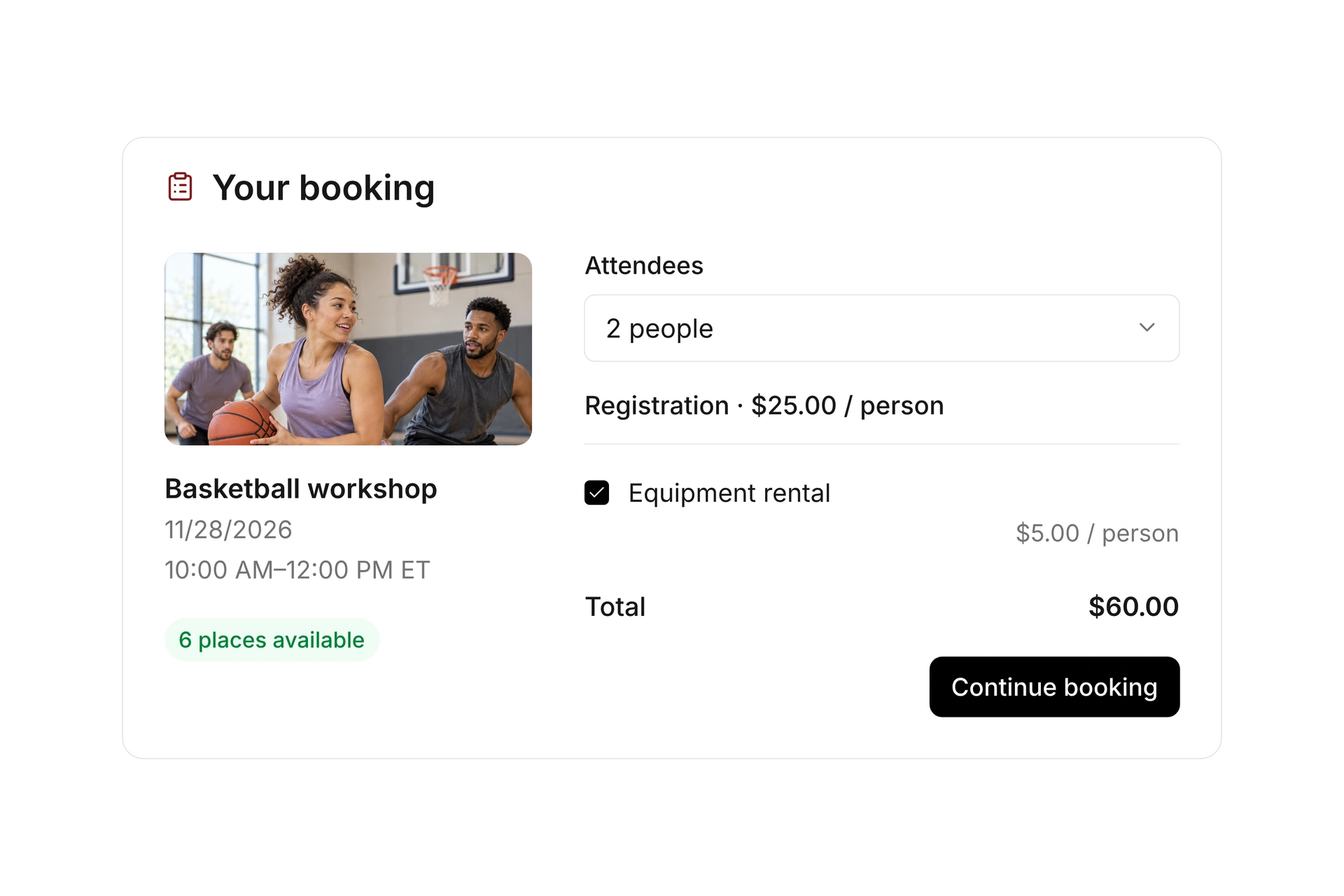
Set up rates, registration windows, and custom form fields for each offer. Choose whether people register individually, for several participants, or as a team. Share the booking page or embed a view on your website.

Offer optional extras and configure the payment requirements for paid classes. A temporary reservation can hold a spot during checkout. Test the full booking process on a phone as well as a computer.

Let participants register online

Keep up with changes and available spots

Review confirmed, pending, and canceled registrations at the event. Add internal registrations, search participant records, and keep your instructors working from the current list.

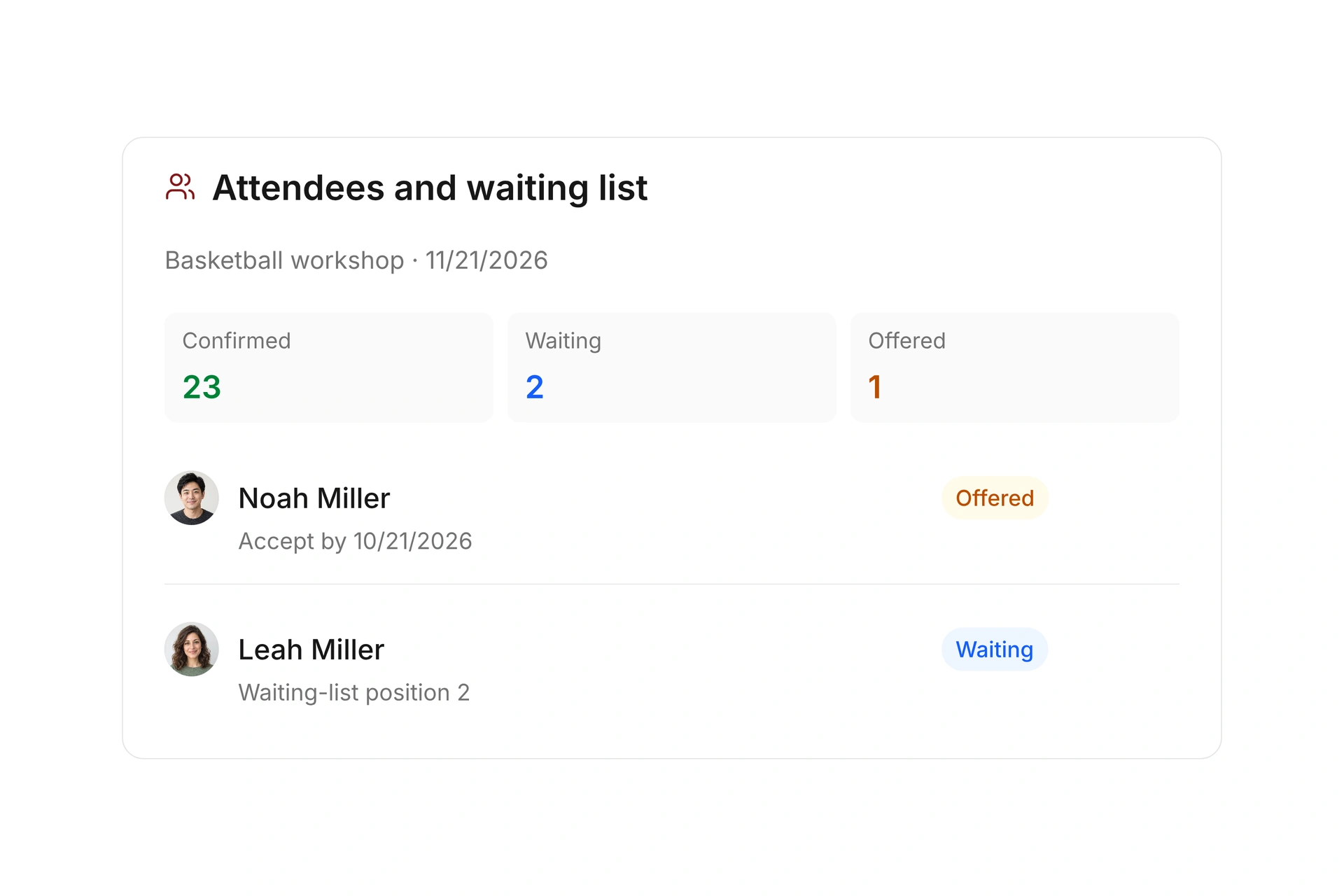
For a full class, use a waitlist and offer an available spot to a selected participant with an acceptance deadline. Check the resulting confirmation, invoice, and payment status when that person accepts.

Keep up with changes and available spots

Follow a class booking through campai

Explore the steps below, then create your own class during the free trial.

Set dates and assign an instructor

Create the class with its location and responsible leader. Use a series for recurring dates and account for school breaks and closures.

Create your first class for free
Plan classes, events, and series

Make your offer bookable online

Set up rates, participant options, and custom form fields. Publish the booking page or embed a view on your website.

Create your first class for free
Accept online bookings with flexible rates

Review participants and available spots

Check confirmed, pending, and canceled bookings. A configured waitlist accepts interest when the class is full. Offer an opening to a selected participant with an acceptance deadline.

Create your first class for free
Manage attendees and waiting lists

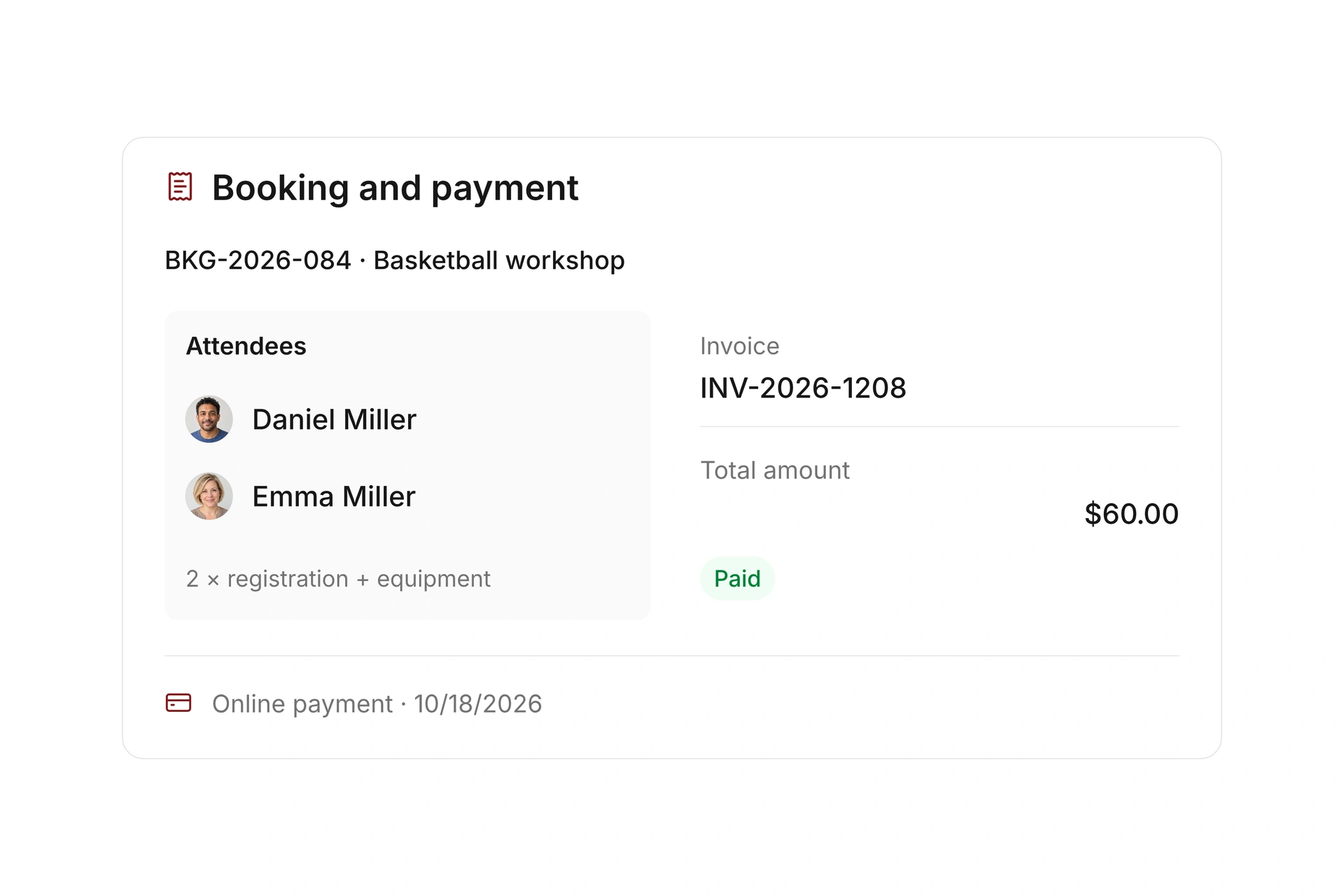
Follow the financial record at the booking

The invoice and payment status stay linked to the booking. Your payment rules determine when registration is confirmed and how cancellations are handled.

Create your first class for free
Bill bookings and manage cancellations

Choose the right class format before setup

A workshop, a multi-session class, and an ongoing group need different registration rules. Start by defining what one booking includes, then connect the dates, participant limits, and payment requirements.

Class formatDecide before setupCheck in a trial booking
Single sessionOne booking covers a specific workshop.Are the date, rate, and participant limit clear?
Multi-session classList the included sessions and how exceptions are handled.Check where the participant appears at each event. A series alone does not define every registration rule.
Ongoing groupDecide how future participation and recurring charges are managed.Review the ongoing event and dues contract together, including joining, leaving, and payment.
Flexible attendanceChoose individual bookings or point cards.Check the booking, remaining credits, and cancellation process.

Test a complete class cycle

  1. Start with a common class

    Choose an offer your team runs regularly. Set dates, instructor, space, capacity, and rates before copying the setup to other classes.

  2. Work through changes

    Make a booking, add an internal registration, and cancel an entry. Check the participant list, the reopened spot, and the messages.

  3. Check payment and the first session

    Confirm when registration becomes final and where the invoice and payment status appear. Have the instructor open the event and attendance view.

The Freak City Bamberg basketball team

Freak City Bamberg manages camp registrations online

The basketball organization in Bamberg, Germany, uses digital forms for camp and member-event registrations. Its customer story describes how staff no longer copy information from emails and scanned forms into spreadsheets.

Moving to campai has definitely made our membership administration simpler and faster.

Freak City Bamberg e.V.

Read the customer story

What does the booking system cost?

Class and event registration, equipment lending, and space bookings are included in campai’s core features. US pricing is $40 per month plus $0.20 per active member.

Payment processing and optional services are billed separately. The US pricing page explains the calculator and additional charges; your quote confirms applicable taxes and services.

Explore US pricing and payment fees

Start with your own offer

Create a class or resource during the free 14-day trial. Test the registration form, capacity, messages, and payment requirements with your team.

Use a consultation to review migration and setup needs. Assisted setup and training are optional paid services.

Plan setup and migration

Frequently asked questions

Can I manage recurring classes?

Yes. You can organize recurring dates as a series and account for blocked dates. Define separately which sessions a registration covers and how payments work for that offer.

Can participants register from my website?

Yes. Share a public booking link or embed an event view. Your website platform must allow the embed code. Participants can then select an offer and complete its registration form.

Can I manage class fees and membership dues together?

Both are available in campai. A class booking has its own invoice and payment status. Recurring membership dues use a separate contract setup; creating a class series does not itself create a recurring billing agreement.

Can my instructors record attendance?

Assigned event leaders can view their events, contact participants, and record check-ins in the member app. You can also configure a time window for participant self-check-in.

See class management in action

Bring a class with its dates, rates, and participation rules. We’ll review the process from the first registration to the final session.

Explore on your own. Get personal help when you need it.