Skip to content

Manage waitlists and offer available spots

Keep interest in a full class visible. When a spot opens, send a targeted offer, set a deadline, and follow its acceptance through to registration and payment.

Manage attendees and waiting lists

Set the capacity and waitlist rules

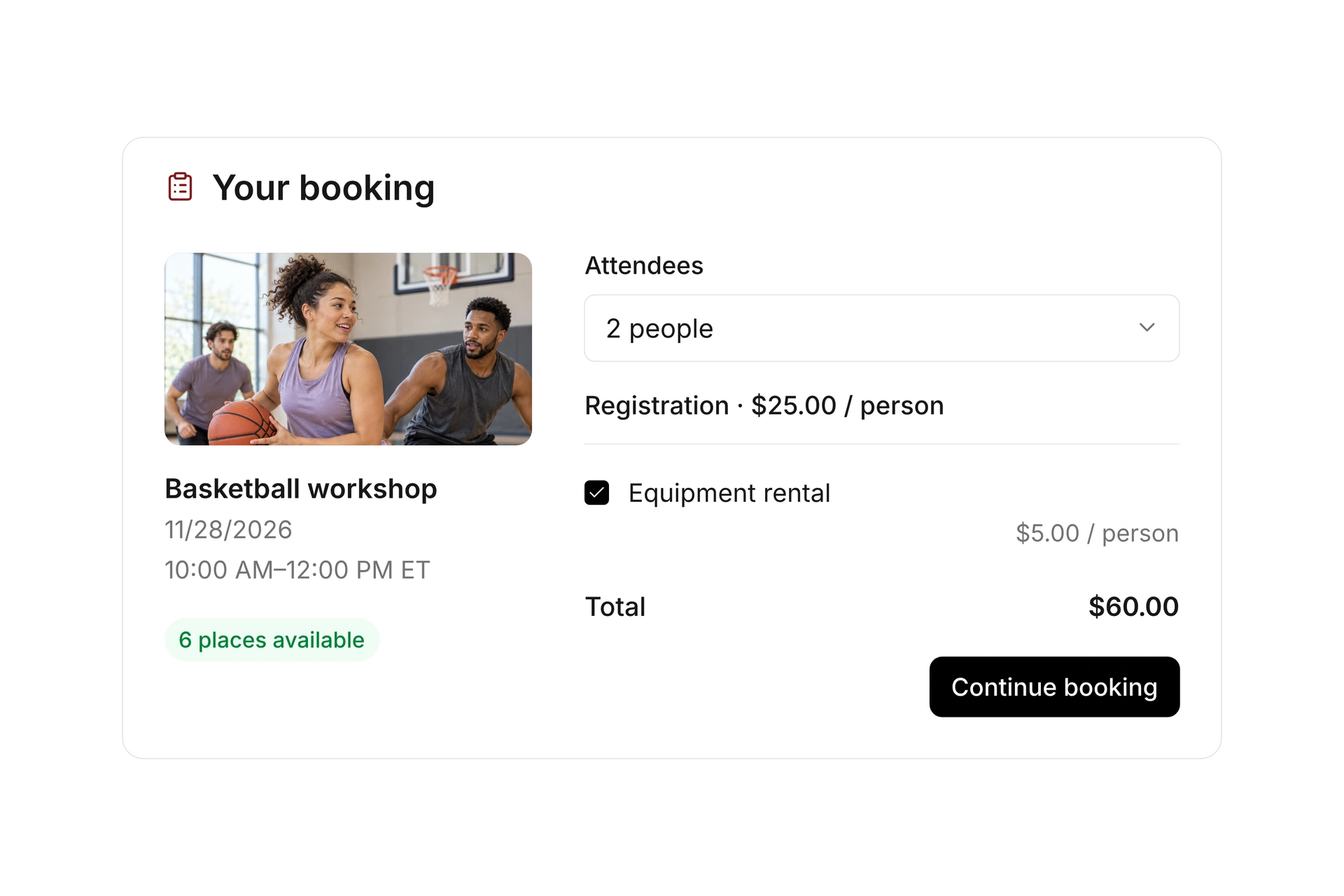
Choose a participant limit for the event and configure when additional registrations go on the waitlist. Review your registration window and access rules alongside the capacity setting.

Test what visitors see when the last spot is booked. Make sure your confirmation wording distinguishes a waitlist entry from a confirmed place in the class.
Set the capacity and waitlist rules

Offer an opening with a clear deadline

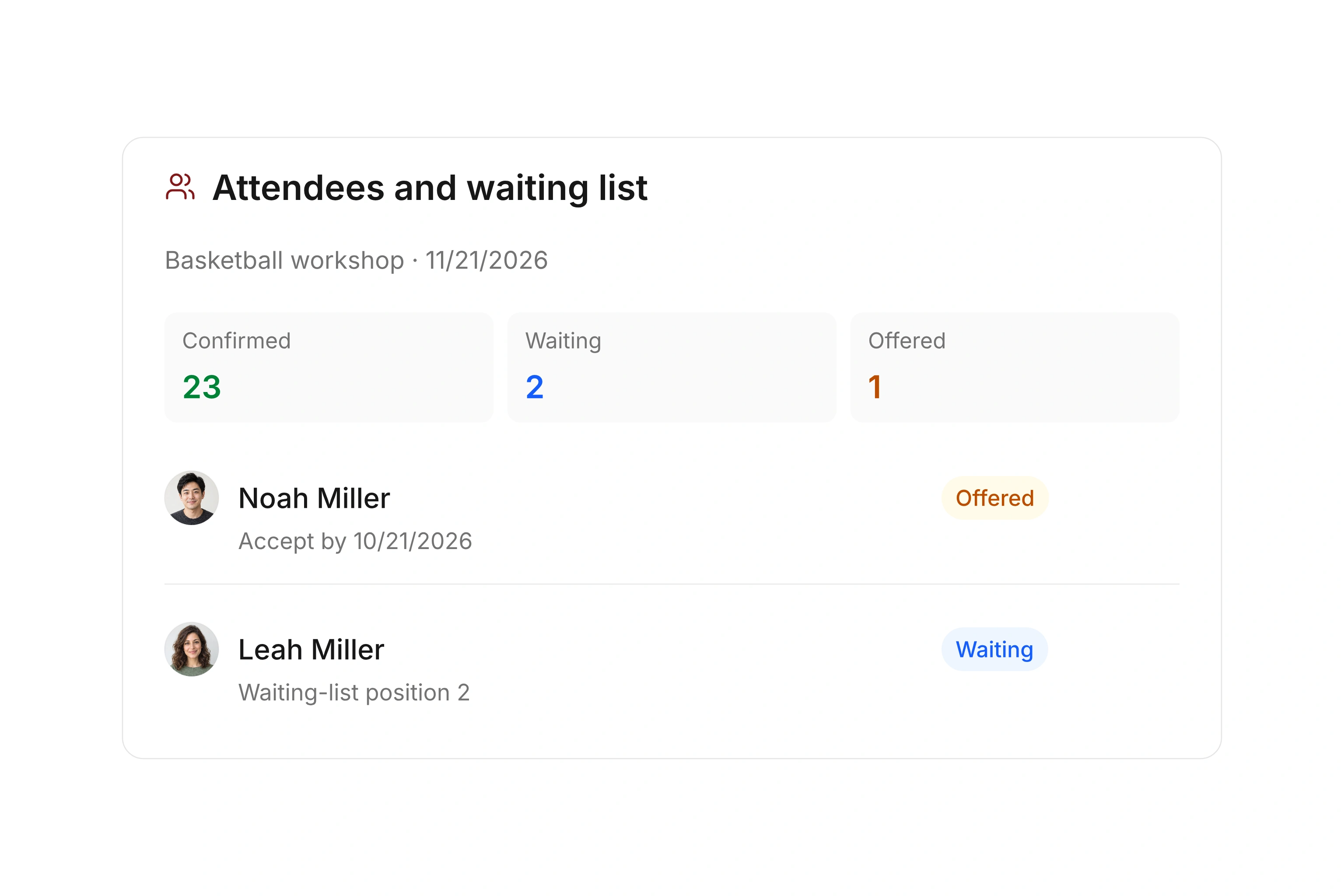
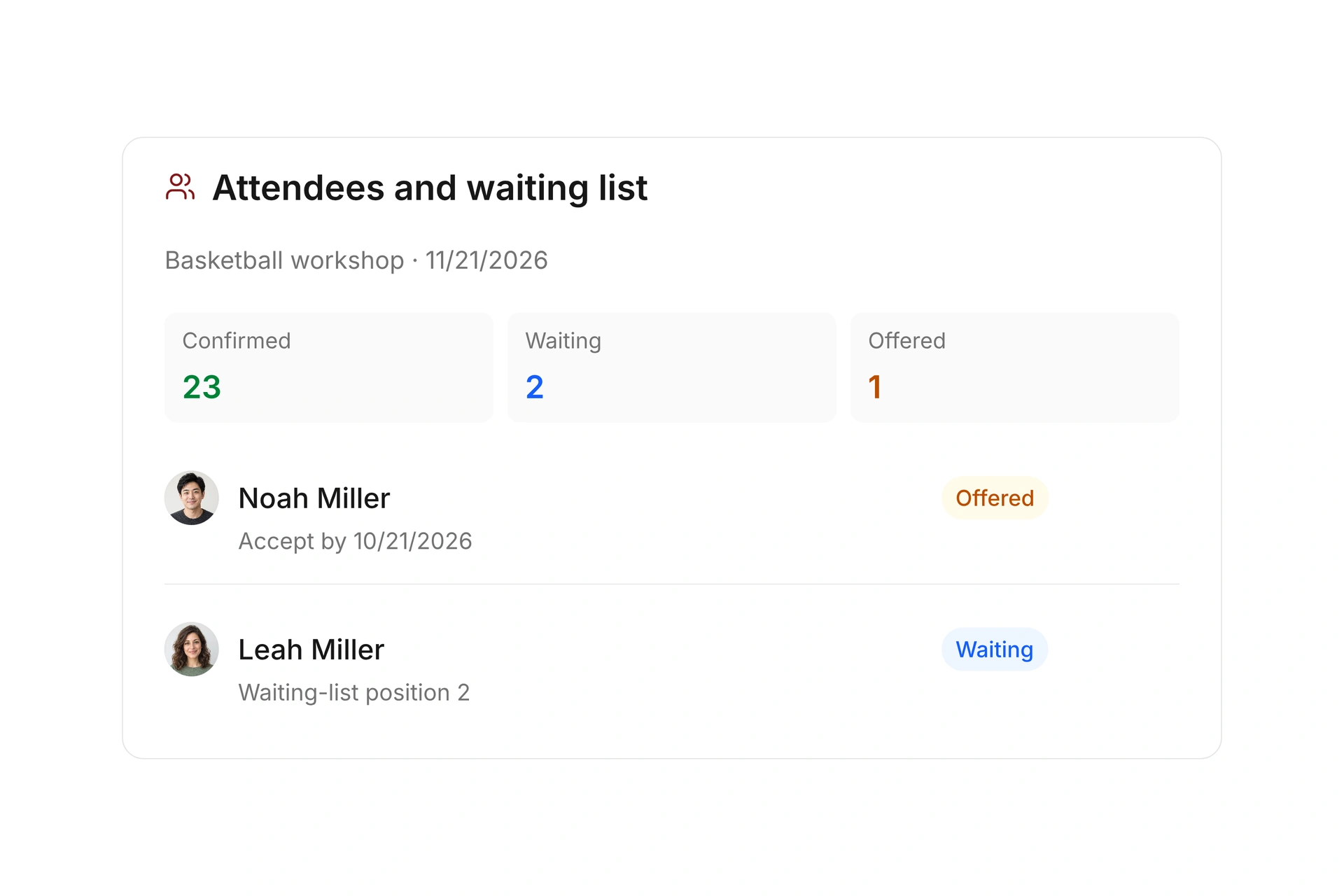
Select a person on the waitlist and send an offer for the available spot. Set an acceptance deadline so your team knows when to review an unanswered offer.

Track waiting, offered, confirmed, and canceled entries at the event. The process supports targeted offers; it does not promise automatic first-in, first-out placement.

Offer an opening with a clear deadline

Check payment when an offer is accepted

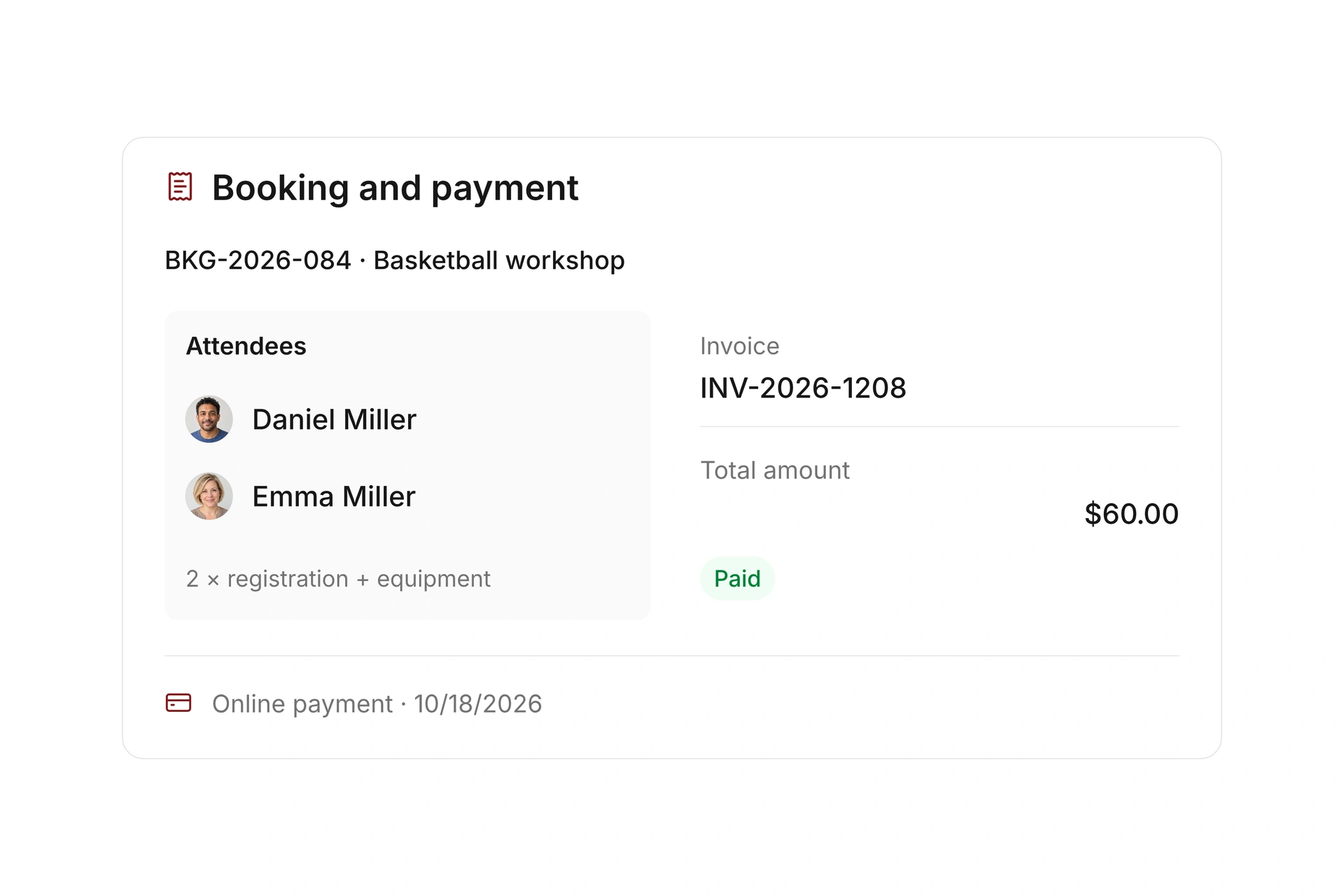
An accepted paid waitlist offer creates its own invoice and payment requirement. Review the booking and payment status before considering the place fully confirmed under your rules.

Keep cancellation and refund settings aligned with the offer. If someone declines or the deadline passes, review capacity and the offer status before contacting another person.

Check payment when an offer is accepted

Follow one opening in a 20-person class

A canceled registration, an available-spot offer, and a confirmed replacement are separate steps. In this example, a full class loses one registration. Check status at each step before promising that spot again.

StageWhat to reviewAction
One cancellationCurrent participant count and the canceled bookingConfirm that a place is available and review any refund.
Offer sentSelected participant and acceptance deadlineCheck the offer status and message.
Offer acceptedNew registration and any payment requirementReview the invoice and confirmation status.
Offer declined or expiredLatest offer status and class capacityCheck the event before selecting another person.

Test the offer through to confirmation

  1. Fill and cancel a test registration

    Use a test event to check the full-class behavior. Cancel one registration and inspect capacity and the waitlist.

  2. Send a targeted offer

    Choose a waiting participant and set a deadline. Review the information they receive before accepting the offer.

  3. Review the financial record

    For a paid acceptance, check the new invoice and payment requirement. Confirm the final participant status and available capacity.

What does the booking system cost?

Class and event registration, equipment lending, and space bookings are included in campai’s core features. US pricing is $40 per month plus $0.20 per active member.

Payment processing and optional services are billed separately. The US pricing page explains the calculator and additional charges; your quote confirms applicable taxes and services.

Explore US pricing and payment fees

Start with your own offer

Create a class or resource during the free 14-day trial. Test the registration form, capacity, messages, and payment requirements with your team.

Use a consultation to review migration and setup needs. Assisted setup and training are optional paid services.

Plan setup and migration

Frequently asked questions

Is a waitlist entry a confirmed booking?

No. Review the participant status to distinguish a waiting entry, an offer, and a confirmed registration. Your payment requirements may also affect confirmation.

Does the first person on the list automatically get the next spot?

The workflow described here uses targeted offers to selected participants with acceptance deadlines. It does not claim automatic first-in, first-out allocation.

Can I charge for a booking accepted from the waitlist?

Yes. A paid acceptance has its own invoice and payment requirement. Review the resulting record and confirmation status.

What should I do after an offer expires?

Check the offer status and current capacity before making another offer. Keep the event’s records current so the same available spot is not promised twice.

See the waitlist process

Bring the rules for one full class, including capacity, offer deadlines, and fees. We’ll work through an opening and its replacement booking.

Explore on your own. Get personal help when you need it.