Skip to content

Build a class schedule your team can work from

Plan class dates and recurring sessions, account for closures, and check the spaces each program needs. Keep the published schedule aligned with the arrangements your instructors use.

Plan classes, events, and series

Create recurring dates with room for exceptions

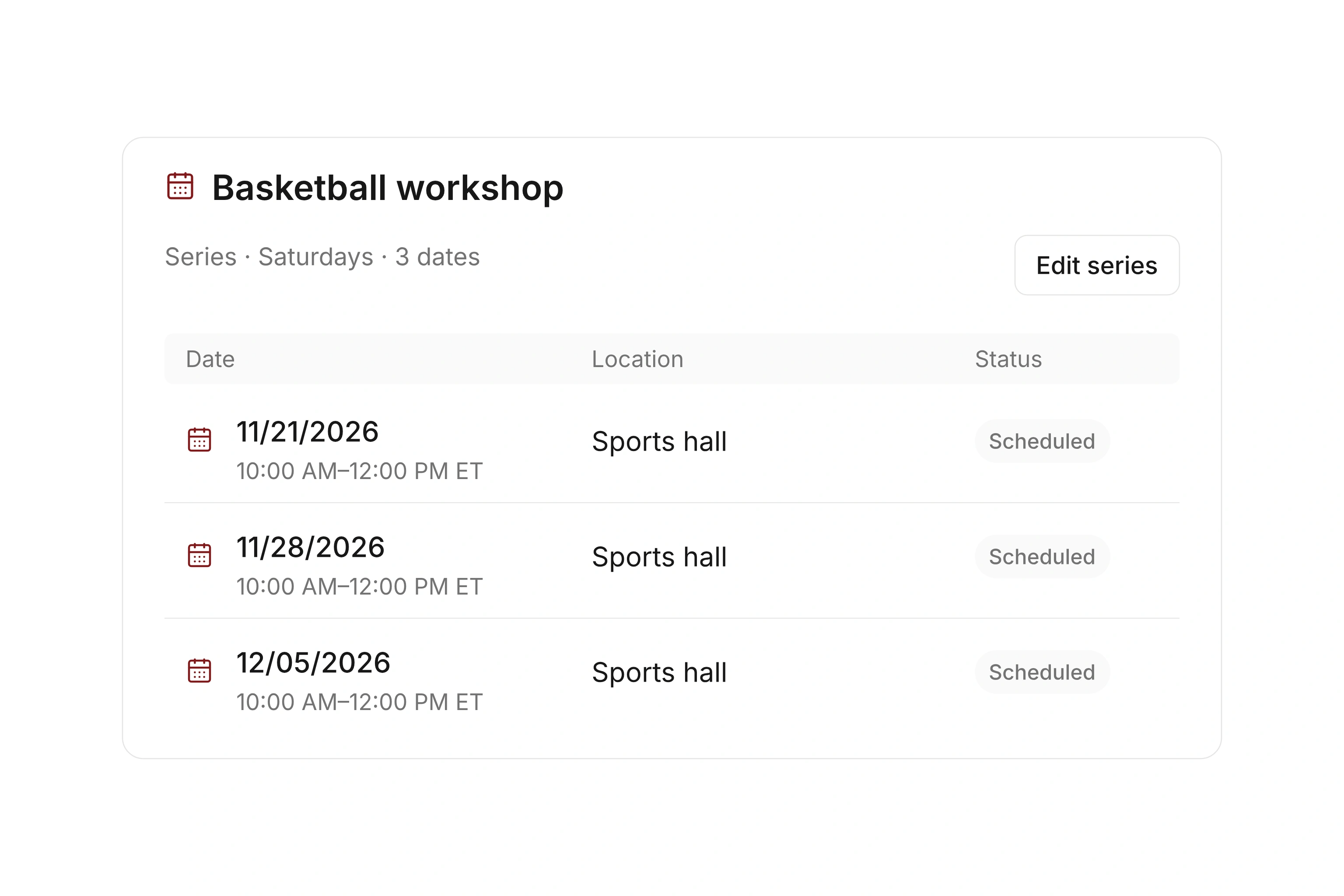
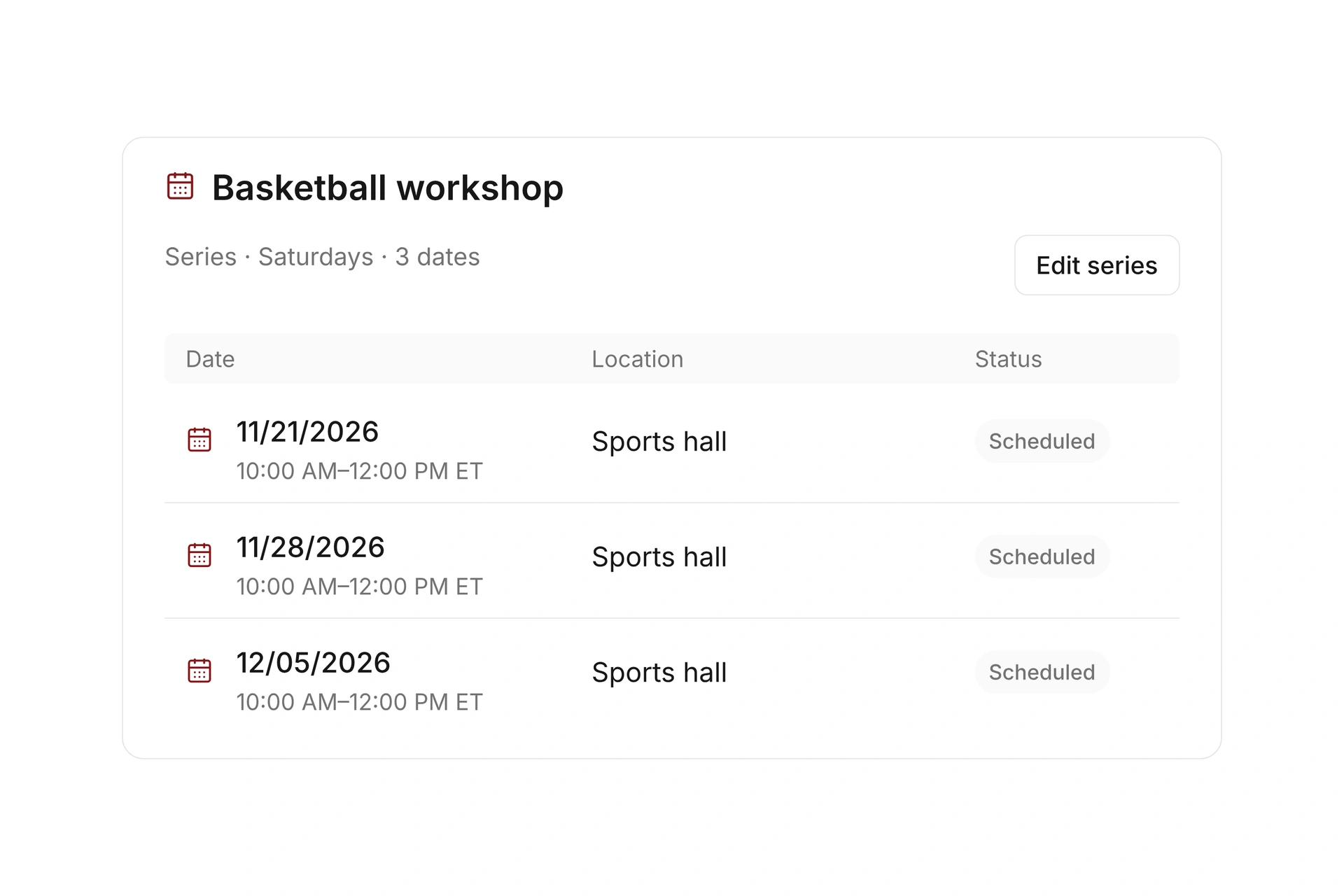
Use the event calendar’s day, week, and month views to plan a class. Connect recurring sessions in a series and define location and leadership.

Blocked dates can be skipped when a series is created, with an option to extend the series to reach the required number of available dates. Review the final schedule, including the last session, before you publish it.
Create recurring dates with room for exceptions

Coordinate sessions with facility reservations

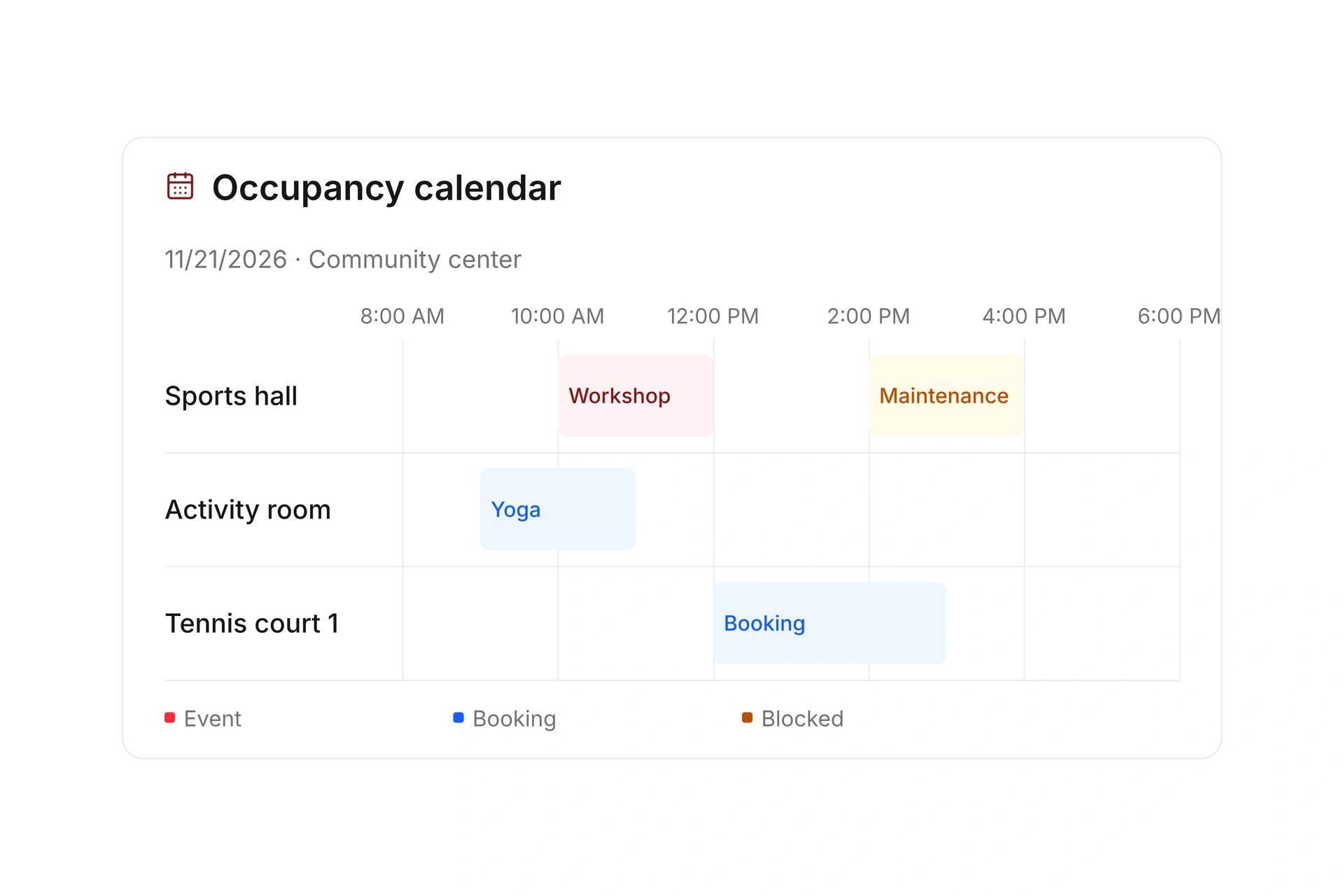
Compare resource occupancy by location and period. Check that a room or court is available for the full session and any time your team needs to prepare.

If a class moves, review the associated reservation and any conflicts. Updating an event is a reason to verify the facility schedule and the information sent to participants.

Coordinate sessions with facility reservations

Use participation history for the next schedule

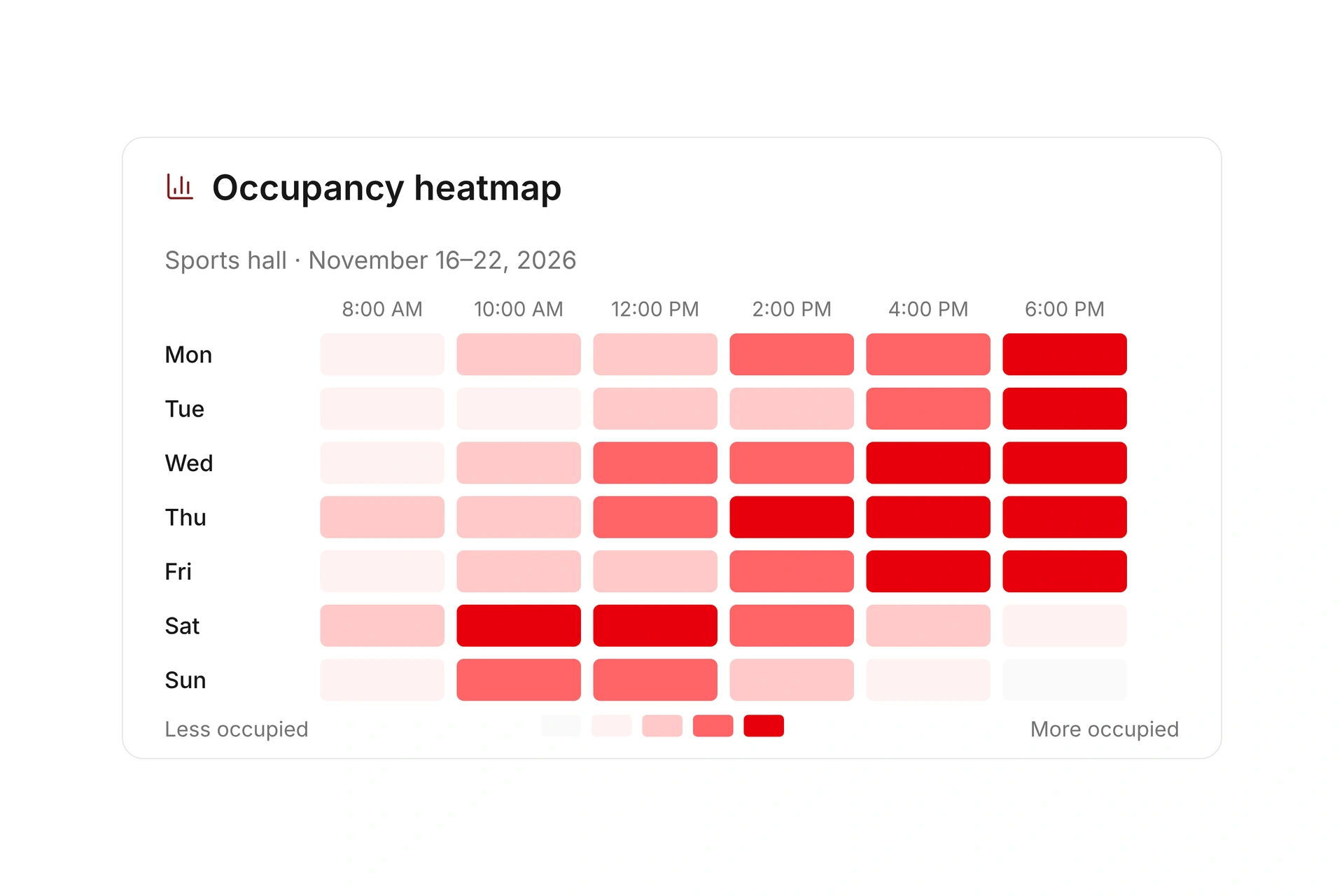
Review booking demand and confirmed or canceled registrations over a selected period. Compare these records before adding another class or changing its time.

Look at the actual calendar behind the totals. A spare room on weekday mornings may not solve a shortage of evening class space.

Use participation history for the next schedule

Plan eight weekly sessions around two closed weeks

An eight-session class may need more than eight calendar weeks. If two planned weeks are unavailable, review the resulting dates and final session after creating the series. Confirm the facility and instructor for every included date.

Planning itemDecisionVerification
Number of sessionsEight sessions are intended.Count the generated dates, including any extensions.
Two closed weeksNo class can take place during those weeks.Confirm both are excluded from the schedule.
Last sessionThe final date may move later.Check instructor and facility availability for the added dates.
Published offerParticipants need the actual included dates.Compare the booking information, event list, and resource reservations.

Check the schedule before registration opens

  1. Define the series and exceptions

    Record the intended session count, recurring time, and known closures. Use the local calendar that applies to your organization.

  2. Review every generated date

    Count sessions and check the final date. Compare each with the instructor’s schedule and the required facility reservation.

  3. Review what participants see

    Open the public offer and a test registration. Make sure the included sessions and any exceptions are clear.

What does the booking system cost?

Class and event registration, equipment lending, and space bookings are included in campai’s core features. US pricing is $40 per month plus $0.20 per active member.

Payment processing and optional services are billed separately. The US pricing page explains the calculator and additional charges; your quote confirms applicable taxes and services.

Explore US pricing and payment fees

Start with your own offer

Create a class or resource during the free 14-day trial. Test the registration form, capacity, messages, and payment requirements with your team.

Use a consultation to review migration and setup needs. Assisted setup and training are optional paid services.

Plan setup and migration

Frequently asked questions

Can I schedule a class every week?

Yes. Use an event series for recurring dates, and check the dates and associated resource reservations before opening registration.

Can I account for holidays and closures?

You can use blocked dates and calendar-based closures, including your own calendar. Check your organization’s local schedule rather than assuming a particular holiday calendar applies.

Does a series define what each registration includes?

A series groups event dates. You still need to define and test which sessions a booking covers, along with the participation and payment rules.

Can I prepare a schedule in a spreadsheet?

Yes. Download the blank class schedule CSV to organize your dates, times, instructors, and capacity before setup. Maintain live changes in campai once the schedule is running.

Plan your class schedule

Bring a recurring class with its planned session count and closure dates. We’ll check the generated schedule, final session, and facility bookings.

Explore on your own. Get personal help when you need it.