Member Onboarding Process: Steps and Checklist
Build a member onboarding process your club can sustain: a copyable checklist for application approval, day one, week one and the first 30 days.

The member onboarding process is the structured sequence of steps, from application approval through the first 30 days, that turns a new signup into an informed, connected, and participating member. A clear checklist with a named owner for each task helps volunteer-run clubs and associations deliver that experience even when board responsibilities change.
A familiar pattern goes like this: a new member pays dues, receives a receipt, and hears nothing until renewal season. A welcome email can prevent the immediate silence, but it can't answer every question, introduce the right people, or help the member take a first step. Those pieces need someone to own them.
Why a Structured Member Onboarding Process Matters
A member who doesn't know what to do next may not use the benefits they joined to access. That's why onboarding deserves the same care as dues collection. Both processes need clear steps, assigned owners, and a way to confirm the work is done.
The first months matter. An older study of executives and human-resources professionals found that 86% of respondents said a new hire's decision to stay with an organization long term is made within the first six months. A separate survey reported that roughly one-third of respondents who quit a job did so within six months of starting. These findings concern employees, not association or club members, so they aren't membership retention forecasts. They do support a practical principle: early experiences shape whether a newcomer understands the organization, feels connected, and recognizes the value of staying. (SHRM's summary of the onboarding findings)
Treat onboarding as a sequence, not a greeting
A useful process begins when an application is approved and continues through the member's early interactions with the organization. It confirms dues information, explains relevant benefits, makes portal access straightforward, and offers an invitation to connect or participate. Without those steps, members may receive information but still have no obvious next action.
Structured onboarding also gives the organization a chance to notice when someone gets stuck. If a member can't log in, doesn't know whom to contact, or hasn't found an activity that fits their interests, an assigned volunteer can follow up before the problem becomes a reason to disengage.
One reported comparison found 87% retention at six months among members who completed structured onboarding, compared with about 60% among members without it. Those figures are benchmark evidence, not a promised outcome for every organization; results can vary with the membership model and how onboarding is carried out.
Practical rule: If nobody owns the next step, assume it won't happen consistently.
The checklist below turns a broad welcome into a series of manageable tasks, with an owner attached to each one.
Set Up the Basics Before Applications Arrive
A new member shouldn't have to wait while the board debates who sends the welcome or searches old emails for the dues amount. Set up a small, documented process before applications arrive. One board meeting is enough to agree on the essentials.
Decide what the organization is offering
Write down the available membership levels or types, the dues for each, what those dues cover, and how applicants can pay. Keep the wording consistent across the membership application, confirmation email, and any page that explains membership. If a benefit or fee changes, assign someone to update each place where it appears.
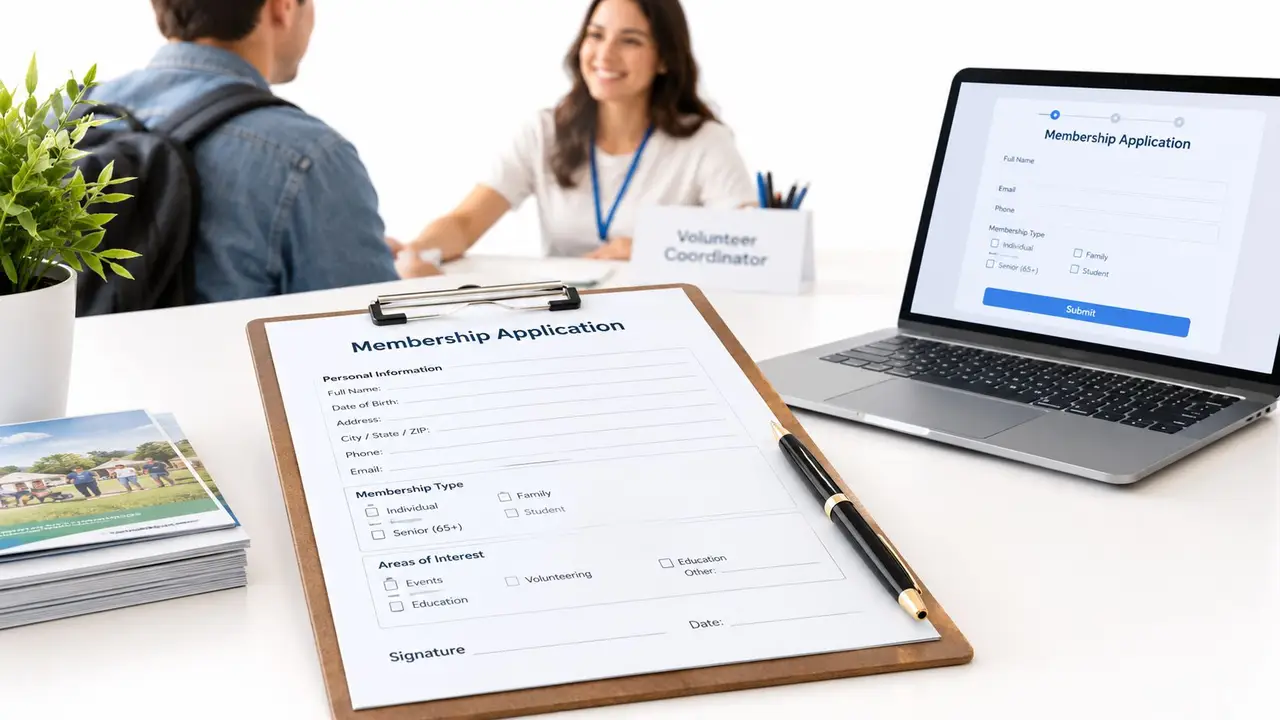
The application should collect the information needed to welcome and serve the member. Include contact details, the membership type they're applying for, relevant interests, and communication preferences. Keep the questions focused. Asking what activities or benefits interest someone gives the onboarding owner a useful way to tailor the first invitation.
Assign approval and onboarding ownership
Agree on who reviews applications, who can approve them, and who handles questions that need board input. Record the sequence in a shared document, including what happens if an application is incomplete or needs review. Set an approval goal the organization can realistically meet and let applicants know what to expect.
Name a primary onboarding owner and a backup. The owner coordinates the tasks; that doesn't mean the same person has to complete every task. For example, the treasurer can confirm dues status while a board liaison makes a personal introduction.
A role is more durable than a name alone. Document who is responsible, then update the person assigned to that role when volunteers change.
Prepare a short welcome packet that can be sent or shared digitally. It needs a plain-language benefits summary, upcoming events, portal access instructions, and the name and contact information of a real person who can help. Avoid turning it into a full history of the organization. A newcomer needs a useful first step, not every detail at once.
Before the next board meeting ends, check that the organization has:
- Membership details: Current levels or types, dues, and benefit descriptions.
- An application form: Contact information, interests, and communication preferences.
- An approval path: A reviewer, a decision-maker, and a way to handle incomplete applications.
- Named owners: A primary onboarding owner, a backup, and task owners for dues and introductions.
- Welcome materials: Benefits summary, upcoming events, portal instructions, and a contact person.
Approve the Application and Send the Welcome Email
When an application arrives, the first job is to review it against the organization's membership criteria. If information is missing, contact the applicant and record what's needed. When the application is ready for a decision, send it to the designated approver rather than letting it sit in an inbox without an owner.

Record the member before sending the welcome
Once approved, enter the member's details in the organization's member database. A personal spreadsheet can seem convenient, but it can leave information out of reach when the volunteer who maintains it steps down. Record the approved membership type, contact details, interests, communication preferences, and dues status in the organization's designated system.
The treasurer or assigned dues owner should confirm the amount due and explain how to pay online if payment is outstanding. Include a payment link when available, along with a clear note about the member's current status. Don't imply that dues have been paid if the organization hasn't confirmed the payment.
Send the welcome email after the member's status and dues information are checked. The message can be warm and brief, with one specific action the member can take next. An email that lists benefits but doesn't invite a response or point to an activity leaves the member with information and no path forward.
Copyable welcome email outline
Use this outline as a starting point, then adapt it to the organization's voice:
Subject: Welcome to [Organization Name]
Hi [Member Name],
Welcome to [Organization Name]. Your [membership type] has been approved.
Dues: [Your dues are paid / Your dues are still due. Pay online here: payment link.]
Your membership includes [briefly name the benefits most relevant to this member].
To get started, visit [member portal instructions or access link]. A good first step is [one relevant event, group, resource, or activity].
[Name of contact person], our [role], can help with questions. Reply to this email or contact [contact details].
We're glad you've joined,
[Sender name and role]
Slow approval and a welcome that lacks a next step are two common breakdowns. The application can be complete while the approval decision stalls, or the email can go out without any invitation to log in, attend, or meet another member. Give each point a named owner and record when the task is finished.
Walk Through the First Day, First Week, and First 30 Days
The welcome email confirms membership; the follow-up helps a new member use it. Keep the early steps small and connected to what the member said they care about. A personal introduction, a first login, or an invitation to a relevant event is more useful than sending a large bundle of information without direction.
The table assigns each task to an owner. Replace role descriptions with the actual people serving in those roles, and name a backup in the organization's shared onboarding record.
New Member Onboarding Checklist by Phase
| Phase | Task | Owner |
|---|---|---|
| Application approval | Review the application against membership criteria and request any missing information. | Membership coordinator |
| Application approval | Record the approved member's contact details, membership type, interests, preferences, and status in the member database. | Membership coordinator |
| Application approval | Confirm the dues amount and whether payment is outstanding; share online payment information when needed. | Treasurer |
| Application approval | Send the welcome email with benefits, portal instructions, one suggested first action, and a contact person. | Membership coordinator |
| First day | Confirm the member can access the portal and provide help if login instructions don't work. | Portal administrator |
| First day | Send a personal introduction or arrange a member buddy when appropriate. | Board liaison |
| First week | Invite the member to one relevant event, group, or community discussion based on stated interests. | Events or group lead |
| First week | Share one benefit or resource that matches the member's interests. | Membership coordinator |
| First week | Check that dues status is accurate and clarify any open payment questions. | Treasurer |
| First 30 days | Ask a short feedback question about what's clear, what's missing, and what would help the member participate. | Membership coordinator |
| First 30 days | Record completed milestones and assign follow-up for any unresolved access, dues, or participation issue. | Onboarding owner |
Make each contact useful
On the first day, focus on access and reassurance. If portal access requires an invitation, send it and explain what the member can do there. Don't assume that receiving instructions means the person can log in; give them a simple way to ask for help.
During the first week, connect the member with something specific. A community group might invite a new member to an upcoming gathering, while an association could point them toward a relevant program or discussion. A personal introduction can make an invitation feel less like a general announcement and more like an open door.
At the 30-day check-in, ask a short question and respond to the answer. For example: “Have you found the information and activities you were looking for? What would make it easier to take part?” If the member raises a concern, assign someone to follow up rather than leaving the response in a shared inbox.
A practical activation approach tracks milestones at 7, 14, 30, and 90 days, rather than treating email opens as proof of engagement. Those checkpoints make it easier to spot a missing first login, an unused benefit, or an unanswered question and decide who will act.
Keep Onboarding Running When Volunteers Rotate
Volunteer turnover can break an otherwise thoughtful process. The outgoing membership coordinator may know which board member approves applications, how portal invitations are handled, and which members can make a helpful introduction. If that knowledge lives in one person's inbox or memory, the next coordinator has to reconstruct the process while new applications keep arriving.
A shared checklist is the starting point, not the whole handoff. For every task, record the responsible role, the backup, where the relevant information lives, and what counts as completion. Keep the record short enough that someone stepping into the role can use it without an orientation meeting.
Record responsibilities and handoffs
A simple handover record can answer a few practical questions:
- Who owns the step? Name the role responsible for the application, dues check, portal access, introduction, or follow-up.
- Who can cover it? Identify a backup who can act if the primary owner is unavailable.
- Where is the status recorded? Specify the member database or shared onboarding record, not a private inbox.
- What needs review? Note unresolved member questions, pending payment status, access problems, or upcoming invitations.
Use role-based permissions so volunteers can access the information needed for their work without making every record available to everyone. When a board member leaves, review access and update the assigned roles. This keeps the process useful to current volunteers without relying on personal accounts or informal knowledge.
Add a recurring feedback question after important milestones. A brief prompt about whether the member found the next step clear can reveal where instructions are confusing. The question should have an owner who checks responses and follows up when a member needs help.
Membership management software can keep the process and member information together. campai connects member records, applications and forms, dues and billing, online payments, events and bookings, communications, donations, and member self-service through campai Connect, its member app and community portal. Roles and permissions can support different responsibilities, while applications and onboarding status can be kept with member records rather than scattered across individual volunteers' inboxes.
That doesn't remove the need for human introductions or clear ownership. It gives those people a shared place to see what's been done and what still needs attention.
Measure Each Cohort and Improve the Process
A volunteer can run this check in one sitting: choose five milestones, give each one a named owner, and review the same record at the same meeting every month. Start with profile completion, first portal login, first event registration or attendance, first resource access, and response to a personal follow-up.
Separate activity from renewal
Milestone tracking shows where the welcome stalls. If portal access is often incomplete, improve the instructions or name someone to help new members log in. If invitations go out but attendance stays thin, check whether the activity matches stated interests and whether the member had a clear way to take part.
Track first-year renewal apart from organization-wide renewal. New members decide early whether the club feels worth the effort, so a healthy total renewal figure can hide a weak first cohort. Use one formula and label every result with the period and member group:
Renewal rate = (members at period end − new members acquired during the period) ÷ members at the beginning of the period
For example, suppose an organization starts a period with 100 members, adds 10 new members, and ends with 90 members. Using the formula, renewal is 80 ÷ 100, or 80%. This is a hypothetical example, not a benchmark. Report whether the result describes first-year members or the full membership so the board reads it correctly.
Compare cohorts, then adjust
Group new members by join month or quarter and compare what happened during onboarding and at first renewal. Keep the process description consistent when possible, so the board can see whether a change in follow-up or sequence coincided with better participation. A comparison does not prove cause, but it gives the organization a practical basis for choosing the next test.
Choose one adjustment at a time and write its owner beside the measure, not only beside the task. That way a departing volunteer hands over a live record instead of a memory. If members miss the first login, make access instructions clearer or assign helper coverage for the first week. If they log in but do not participate, try a more relevant invitation or a personal introduction. If a check-in produces useful feedback, name who reviews the next set of responses.
Measure what members did and who followed up. A sent welcome email shows the message left the outbox; it cannot show whether someone understands the benefits, knows whom to contact, or found a reason to take part.
If your organization is ready to connect applications, member records, dues, events, and follow-up responsibilities in one workflow, book a campai demo.